
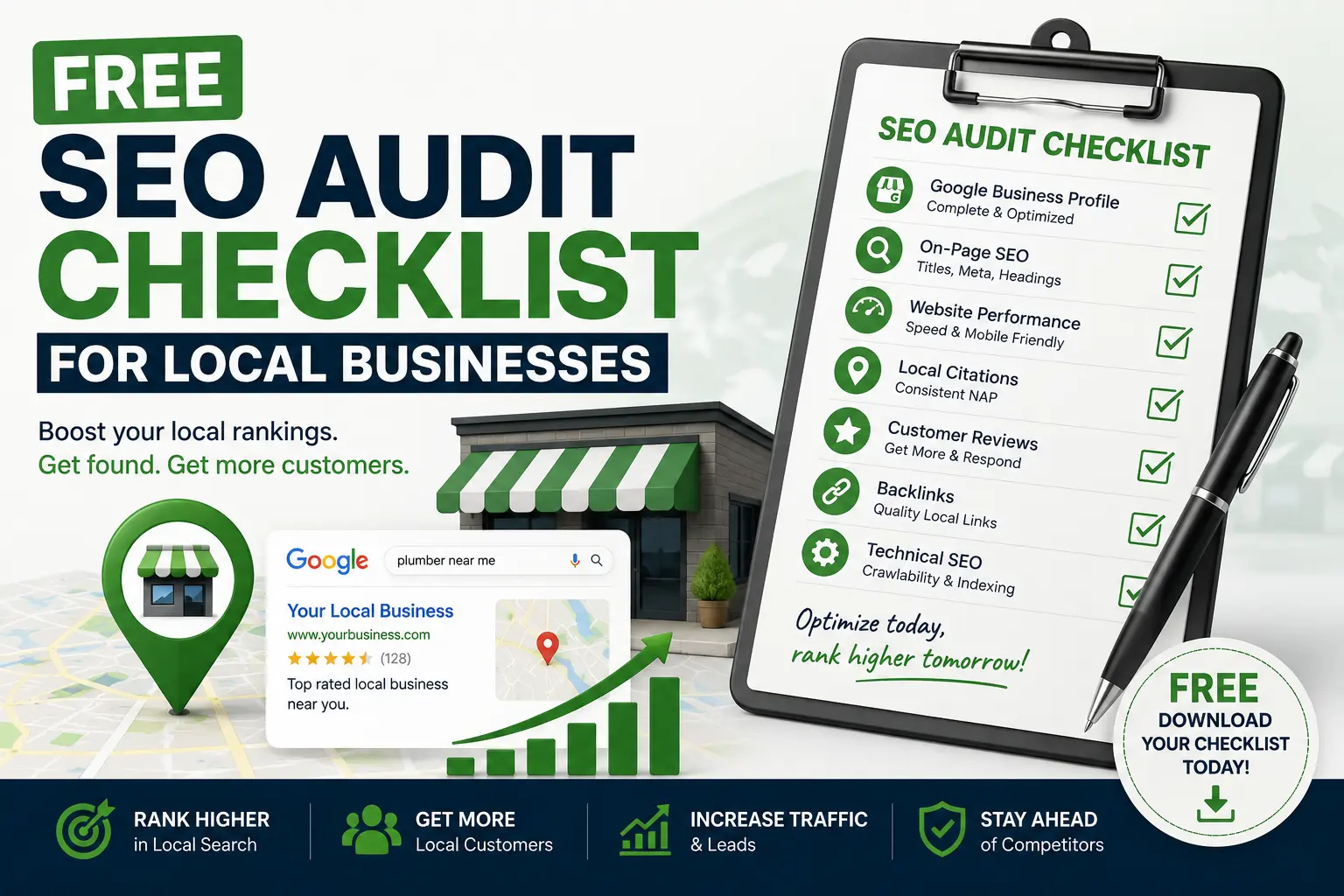
If your local business website isn’t showing up on Google the way you expected, the fastest way to find out why is to run through a proper seo audit checklist. Most local business owners guess at what’s wrong — maybe it’s the reviews, maybe it’s the website speed, maybe Google just “doesn’t like” them. But guessing wastes time and money. A structured seo audit checklist replaces guesswork with a repeatable process that shows you exactly what’s holding your rankings back, and exactly what to fix first.
This guide walks you through a complete, free seo audit checklist built specifically for local businesses — plumbers, electricians, HVAC companies, locksmiths, appliance repair techs, and any service business that depends on local search traffic. By the end, you’ll have a full seo audit checklist you can run on your own site in an afternoon, without hiring an agency.
Why Every Local Business Needs an SEO Audit Checklist
Local search is different from national SEO. You’re not just competing for keywords — you’re competing for map pack rankings, review signals, and proximity to the searcher. That’s why a generic audit built for e-commerce sites often misses the factors that actually move the needle for a plumber in Dallas or an electrician in Los Angeles.
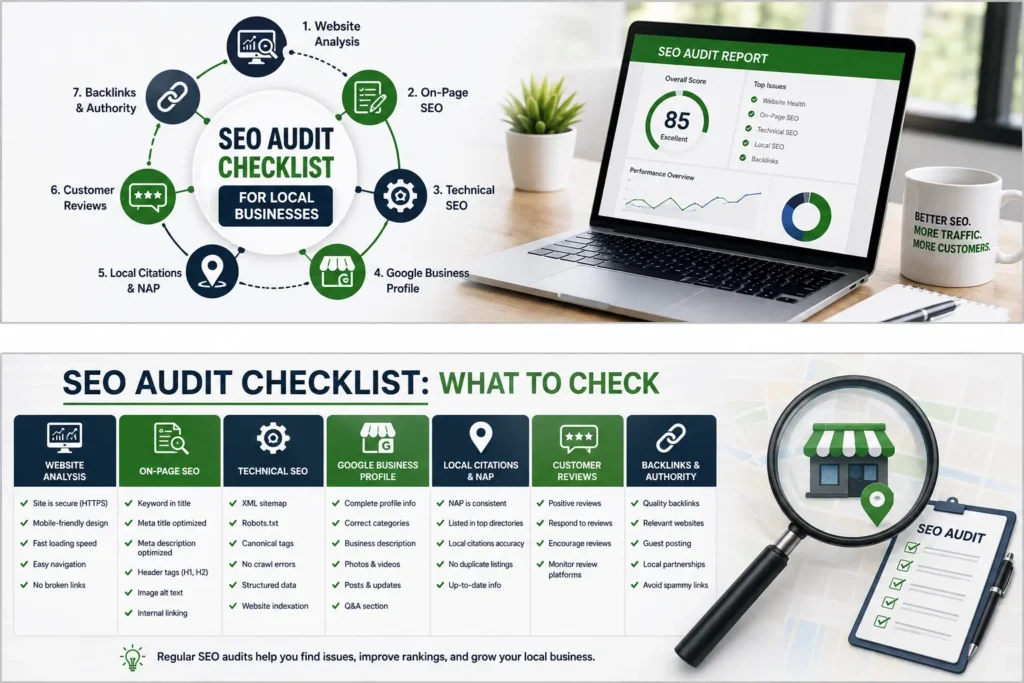
A proper seo audit checklist for local businesses needs to cover four areas at minimum: technical health, on-page optimization, local search signals, and off-page authority. Skip any one of these categories and you’ll end up “fixing” your site without ever finding the real problem.
Running through this seo audit checklist regularly — ideally every quarter — also helps you catch small issues before they become big ones. A single broken redirect or a Google Business Profile suspension can quietly cost you months of leads if nobody’s watching. Think of this checklist as a health check-up for your website, the same way you’d get your work van serviced before it breaks down on a job.
Section 1: Technical SEO Audit Checklist
The technical layer is the foundation. If Google can’t crawl, index, or quickly load your site, nothing else on this seo audit checklist matters. Here’s what to check first.
1. Confirm Your Pages Are Indexed
Open Google Search Console and check the Pages report. This is step one in this process because a page that isn’t indexed simply cannot rank, no matter how well it’s written. If you’re seeing coverage errors here, we’ve written a full breakdown of how to read and fix a Search Console coverage report, which pairs well with this section of the guide.
2. Check Core Web Vitals
Page speed and stability are ranking factors, and they’re a non-negotiable line item on any seo audit checklist. Run your homepage and your top service pages through PageSpeed Insights and look at:
- LCP (Largest Contentful Paint) — how fast your main content loads
- INP (Interaction to Next Paint) — how responsive your site feels
- CLS (Cumulative Layout Shift) — how much your layout jumps around while loading
If any of these are in the red, your seo audit checklist should flag it as a priority fix. We cover this in more depth in our guide to Core Web Vitals and in our broader piece on website speed and SEO.
3. Check for Mobile Usability Issues
More than half of local searches happen on mobile. Any audit that skips mobile usability is incomplete. Use the mobile usability report inside Search Console and manually test your site on a phone — check that buttons are tappable, text doesn’t require zooming, and forms actually submit.
4. Audit Your XML Sitemap and Robots.txt
Your sitemap tells Google what to crawl; your robots.txt tells it what to skip. A common item on this technical checklist is confirming these two files agree with each other — it’s surprisingly common to find pages accidentally blocked in robots.txt while still listed in the sitemap, which sends Google mixed signals.
5. Look for Duplicate Content and Canonical Issues
Duplicate title tags, duplicate meta descriptions, and missing canonical tags all belong on your technical seo audit checklist. These issues confuse Google about which version of a page to rank, splitting your authority across near-identical URLs instead of consolidating it into one strong page.
6. Check HTTPS and Security
Every audit should confirm the entire site loads securely over HTTPS with no mixed-content warnings. An insecure site is a trust signal red flag for both users and Google.
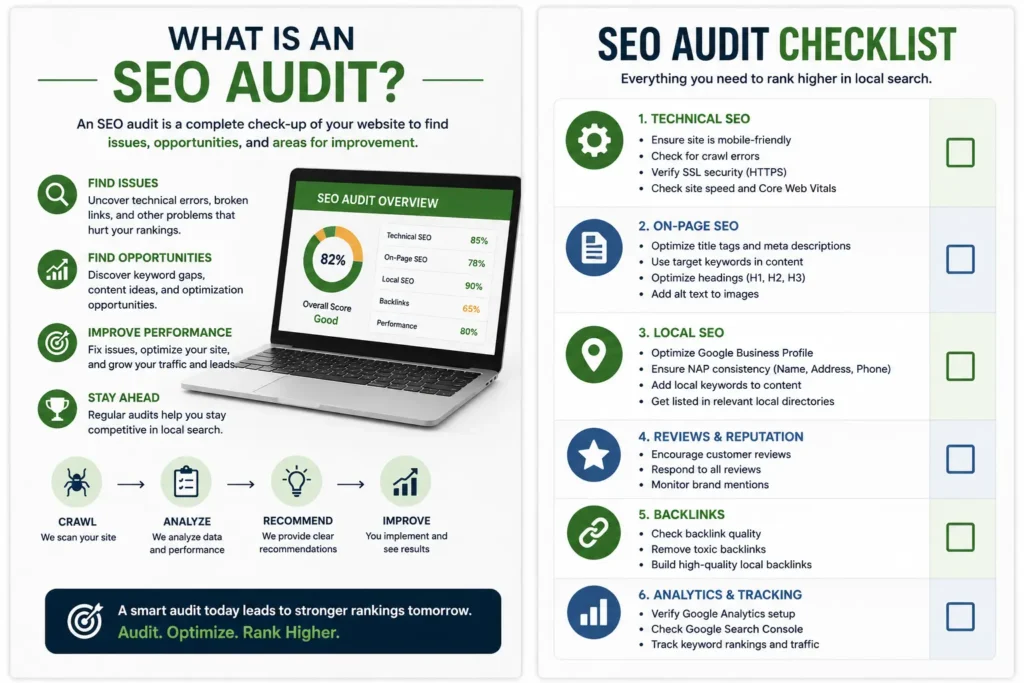
For a deeper technical dive, our technical SEO guide expands on each of these checks with step-by-step instructions, and Iffaris has a useful technical SEO checklist covering 25 additional points worth cross-referencing.
Section 2: On-Page SEO Audit Checklist
Once the technical foundation is solid, the next stage moves to on-page elements — the content and structure of each individual page.
7. Review Title Tags and Meta Descriptions
Every page should have a unique title tag under roughly 60 characters and a meta description under roughly 155 characters that includes your target keyword and a reason to click. This is one of the quickest wins on this list because it’s fast to fix and directly affects click-through rate.
8. Check Header Tag Structure
A clean H1-H2-H3 hierarchy makes it easier for both users and search engines to understand your page. Your seo audit checklist should confirm every page has exactly one H1, and that subheadings logically break the content into sections — the way this article itself is structured.
9. Evaluate Content Depth and Keyword Usage
Thin, generic service pages are one of the most common reasons local businesses fail to rank. Your seo audit checklist should assess whether each page actually answers the questions a customer would have — pricing expectations, service area, process, and guarantees — rather than just listing services in a few sentences. For guidance on getting this right, see our on-page SEO guide.
10. Check Internal Linking
Internal links pass authority between pages and help Google understand site structure. A thorough review checks whether your homepage links to your key service pages, whether blog posts link back to relevant services, and whether any orphaned pages exist with no internal links pointing to them at all.
11. Review Image Optimization
Images should have descriptive file names and alt text, and should be compressed for fast loading. This is a small but frequently overlooked line item on the technical list — bloated, unoptimized images are one of the most common causes of poor Core Web Vitals scores.
12. Check for Keyword Cannibalization
If two pages on your site target the same keyword, they compete against each other instead of ranking together. Any complete seo audit checklist should map out which page targets which keyword phrase, and consolidate or differentiate pages that overlap. Our guide on keyword research for local businesses and our list of low competition keywords are useful companion resources here.
Section 3: Local SEO Audit Checklist
This section is where a local business audit differs most sharply from a generic one. Local visibility depends heavily on your Google Business Profile and citation consistency.
13. Audit Your Google Business Profile
Your Google Business Profile is arguably the single most important item on a local seo audit checklist. Confirm your business name, address, and phone number are accurate, your categories are correct, your hours are current, and your service areas are fully filled out. Our Google Business Profile optimization checklist and Google profile optimization guide go through this in detail.
14. Check Your Google Reviews
Review count, review recency, and average rating all factor into local rankings. This part of the checklist should track how many reviews you’ve earned in the last 90 days, not just your total count — fresh reviews carry more weight than old ones. We’ve written a full guide on how to get more Google reviews if this is an area you’re weak in.
15. Check for Google Business Profile Suspension Risk
If your profile has ever been suspended, or if you’re seeing warning signs, address this immediately — it’s a critical item on this local review. Our article on why Google Business Profiles get suspended covers the most common causes and how to recover.
16. Audit NAP Consistency Across Directories
Your Name, Address, and Phone number (NAP) should match exactly across your website, Google Business Profile, Yelp, Facebook, and industry directories. Inconsistent NAP data is a recurring red flag in any local review because it confuses Google’s confidence in your business’s legitimacy.
17. Check Your Local Landing Pages
If you serve multiple cities or neighborhoods, each area should ideally have its own dedicated landing page rather than one generic “service area” page. Your seo audit checklist should confirm these pages have unique content, not just a swapped city name on a duplicated template. Our complete local SEO guide for small businesses covers how to structure these correctly, our piece on how to rank on Google breaks down local ranking factors by industry, and Iffaris has a broader local SEO guide worth a read as well.
18. Review Your Google Business Profile Ranking Factors
Understanding what actually influences your map pack position helps you prioritize the rest of this local review. Our detailed breakdown of Google Business Profile ranking factors separates on-profile signals from off-profile signals so you know where to focus effort.
Section 4: Off-Page SEO Audit Checklist
The final section of this audit looks outward — at the signals other websites send about your business.
19. Audit Your Backlink Profile
Check how many domains link to your site, and more importantly, check the quality of those links. No audit is complete without reviewing whether your backlinks come from relevant, reputable sources or from spammy, unrelated sites that could be dragging your authority down.
20. Identify Link Building Opportunities
Once you know where you stand, your seo audit checklist should include a plan for building new links — local business associations, supplier partnerships, sponsorships, and guest content on relevant industry sites. Our guides on link building and link building techniques walk through practical, white-hat approaches for service businesses, and Iffaris covers additional tactics in their guide on how to get backlinks.
21. Check Citation Sources
Beyond backlinks, local citations (mentions of your business on directories, even without a link) still contribute to local trust signals. Your seo audit checklist should include a scan of major directories to confirm your listings exist and are accurate.
22. Review Competitor Backlink Gaps
Look at where your top three local competitors get links from that you don’t have. This comparison step turns the audit from a simple health check into an actual growth plan, since it shows you exactly which link opportunities are realistically available in your niche.
Industry-Specific Additions to Your SEO Audit Checklist
Different trades have different search behaviors, so it’s worth tailoring the general seo audit checklist above to your specific industry. If you’re in HVAC, our HVAC SEO guide and HVAC website SEO guide cover seasonal keyword patterns and site architecture unique to heating and cooling companies. Electricians should check our electrician SEO guide, locksmiths can reference our locksmith SEO guide, plumbers can use our plumbing SEO guide, and appliance repair businesses should review our appliance repair SEO guide. Each of these industry pages extends the core checklist with trade-specific keyword and content recommendations.
How Often Should You Run an SEO Audit Checklist?
For most local businesses, running the full seo audit checklist once per quarter is enough to catch issues early without becoming a full-time job. That said, a few triggers should prompt an immediate audit outside your regular schedule:
- You’ve noticed a sudden drop in traffic or rankings
- You just launched a new website or redesign
- You changed your Google Business Profile categories or service areas
- You received a manual action or security warning in Search Console
- Your review count or rating dropped unexpectedly
Treat your seo audit checklist as an ongoing habit rather than a one-time project. Search engines change their algorithms constantly, and a site that passed every check six months ago can easily develop new problems today.
Common Mistakes Businesses Make When Running an SEO Audit Checklist
Even with a solid checklist in hand, it’s easy to go wrong in how you use it. Here are the mistakes we see most often.
Fixing symptoms instead of causes. A seo audit checklist should always trace a problem back to its root. If your Core Web Vitals are poor, the fix usually isn’t “add a speed plugin” — it’s identifying which specific element (unoptimized images, render-blocking scripts, an oversized hero video) is actually causing the slowdown.
Auditing once and never again. As mentioned above, an audit is only useful if it’s repeated. A one-time audit gives you a snapshot, not an ongoing strategy.
Ignoring local-specific factors. Business owners who borrow a generic checklist built for e-commerce often skip Google Business Profile and citation checks entirely, missing the factors that matter most for local visibility.
Not prioritizing fixes. Every seo audit checklist will surface more issues than you can fix in a day. Rank issues by expected impact and effort required, and start with high-impact, low-effort fixes — usually title tags, meta descriptions, and Google Business Profile completeness.
Skipping measurement after fixes. After working through your seo audit checklist, track rankings, traffic, and conversions over the following weeks to confirm the fixes actually worked. If nothing moves, revisit your audit and dig deeper.
A Quick-Reference SEO Audit Checklist Summary
To make this seo audit checklist easy to act on, here’s a condensed version you can print or save:
Technical:
- Pages indexed in Search Console
- Core Web Vitals in the green
- Mobile usability passes
- Sitemap and robots.txt aligned
- No duplicate content or canonical issues
- Full HTTPS with no mixed content
On-Page:
- Unique title tags and meta descriptions on every page
- Clean header tag hierarchy
- Deep, useful content on every service page
- Strong internal linking structure
- Optimized images with alt text
- No keyword cannibalization
Local:
- Complete, accurate Google Business Profile
- Healthy volume of recent reviews
- No suspension risk flags
- Consistent NAP across all directories
- Unique local landing pages per service area
Off-Page:
- Healthy, relevant backlink profile
- Active link building plan
- Accurate citations across directories
- Competitor backlink gaps identified
This condensed version won’t replace the detail in the sections above, but it’s a fast way to track progress once you’ve done the deeper work.
Tools You’ll Need to Run This SEO Audit Checklist
You don’t need an expensive software subscription to work through this checklist properly. Most of what matters can be checked with free tools:
- Google Search Console — indexing status, coverage errors, mobile usability, and manual actions
- Google PageSpeed Insights — Core Web Vitals scoring for both mobile and desktop
- Google Business Profile dashboard — profile completeness, insights, and messaging
- A free crawler like Screaming Frog (free up to 500 URLs) — title tags, meta descriptions, header structure, and broken links in one pass
- Google’s Rich Results Test — confirms your structured data is valid
Running through this process with these five tools alone covers roughly 80% of what a paid enterprise audit tool would surface for a typical local business site. The remaining 20% — backlink profile depth and competitor gap analysis — usually benefits from a paid tool like Ahrefs or Semrush, but even their free trial tiers are enough to complete a one-time audit.
How to Turn Your SEO Audit Checklist Into an Action Plan
Finding problems is only half the job. The real value of a seo audit checklist comes from turning findings into a prioritized to-do list your team can actually execute. Here’s a simple framework:
- List every issue you found while working through the checklist, one line per issue.
- Score each issue on two axes: estimated impact (high, medium, low) and estimated effort (high, medium, low).
- Start with high-impact, low-effort items — these are almost always things like fixing title tags, completing your Google Business Profile, or removing a robots.txt block on an important page.
- Batch medium-effort items — content rewrites, image optimization, internal linking cleanup — into a monthly sprint rather than trying to fix everything at once.
- Schedule high-effort items — like a full site migration or a Core Web Vitals overhaul — as a dedicated project with its own timeline, separate from routine maintenance.
This turns a static seo audit checklist into a living roadmap, which is the difference between an audit that sits in a folder and one that actually improves your rankings over the following months.
Frequently Asked Questions About SEO Audits
How long does it take to complete an SEO audit checklist? For a typical local business site with under 30 pages, expect to spend three to five hours working through the full checklist manually, or about an hour if you’re using a crawler tool to automate the technical and on-page sections.
Do I need to hire an agency to run an SEO audit checklist? No. Everything in this guide can be done in-house using free tools. An agency becomes worth the cost mainly when you want ongoing execution and monitoring, not the audit itself.
What’s the difference between a technical audit and a full SEO audit checklist? A technical audit only covers crawlability, indexing, and site speed. A full seo audit checklist, like the one in this guide, also covers on-page content, local search signals, and backlinks — giving you a complete picture rather than a partial one.
How do I know which issues to fix first? Prioritize by impact versus effort, as outlined in the action plan section above. Google Business Profile completeness and title tag fixes almost always deliver the fastest visible results relative to the time they take.
What a Weak Result Actually Looks Like
It helps to know what “failing” a check actually looks like in practice, rather than just having a list of items to tick off. A weak technical result usually shows up as an LCP score above 4 seconds on mobile, or a Search Console coverage report listing more than a handful of “Discovered — currently not indexed” pages. A weak on-page result looks like service pages under 300 words with no unique detail, duplicated across cities with only the city name swapped out. A weak local result looks like a Google Business Profile with fewer than five reviews in the last quarter, missing service area listings, or categories that don’t match what the business actually does. A weak off-page result looks like a backlink profile dominated by low-quality directory spam rather than relevant, locally-relevant sites.
Knowing what “bad” looks like in concrete terms makes it much easier to judge your own results honestly instead of assuming everything is fine because nothing threw an obvious error message.
Budgeting Time for a Local Business Audit
Business owners often ask how much time to set aside before they start. As a rough guide:
- Technical section: 45–60 minutes, mostly waiting on crawler and PageSpeed reports to finish
- On-page section: 60–90 minutes, since this involves manually reviewing title tags and content on each key page
- Local section: 30–45 minutes, largely spent inside your Google Business Profile dashboard
- Off-page section: 30–45 minutes, reviewing your backlink report and competitor gaps
Altogether, budget a half day for the first full pass. Every audit after that first one goes faster, since you’ll already know where your weak spots historically show up and can check those areas first.
Signs You’re Ready to Bring in Outside Help
Not every business needs to hand this off to an agency, but a few signs suggest it might be worth it: your findings list is long and you don’t have the internal bandwidth to act on it, your site involves a complex platform migration, or you’ve already fixed the obvious issues and rankings still aren’t moving. In those cases, a second set of eyes — someone who audits sites full-time — can often spot patterns that are easy to miss when you’re too close to your own website. Even then, having gone through the process yourself first means you’ll understand exactly what an agency is telling you, and you’ll be able to judge whether their recommendations actually make sense for your business.
Final Thoughts on Running Your SEO Audit Checklist
A thorough seo audit checklist is the single most efficient way for a local business to figure out what’s actually blocking growth in search results. Instead of throwing money at ads or guessing which blog topic might help, working through this structured process tells you precisely where your site is weak — technically, on-page, locally, or off-page — and gives you a clear, prioritized path forward.
Start with the technical basics, move through on-page and local factors, and finish with an honest look at your backlink profile. Revisit this seo audit checklist every quarter, after any major site change, and any time your rankings move unexpectedly. Local businesses that treat their seo audit checklist as an ongoing discipline, rather than a one-time task, are consistently the ones that hold their local rankings steady over time — and keep the phone ringing.
