
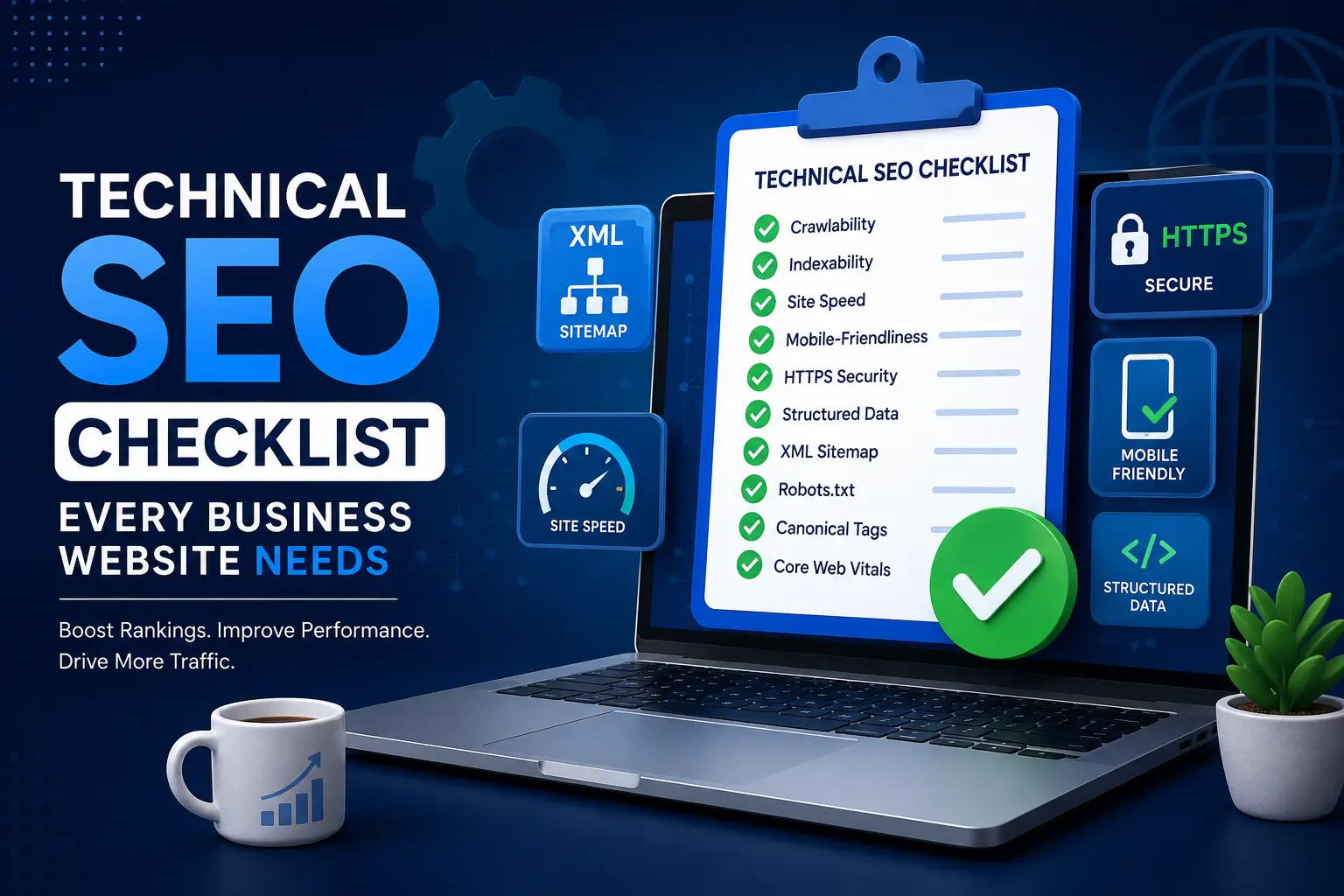
Most business owners think about SEO in terms of keywords, blog posts, and backlinks. Those things matter, but none of them work well if the foundation underneath them is broken. That foundation is what SEO professionals call technical SEO, and it is the single most overlooked piece of the SEO puzzle for small and mid-sized business websites.
Technical SEO covers everything that helps search engines crawl, understand, and index your website correctly. Without it, even the best-written content and the strongest backlink profile will struggle to rank, because Google simply cannot access or interpret your pages properly. In this guide, we will walk through a complete technical SEO checklist that every business website needs, explain why each item matters, and show you exactly how to fix the most common issues.
By the end of this article, you will understand technical SEO from the ground up and have a practical, repeatable checklist you can run against your own website today.
What Is Technical SEO?
Technical SEO refers to the behind-the-scenes optimization work that makes a website easy for search engines to crawl, render, and index. Unlike content SEO, which focuses on what you say, this side of optimization focuses on how your website is built and how well it communicates with search engine bots.
This includes everything from site speed and mobile responsiveness to structured data, canonical tags, XML sitemaps, and secure connections. Technical SEO does not directly involve writing content or building links, but it determines whether the content you have already created ever gets a fair chance to rank in the first place.
Many business owners assume technical SEO is only relevant for large, complex websites. In reality, even a five-page business website can suffer from serious underlying issues that quietly cap its ranking potential. A slow-loading homepage, a missing sitemap, or duplicate content across service pages can undo months of otherwise solid marketing effort.
Why Technical SEO Matters for Every Business Website
Search engines like Google use automated crawlers to discover and evaluate web pages. If your technical SEO is weak, those crawlers may struggle to find your pages, misinterpret your content, or waste their limited crawl budget on unimportant pages while ignoring the ones that actually drive revenue.
Technical SEO also directly affects user experience. A technically sound website loads quickly, works well on mobile devices, and provides a smooth, error-free browsing experience. Google has increasingly tied ranking signals to these experience-based factors, which means this discipline and user satisfaction are no longer separate concerns.
For local and small businesses specifically, this foundation often determines whether a website can compete at all against larger, better-funded competitors. A well-optimized site with fewer resources can frequently outrank a much larger competitor whose site health has been neglected for years.
The Complete Technical SEO Checklist
Below is a comprehensive, practical technical SEO checklist broken into logical categories. Work through each section methodically rather than trying to fix everything at once.
1. Crawlability and Indexability
The starting point of any technical SEO audit is confirming that search engines can actually access and index your pages.
- Check your robots.txt file to make sure you are not accidentally blocking important pages from being crawled.
- Submit an XML sitemap through Google Search Console so search engines can discover every page you want indexed.
- Review your indexed pages in Search Console to confirm that important pages are indexed and unimportant ones, like thank-you pages or internal search results, are not wasting crawl budget.
- Fix crawl errors flagged in Search Console, including 404s and server errors, before they accumulate.
If you have not yet connected your site to Google’s tools, our guide to Google Search Console explains how to set it up and use it to monitor these exact technical SEO issues on an ongoing basis.
2. Site Architecture and URL Structure
A clean, logical site structure is one of the most underrated ranking factors. Search engines rely on your internal linking and URL hierarchy to understand which pages matter most and how they relate to one another.
- Keep URLs short, descriptive, and free of unnecessary parameters.
- Organize content into clear categories so related pages are grouped logically.
- Limit click depth so that no important page is buried more than three or four clicks from the homepage.
- Use breadcrumb navigation to reinforce site hierarchy for both users and search engines.
A poorly structured website makes every other optimization effort harder to execute, because search engines cannot efficiently distribute authority through the site.
3. Core Web Vitals and Page Speed
Page speed and Core Web Vitals sit at the heart of modern technical SEO. Google uses these metrics to measure real-world user experience, and slow-loading pages are consistently penalized in rankings regardless of how strong the content is.
- Compress and properly size all images.
- Minimize render-blocking JavaScript and CSS.
- Use a content delivery network if your audience spans multiple regions.
- Enable browser caching and reduce server response times.
This is one of the most technical parts of the checklist, and it deserves its own deep dive. Our detailed guide on Core Web Vitals breaks down exactly how these metrics are measured, and our companion article on website speed and SEO covers practical steps to speed up a slow business website.
4. Mobile-Friendliness and Responsive Design
Google has moved to mobile-first indexing, meaning it primarily uses the mobile version of your site for ranking and indexing. This makes mobile optimization a non-negotiable part of any modern optimization checklist.
- Test your site using Google’s mobile-friendly testing tools.
- Ensure text is readable without zooming and buttons are easy to tap.
- Avoid intrusive pop-ups that block content on mobile screens.
- Confirm that mobile and desktop versions serve the same core content.
Skipping mobile optimization undermines almost every other optimization effort, since the majority of local searches now happen on mobile devices.
5. HTTPS and Website Security
Security is a foundational, if often ignored, piece of technical SEO. Google has confirmed HTTPS as a ranking signal, and browsers actively warn users away from non-secure sites, which damages trust and increases bounce rates.
- Confirm your site uses a valid SSL certificate and loads securely across every page.
- Redirect all HTTP traffic to HTTPS with proper 301 redirects.
- Fix mixed content warnings where secure pages load insecure resources.
- Keep your CMS, plugins, and themes updated to close security vulnerabilities.
A single security warning can undo the trust that months of content and optimization work has built.
6. Structured Data and Schema Markup
Structured data helps search engines understand the context of your content and can unlock rich results like star ratings, FAQs, and business information directly in the search results. This is a technical SEO tactic many small businesses skip entirely, despite its relatively low implementation cost.
- Implement LocalBusiness schema for location-based service pages.
- Add Review or AggregateRating schema where genuine reviews exist.
- Use FAQ schema on pages that answer common customer questions.
- Validate all markup using Google’s Rich Results Test before publishing.
Structured data will not single-handedly fix a broken underlying foundation, but layered on top of a healthy site, it meaningfully improves visibility in search results.
7. Canonicalization and Duplicate Content
Duplicate or near-duplicate content confuses search engines about which version of a page should rank, diluting authority across multiple URLs. This is a common technical SEO issue on service-area business sites that create nearly identical location pages.
- Use canonical tags to indicate the preferred version of similar pages.
- Consolidate thin, near-duplicate location pages where possible.
- Watch for both www and non-www, or HTTP and HTTPS, versions of your site being indexed separately.
- Audit paginated or filtered pages that may generate unintentional duplicate content.
Resolving canonicalization issues is one of the more technical parts of an audit, but it often produces some of the fastest ranking improvements once fixed.
8. XML Sitemaps and Navigation Consistency
Beyond simply having a sitemap, it needs to stay accurate and current. An outdated sitemap listing removed pages, or missing new ones, undermines the crawlability work covered earlier in this technical SEO checklist.
- Regenerate your sitemap automatically whenever pages are added or removed.
- Exclude noindexed or low-value pages from the sitemap.
- Submit updated sitemaps to Search Console after major site changes.
- Keep primary navigation menus consistent with your sitemap structure.
9. Broken Links and Redirect Chains
Broken internal links and long redirect chains waste crawl budget and create dead ends for both users and search engines. Cleaning these up is a routine but essential technical SEO maintenance task.
- Run regular audits to identify broken internal and external links.
- Replace redirect chains with single, direct 301 redirects.
- Update internal links to point directly to final destination URLs rather than through redirects.
- Fix or remove links to pages that no longer exist.
10. Image and Asset Optimization
Images are often the single largest contributor to page weight, making them a recurring focus area in technical SEO audits.
- Use modern formats like WebP where supported.
- Add descriptive, keyword-relevant alt text for accessibility and context.
- Lazy-load images below the fold to improve initial page load.
- Compress images without materially reducing visual quality.
Technical SEO vs. On-Page SEO vs. Off-Page SEO
It helps to understand where technical SEO fits relative to the other two major SEO categories. On-page SEO focuses on content, keywords, and page-level elements like titles and headers. Off-page SEO focuses on external signals like backlinks and brand mentions. This layer sits underneath both, providing the infrastructure that allows on-page and off-page efforts to actually count.
You can have exceptional content and a strong backlink profile, but if technical SEO issues prevent Google from crawling or properly rendering your pages, none of that other work translates into rankings. This is why experienced SEO professionals typically start every project with a technical SEO audit before touching content or link building.
If you are working on building authority alongside your technical SEO improvements, our guides on link building fundamentals and practical link building techniques cover the off-page side of the equation in more depth.
Common Technical SEO Mistakes Businesses Make
Even businesses that invest in SEO regularly fall into the same structural traps. Watch for these common issues:
- Blocking important pages in robots.txt by accident during a site redesign.
- Ignoring mobile performance while focusing only on desktop speed.
- Letting SSL certificates expire, triggering browser security warnings.
- Publishing near-duplicate location pages without canonical tags.
- Never submitting an updated sitemap after a major content overhaul.
- Overlooking broken links that accumulate after years of site changes.
- Treating technical SEO as a one-time project rather than an ongoing maintenance habit.
Avoiding these mistakes is often more valuable than chasing advanced tactics, since a single major technical SEO error can offset months of content and link-building work.
Tools for Running a Technical SEO Audit
You do not need an expensive enterprise platform to get started with technical SEO. A solid audit can be run using a combination of free and affordable tools:
- Google Search Console — the single most important free resource for monitoring crawl errors, indexing status, and Core Web Vitals data directly from Google.
- PageSpeed Insights — provides detailed page speed and Core Web Vitals reporting for individual URLs.
- Screaming Frog or Sitebulb — crawl your entire site to surface broken links, duplicate content, missing metadata, and structural issues.
- Google’s Rich Results Test — validates structured data implementation before it goes live.
- Mobile-Friendly Test — confirms pages meet Google’s mobile usability standards.
Running a technical SEO audit quarterly, rather than only during a website redesign, helps catch issues before they compound into significant ranking losses.
You do not need to run every tool every time. A quick monthly check of Search Console and PageSpeed Insights is usually enough to catch new problems early, while a full crawl with Screaming Frog or Sitebulb once a quarter will surface deeper structural issues like orphaned pages, redirect chains, and duplicate metadata that smaller checks tend to miss. Keeping a simple spreadsheet log of what was found and fixed each quarter also makes it easier to spot recurring patterns, such as a plugin that repeatedly breaks your sitemap or a page template that consistently loads slowly on mobile.
How Technical SEO Supports Local SEO and Google Business Profile Rankings
For local businesses, technical SEO does not operate in isolation from local search performance. A slow, poorly structured website can quietly undermine the prominence signals tied to your Google Business Profile listing, since Google frequently checks website quality when evaluating overall business credibility. If you want to see how these pieces connect, our guide on Google Business Profile ranking factors explains how website health feeds into local map pack visibility.
Strong technical SEO also reinforces the broader local SEO strategy covered in our complete local SEO guide for small businesses, and pairs naturally with the profile-level work described in our Google Business Profile optimization guide and Google Profile optimization checklist. Businesses that have previously run into listing issues may also find our article on why Google Business Profiles get suspended useful, since technical inconsistencies between your website and profile can sometimes contribute to verification problems.
Keyword targeting decisions also benefit from a technically sound foundation. Once your crawlability and site structure are solid, our guide to keyword research for local businesses can help you decide which terms to prioritize across your newly optimized pages.
Technical SEO by Industry
While the core technical SEO checklist applies to every business website, certain industries face unique structural challenges. Service-area businesses that operate across multiple cities, like HVAC companies, often generate large numbers of location pages that require careful canonicalization and internal linking to avoid duplicate content problems. Our guides on HVAC SEO strategy and HVAC website architecture and on-page SEO explain how these businesses can structure their sites without triggering common technical SEO pitfalls.
Plumbing companies face similar structural challenges when targeting multiple service areas and emergency service keywords. Our plumbing SEO guide covers how technical SEO principles apply specifically to that industry.
Appliance repair businesses, which often publish highly similar content across brand and appliance-type pages, are especially prone to duplicate content issues. Our appliance repair SEO guide walks through how to structure this content without diluting rankings across near-identical pages.
Signs Your Website Has an Underlying Problem
Not every business owner has the time or expertise to run a full audit regularly, but there are warning signs that usually point to unresolved issues worth investigating right away.
- Organic traffic has been flat or declining for several months despite regular content publishing.
- Pages take more than three seconds to load, especially on mobile connections.
- Google Search Console shows a growing number of “crawled, currently not indexed” pages.
- Rankings for well-optimized content pages seem to plateau far below expectations.
- The site has gone through a redesign, platform migration, or URL structure change without a follow-up audit.
- Multiple pages appear to target the same keyword and seem to compete against each other in search results.
Any one of these signs, on its own, might not indicate a serious issue. But when several appear together, it is usually a sign that the underlying infrastructure needs attention before more content or links will move the needle.
Technical SEO for E-Commerce vs. Service-Based Business Websites
The core principles covered in this checklist apply broadly, but the priorities shift depending on the type of business. E-commerce websites tend to face heavier duplicate content challenges due to product variations, filtered category pages, and pagination, all of which require careful canonicalization and faceted navigation rules to avoid diluting rankings across near-identical URLs.
Service-based businesses, including most local and trade companies, typically deal with a different set of priorities. Location pages, service pages, and internal linking structure tend to matter more than product feeds or shopping schema. Site speed remains a shared priority across both business types, but the specific fixes often differ: an e-commerce site might focus on optimizing a large product catalog and third-party scripts, while a service business is more likely to see gains from image compression and reducing plugin bloat on a smaller number of pages.
Understanding which category your business falls into helps you prioritize the checklist above rather than trying to tackle every item with equal urgency from day one.
How Often Should You Run a Technical SEO Audit?
Technical SEO is not a set-it-and-forget-it task. Websites change constantly through content updates, plugin changes, redesigns, and platform migrations, and each of these changes can introduce new underlying issues. A quarterly audit schedule is a reasonable baseline for most small business websites, while larger or frequently updated sites may benefit from monthly checks.
At minimum, run a technical SEO check immediately after any major site change, including redesigns, CMS migrations, or bulk content updates. Catching a broken sitemap or an accidental robots.txt block within days, rather than months, can prevent significant, avoidable ranking losses.
Frequently Asked Questions About Technical SEO
What is the difference between technical SEO and on-page SEO? Technical SEO focuses on how a website is built and how well search engines can crawl and index it, while on-page SEO focuses on content elements like keywords, headers, and page titles. Both are necessary, but technical SEO forms the foundation that on-page SEO depends on.
Can a business rank well without strong technical SEO? It is possible for a short time, particularly with very low competition, but underlying issues eventually cap growth. As competition increases, businesses with unresolved structural problems tend to plateau or lose rankings to more technically sound competitors.
How long does it take to see results from technical SEO improvements? Some fixes, like resolving crawl errors or repairing broken redirects, can show results within days as search engines re-crawl the site. Larger changes, like site-wide speed improvements or a full restructuring, may take four to eight weeks to fully reflect in rankings.
Do small business websites really need technical SEO? Yes. Technical SEO issues are not limited to large, complex sites. Even a small five-page business website can suffer from slow load times, missing sitemaps, or duplicate content that limits its ranking potential.
What technical SEO issue has the biggest impact on rankings? Page speed and Core Web Vitals typically have the most measurable impact for business websites, since they affect both user experience and Google’s ranking algorithms directly. Crawlability issues, when present, can have an even larger impact because they prevent pages from being indexed at all.
Do I need a developer to fix technical SEO issues? Some fixes, like compressing images or updating a sitemap plugin, can be handled by most business owners with basic website access. Others, like resolving server-side redirect chains or restructuring URLs, are usually best handled by a developer or an experienced SEO professional to avoid introducing new problems while fixing old ones.
Final Thoughts on Technical SEO
Technical SEO is not the most glamorous part of digital marketing, but it is the part that determines whether everything else you do actually works. A business can invest heavily in content and link building, yet still underperform in search results if these issues are left unresolved.
Use the checklist in this guide as a starting point. Begin with crawlability and indexability, move through site speed and mobile usability, and work your way down to the more granular items like structured data and image optimization. Treat this discipline as an ongoing discipline rather than a one-time fix, and revisit your site on a regular schedule as it grows and changes.
Businesses that consistently maintain strong technical SEO give every other part of their marketing strategy, from content to local SEO to link building, a real chance to perform. In a competitive search landscape, that foundation is often the deciding factor between a website that ranks and one that quietly gets left behind.
If you are unsure where to start, pick the three items from the checklist above that feel most relevant to your situation right now, whether that is a slow homepage, a missing sitemap, or a pile of broken links from an old redesign, and work through them first. Momentum matters more than perfection in the early stages: a handful of fixed issues this month, followed by a few more next month, will do more for your rankings over a year than waiting for the perfect time to tackle everything at once. Website health is not a project with a finish line; it is a habit that compounds, quietly protecting and amplifying every other investment you make in growing your business online.
