
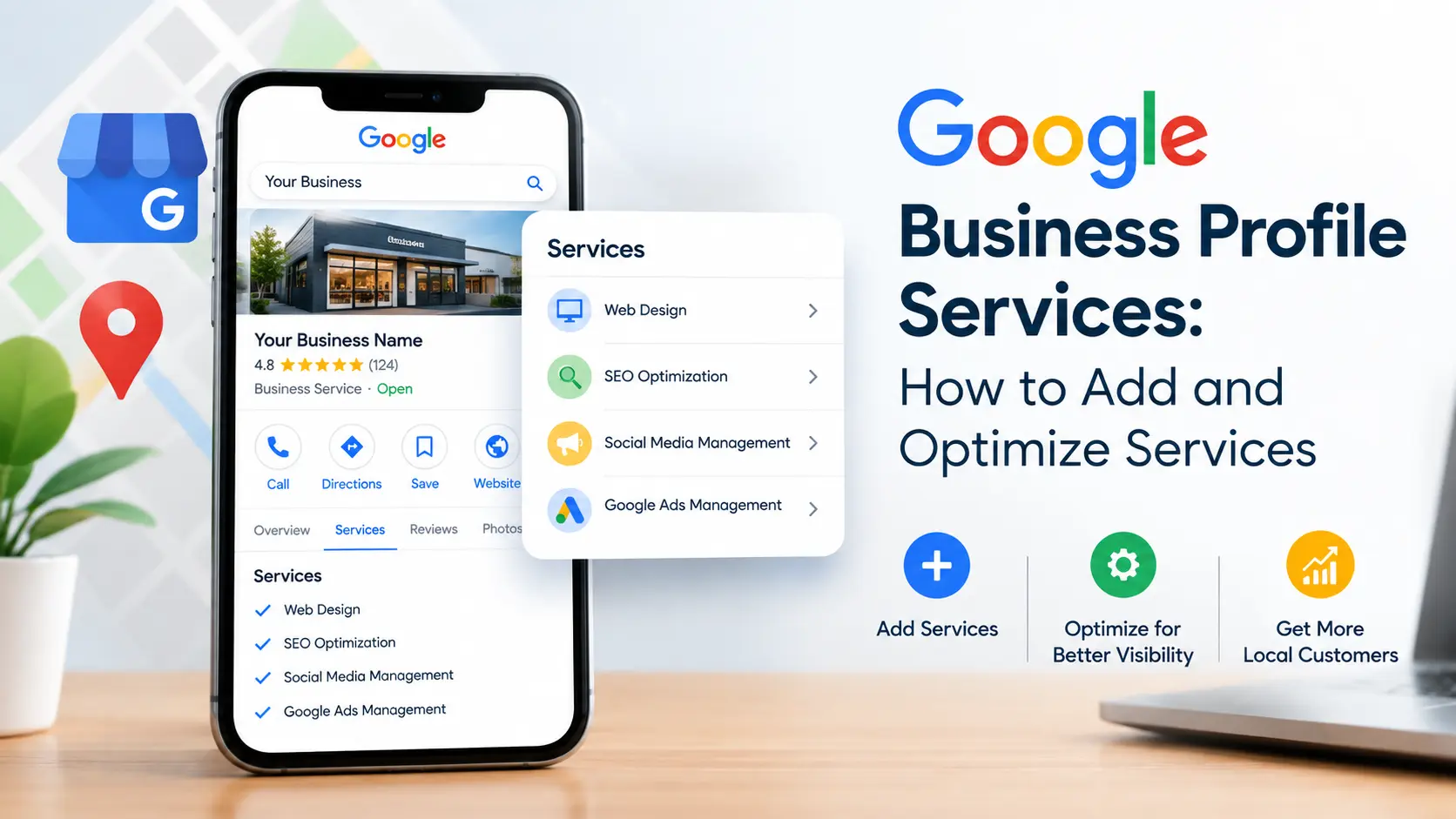
If you run a local business, your listing on Google is often the first — and sometimes only — impression a customer forms before they call, message, or drive over. One of the most overlooked parts of that listing is the Services section, and getting your Google Business Profile services set up correctly can be the difference between a customer choosing you or scrolling past you to a competitor. In this guide, we’ll walk through exactly how to add and optimize Google Business Profile services, why this feature matters more than most business owners realize, and the mistakes that quietly cost local businesses visibility every day.
Whether you’re an electrician, an appliance repair technician, a towing company, or any other local service business, understanding how Google Business Profile services work — and how to structure them properly — is one of the fastest ways to improve your visibility in Google Maps and the local search results.
This guide is built for business owners and marketers who want a complete, practical walkthrough rather than a surface-level overview. By the end, you’ll know exactly how to set up, write, price, and maintain your Google Business Profile services, along with the specific mistakes that quietly hold most local listings back from ranking where they should. We’ll also cover how this section interacts with reviews, mobile search behavior, and paid ad campaigns, so you’re working with the complete picture rather than just one isolated setting inside your dashboard.
What Are Google Business Profile Services?
Google Business Profile services are the specific offerings you list under your business listing so that Google, and the people searching on it, understand exactly what you do. Instead of a single vague category like “Electrician” or “Appliance Repair,” this feature lets you break your business down into individual, searchable line items — things like “Emergency Electrical Repair,” “Panel Upgrades,” “Refrigerator Repair,” or “24-Hour Towing.”
This section sits directly on your Google Business Profile, visible to anyone who finds your listing through Google Search or Google Maps. Each service can include a short description, and in many categories, a price or price range. Done well, this list turns a generic listing into something that reads like a mini menu of exactly what a customer can hire you for.
Google introduced this feature because searchers increasingly want specifics. Someone searching “water heater repair near me” doesn’t want to click through five listings just to find out which ones actually offer that service. When this list is filled out properly, Google can match your listing directly to that specific search, which means more qualified clicks and fewer wasted impressions.
Why Google Business Profile Services Matter for Local Businesses
Local service businesses live and die by visibility in the Google Maps 3-pack and local organic results. This feature plays a bigger role in that visibility than most business owners assume, for a few concrete reasons.
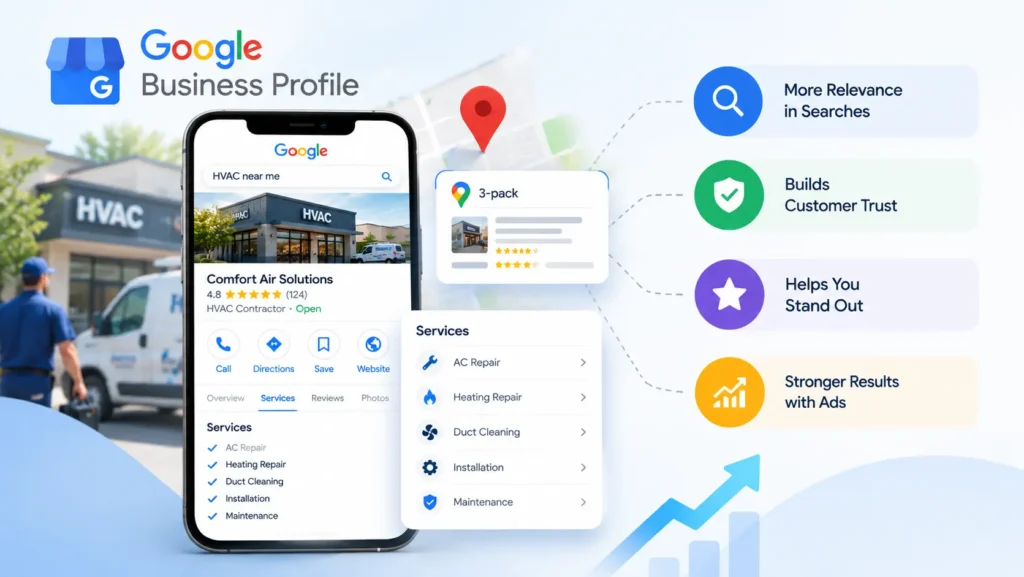
- 1. Relevance signals. Google’s local algorithm weighs relevance heavily — how closely your listing matches what the searcher typed. When your services list specific, keyword-rich offerings, you give Google more ways to match your business to more searches, not just your primary category.
- 2. Searcher trust. A profile with a detailed services list looks more established and trustworthy than a bare-bones listing with just a name and phone number. Customers comparing two similar businesses will often choose the one whose listing tells them more.
- 3. Competitive differentiation. Most local competitors don’t bother filling out this section in detail. That gap is an opportunity — a fully built-out services section can make your listing stand out even if a competitor has more reviews.
- 4. Better ad and organic synergy. If you also run Local Services Ads or Google Ads, having your listed services aligned with your ad campaigns creates a more consistent experience for the customer, which tends to improve conversion rates.
For niche trades — electrical contractors, appliance repair companies, towing operators, HVAC technicians, locksmiths — Google Business Profile services are especially valuable because these industries often have highly specific, high-intent searches (“furnace won’t turn on,” “locked out of car,” “dryer not heating”) that map almost one-to-one to individual service listings.
How to Add Google Business Profile Services: Step-by-Step
Adding them is straightforward once you know where to look, but the process differs slightly depending on whether you’re using desktop or mobile.
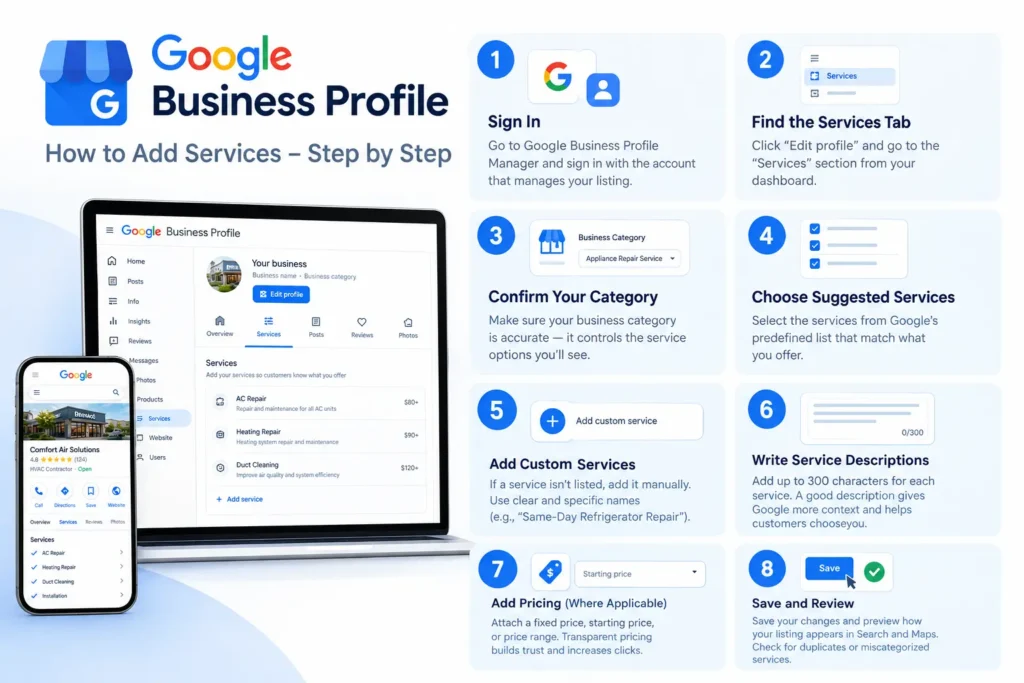
Step 1: Sign in to Your Google Business Profile
Go to your Google Business Profile manager (either through Google Search by searching your business name, or through business.google.com) and sign in with the account that manages your listing.
Step 2: Navigate to the “Services” Tab
From your profile dashboard, click “Edit profile,” then find the “Services” section. This is where the full services list will live.
Step 3: Select or Confirm Your Business Category
Your available service options are pulled from Google’s predefined list tied to your primary and secondary business categories. Before adding services, make sure your categories accurately reflect your business — an appliance repair company classified only as “Repair Service” will see far fewer relevant service options than one correctly categorized as “Appliance Repair Service.”
Step 4: Add Services from Google’s Suggested List
Google will show a list of predefined services associated with your category. Check every option that genuinely applies to your business. This is the fastest way to populate the list with terms Google already recognizes and indexes for local search.
Step 5: Add Custom Services
If a service you offer isn’t in Google’s predefined list, you can add it manually. Click “Add custom service,” name it clearly and specifically (avoid vague names like “Repairs” — use “Same-Day Refrigerator Repair” instead), and save.
Step 6: Write Service Descriptions
Each entry can include a description of up to 300 characters. Don’t skip this. A well-written description gives Google more context and gives the customer a reason to choose that specific service.
Step 7: Add Pricing (Where Applicable)
For eligible categories, you can attach a fixed price, a starting price, or a price range to each service. Transparent pricing tends to increase trust and click-through rate, particularly for home service businesses where customers are often comparing multiple quotes.
Step 8: Save and Review
Once you’ve added your services, save your changes and preview how the listing appears in Search and Maps. Check that services are grouped logically and that nothing looks duplicated or miscategorized.
How to Optimize Google Business Profile Services for Maximum Visibility
Simply adding entries isn’t enough — optimization is what actually moves the needle on rankings and clicks. Here’s how to get the most out of this feature.
Use Specific, Search-Friendly Service Names
Generic labels underperform. Instead of “Electrical Work,” use “Ceiling Fan Installation,” “Circuit Breaker Replacement,” or “Electrical Panel Upgrade.” Specific, well-named entries match specific searches, and specific searches convert at a much higher rate than broad ones.
Write Keyword-Rich Descriptions Without Stuffing
Each service description is a small but real opportunity to reinforce relevant local keywords. Mention the service name naturally, and where appropriate, include your service area. Avoid cramming keywords unnaturally — Google’s algorithms and human readers both penalize descriptions that read like a list of search terms rather than a sentence.
Mirror Your Website’s Service Pages
Your listed services should closely match the service pages on your actual website. This consistency reinforces relevance across your entire online presence and makes it easier for Google to confirm that what you claim on your profile is accurate and current.
Prioritize High-Intent Services First
Not all services are searched equally. Lead with the entries that generate the most demand — emergency repairs, same-day service, and your highest-margin offerings — since these are the ones most likely to appear in relevant local search snippets.
Keep the List Updated Seasonally
If you offer seasonal services (like AC tune-ups in summer or heating system checks in winter), update this list accordingly. An outdated services list signals neglect, both to customers and, indirectly, to Google’s freshness signals.
Add Photos to Reinforce Services
While photos aren’t attached directly to individual service listings in most categories, having photos on your profile that visually reflect what’s listed (a technician mid-repair, a finished installation, a company truck) reinforces credibility and supports the overall relevance of your profile.
Encourage Reviews That Mention Specific Services
Reviews that naturally mention a specific service (“They fixed our garage door opener the same day”) reinforce the relevance of that item within the list. You can’t script reviews, but you can prompt happy customers to mention what you did for them.
Primary vs. Secondary Categories and How They Shape Your Services
One detail that trips up many business owners is that the available options for this section are tied directly to your chosen categories — not something you can add freely from scratch in every case. Your primary category should be the single most accurate description of your core business, since it carries the most ranking weight. Secondary categories expand the pool of predefined entries you can choose from, so it’s worth adding every secondary category that’s genuinely relevant.
For example, a towing company might use “Towing Service” as its primary category and add “Roadside Assistance Service” and “Vehicle Recovery Service” as secondary categories, unlocking a wider range of entries like “Flatbed Towing,” “Jump Start Service,” and “Lockout Assistance.”
Getting the category structure right before you build out this list will save you from having to redo the work later.
Common Mistakes When Adding Google Business Profile Services
Even experienced business owners make errors that limit the effectiveness of this section. Here are the most common ones.
- Listing too few services. A profile with only two or three entries misses opportunities to match a wider range of searches.
- Using vague, generic names. “General Services” or “Miscellaneous” tell Google nothing useful.
- Leaving descriptions blank. Empty descriptions are a missed relevance opportunity.
- Ignoring pricing fields. Skipping available pricing options can reduce trust and click-through.
- Never updating the list. Businesses evolve; the list should evolve with them.
- Mismatched categories. If your categories don’t reflect your actual business, you’ll never see the full range of relevant options.
- Copy-pasting competitor listings. Duplicate, non-specific descriptions across entries (or copied from a competitor) dilute relevance rather than strengthen it.
Avoiding these mistakes is often enough to put a local business ahead of competitors who treat this section as an afterthought.
Google Business Profile Services for Local Trade Businesses
Local trade businesses — electricians, appliance repair technicians, towing operators, plumbers, HVAC companies, and locksmiths — tend to benefit the most from a well-built services list because their customers search with urgent, specific intent. Someone typing “emergency locksmith near me” or “AC not cooling repair” is close to ready to call, and a precisely matched service listing can be the deciding factor in who gets that call.
If you manage a trade business, it’s worth treating this list with the same care you’d give your website’s service pages. For a deeper look at how local visibility ties together across your entire online presence, see our guide on Local SEO strategies for trade businesses, which covers how Google Business Profile services fit into a broader local search strategy alongside citations, reviews, and on-page optimization.
It’s also worth pairing your Google Business Profile services with a strong presence in Google Maps local rankings, since the two work together — a complete services list supports relevance, while consistent citations and reviews support prominence, two of the three pillars Google uses to rank local listings.
Google Business Profile Services vs. Website Service Pages: Do You Need Both?
Some business owners wonder whether a detailed services list makes dedicated website service pages unnecessary. It doesn’t — the two serve different but complementary purposes.
These entries are limited by character count and formatting; they’re built for quick scanning inside Google’s ecosystem. Your website service pages, by contrast, can go into much more depth — pricing tiers, FAQs, testimonials specific to that service, and internal links to related content. Search engines also crawl and index your website pages independently of your Google Business Profile, so a strong website service page can rank in organic search even outside the local map pack.
The ideal setup treats this list as a summary layer that points toward — and matches — a more detailed page on your own site. When both are aligned, you reinforce the same relevance signals across two separate surfaces Google uses to evaluate your business.
How to Track the Performance of Your Google Business Profile Services
Once your services are live, it’s worth monitoring how they perform. Google Business Profile’s built-in insights show how customers found your listing, including which searches led to views and actions like calls, direction requests, and website visits. While Google doesn’t break performance down service-by-service in granular detail, you can still infer impact by:
- Watching for changes in impressions after adding or renaming Google Business Profile services
- Tracking whether call volume shifts after updating high-intent service names
- Comparing performance before and after a full Google Business Profile services overhaul
- Cross-referencing Google Search Console data for your matching website service pages
None of these signals are perfectly isolated — Google doesn’t hand you a report that says “this specific service listing generated four calls this month.” Instead, treat your Google Business Profile services as one variable in a broader local SEO system, and look for directional trends over weeks and months rather than expecting an immediate, precisely attributable spike after every edit.
If you’re also tracking technical performance across your site, our technical SEO checklist is a useful companion resource, since page speed and Core Web Vitals can influence how well your website service pages perform once a customer clicks through from your Google Business Profile.
Real-World Example: Structuring Services for an Appliance Repair Business
Abstract advice is useful, but seeing how Google Business Profile services come together for a real category makes the process easier to apply. Take an appliance repair company as an example.
Instead of a single catch-all entry like “Appliance Repair,” a well-optimized profile would break that down into individual, searchable lines: “Refrigerator Repair,” “Washing Machine Repair,” “Dryer Repair,” “Oven and Range Repair,” “Dishwasher Repair,” and “Garbage Disposal Repair.” Each of these Google Business Profile services targets a distinct, high-intent search a customer might type when a specific appliance breaks down — nobody searches “appliance repair” when their dryer stops heating; they search for the appliance by name.
Each entry would then carry a short description mentioning the service area and a relevant detail — for example, “Same-day dryer repair for all major brands, serving [city] and surrounding areas.” Where pricing is supported, a starting price or diagnostic fee builds trust before the customer even picks up the phone.
This same structuring logic applies across nearly every trade: an electrician separates “Panel Upgrades” from “Outlet Installation” from “Emergency Electrical Repair”; a towing company separates “Flatbed Towing” from “Motorcycle Towing” from “Long-Distance Towing.” The pattern is consistent — the more precisely your Google Business Profile services mirror the exact way customers search, the more often your listing surfaces for the right query.
How Mobile Search Behavior Shapes Your Services List
The majority of local searches — and an even larger share of urgent, service-based searches — happen on mobile devices, often from someone standing next to a broken appliance or a car that won’t start. This changes how your Google Business Profile services should be written.
On mobile, screen space is limited, and customers scan rather than read. Service names need to communicate what they are in a glance, without relying on a lengthy description to clarify. “24-Hour Emergency Locksmith” tells a mobile searcher everything they need to know in four words; “Locksmith Services” does not.
Mobile searchers are also more likely to tap “Call” directly from the map pack without ever visiting a website. That means your Google Business Profile services and their descriptions may be the only information some customers ever see before deciding to call. Treat every entry as if it might be the only impression that customer gets — because for a large share of your mobile traffic, it will be.
How Google Business Profile Services Work Alongside Local Services Ads
If your business runs Local Services Ads (LSA) in addition to a standard listing, it’s worth knowing that the two systems are connected but managed separately. LSA has its own job-type settings, which function similarly to a services list but live inside the Local Services Ads dashboard rather than the standard profile editor. Even so, keeping your Google Business Profile services aligned with the job types you run ads for creates a more consistent experience: a customer who clicks an LSA ad and then checks your organic listing should see the same range of offerings in both places.
This consistency matters more than business owners tend to assume. A mismatch — where your ads promote a service that isn’t reflected anywhere in your Google Business Profile services list — can read as inconsistent or even untrustworthy to a customer comparing options, and it wastes an opportunity to reinforce the same relevance signals across two channels Google controls.
A Practical Pre-Publish Checklist
Before you consider your Google Business Profile services finished, run through this short checklist:
- Every service name is specific, not generic (“Water Heater Installation,” not “Plumbing Work”)
- Every entry has a description, written for a human reader first
- Pricing is added wherever your category supports it
- The list matches your website’s service pages, section for section
- Your primary and secondary categories are accurate and unlock the right predefined options
- Seasonal or discontinued offerings have been removed or updated
- Photos on your profile visually support at least your top few services
- Nothing is duplicated, and nothing reads like a copy-pasted competitor listing
Working through this checklist once a quarter is usually enough to keep your Google Business Profile services accurate, competitive, and aligned with how your business actually operates.
Frequently Asked Questions About Google Business Profile Services
Is there a limit to how many Google Business Profile services I can add? Google doesn’t publish a strict universal cap, but in practice, businesses can add a substantial number of Google Business Profile services — generally enough to cover a full and realistic range of offerings. Focus on accuracy and specificity rather than trying to max out the count.
Do Google Business Profile services affect ranking directly? Google hasn’t confirmed an exact ranking formula, but Google Business Profile services contribute to the relevance signals Google uses to match listings to searches, which indirectly but meaningfully affects visibility.
Can I add services outside my selected category? Custom Google Business Profile services give you some flexibility, but the most powerful, search-indexed options come from Google’s predefined list tied to your categories — another reason to choose categories carefully.
How often should I update my Google Business Profile services? Review your Google Business Profile services at least quarterly, and immediately whenever you add, discontinue, or rebrand a service.
Do Google Business Profile services need pricing to be effective? No, pricing is optional in most categories, but including it where available tends to improve trust and click-through, especially for price-sensitive home services.
Will adding more Google Business Profile services hurt my ranking if some are rarely searched? No. There’s no penalty for a complete, accurate list. The risk isn’t having too many relevant entries — it’s leaving obvious, high-intent offerings off the list entirely.
Should a new business prioritize its website or its Google Business Profile services first? Ideally both move together, but if you have to choose a starting point, a fully built-out profile tends to produce visible local results faster than a new website alone, since it plugs directly into Google Maps and local search from day one.
Final Thoughts on Google Business Profile Services
Google Business Profile services are one of the simplest, most underused levers a local business has for improving visibility and matching high-intent searches. Taking the time to properly add, describe, and optimize Google Business Profile services — rather than leaving the section blank or half-filled — is a low-cost, high-impact task that pays off in more relevant impressions, more qualified clicks, and ultimately more calls.
If you haven’t reviewed your Google Business Profile services in the last few months, that’s the single fastest local SEO improvement you can make this week. Start with your categories, build out specific and descriptive Google Business Profile services, keep pricing and descriptions current, and mirror the list on your own website for consistent signals across both surfaces.
None of this requires a large budget or a developer — just time, specificity, and the discipline to revisit the list as your business changes. Businesses that treat their Google Business Profile services as a living part of their marketing, rather than a form they filled out once and forgot, are consistently the ones that show up first when a nearby customer needs exactly what they offer.
