
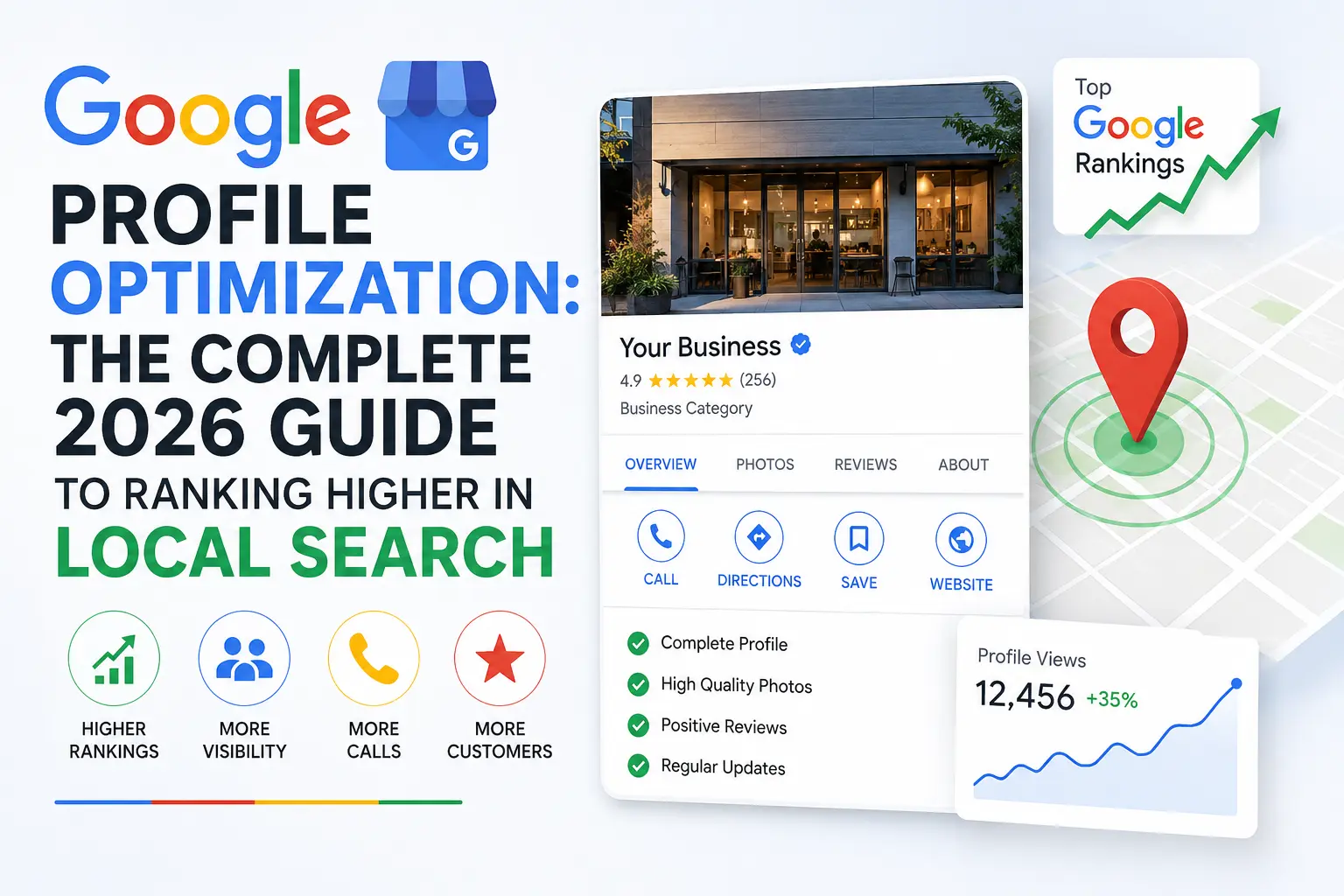
Google profile optimization is probably the single highest-leverage marketing task a local business can do this month. It costs nothing but time, it directly affects whether you show up in the local map pack, and it influences whether a customer calls you or calls your competitor instead. Yet most business owners treat their Google Business Profile as a “set it and forget it” listing rather than a living asset that needs consistent attention.
This guide breaks down everything you need to know about Profile optimization — what it is, why it matters, and exactly how to do it step by step, whether you’re a plumber in Texas, an HVAC contractor in California, or a boutique agency trying to win local clients. By the end, you’ll have a complete, repeatable framework for Google profile optimization that you can apply today.
What Is Google Profile Optimization?
This optimization work is the process of improving every element of your Google Business Profile (formerly known as Google My Business) so that it ranks higher in local search results, appears more often in the local map pack, and converts more searchers into paying customers. It covers everything from your business name, address, and phone number (NAP) to your categories, photos, posts, reviews, services, and Q&A section.
In simple terms, Google profile optimization means making sure Google — and the people searching on Google — have every reason to trust, rank, and choose your business over the one down the street. It’s not a single action; it’s an ongoing process that touches technical accuracy, content quality, customer engagement, and reputation management all at once.
If you’re new to the broader topic, our local SEO guide for small businesses is a good companion read, since Your Google Business Profile is one piece of a larger local SEO strategy that also includes on-site SEO, citations, and link building.
Why Google Profile Optimization Matters More Than Ever
Search behavior has shifted dramatically toward “near me” queries and voice search, and Google’s local map pack now captures a huge share of clicks before a searcher ever scrolls down to organic results. This is exactly why Google profile optimization has become non-negotiable for service-area businesses, retail locations, and professional offices alike.
Here’s why This process deserves a dedicated strategy rather than an afterthought:
- Visibility in the map pack. The top three local results shown on a Google search page get the overwhelming majority of clicks. Proper Google profile optimization is what determines whether you land in that coveted “3-pack.”
- Trust signals. A fully optimized profile with reviews, photos, and accurate information builds instant credibility. Customers judge a business in seconds, and an incomplete profile signals neglect.
- Free advertising. Unlike paid ads, a well-executed Your profile strategy keeps generating calls, direction requests, and website clicks for free, day after day.
- Mobile-first discovery. Most local searches happen on mobile devices where users act fast — they call, they get directions, or they move to the next listing. This listing work ensures you’re the listing they act on.
- Competitive advantage. Many small businesses still ignore This optimization completely, which means the businesses that do it properly gain an outsized advantage in their local market.
If your business isn’t showing up when people search, it’s worth reading about why businesses don’t show up on Google before diving deeper into optimization tactics, since some visibility issues stem from suspensions or setup errors rather than optimization gaps.
How Google Profile Optimization Affects Local Rankings
Google’s local algorithm evaluates three core factors: relevance, distance, and prominence. Google profile optimization plays a direct role in at least two of these — relevance and prominence — and can even influence how Google interprets distance in service-area businesses.
- Relevance is how well your profile matches what someone is searching for. This is where categories, business descriptions, services, and even photo captions come into play during Your listing.
- Prominence reflects how well-known your business is, both online and offline. Reviews, review responses, citations, and profile completeness all feed into prominence, making them essential components of Google profile optimization.
- Distance matters less than people think, but a complete and accurate address as part of This strategy ensures Google can correctly place your pin.
Understanding these three ranking factors is the foundation for every tactic in this guide. Every step of Your business listing below maps back to improving relevance, prominence, or both.
It also helps to understand what Optimizing your profile is not. It is not a way to trick the algorithm, it is not a substitute for actually delivering good service, and it is not a one-and-done setup task you can ignore after the first week. Google’s local algorithm is designed to reward businesses that genuinely engage with their listing over time, which is why so much of this guide focuses on habits and routines rather than a single checklist you complete once and forget. Businesses that treat Google profile optimization as an ongoing discipline consistently outperform those that treat it as a launch-day formality.
Another important distinction is between storefront businesses and service-area businesses (SABs). A storefront — a retail shop, a dental office, a restaurant — displays its exact address publicly, and This approach for these businesses should lean heavily on foot-traffic signals like hours accuracy, photos of the physical location, and attributes such as parking or accessibility. A service-area business — a plumber, an electrician, a towing company — hides its exact address and instead lists the areas it serves, which means Google profile optimization for SABs should focus more heavily on service-area accuracy, category precision, and reviews that mention specific neighborhoods or cities. Knowing which type of business you’re optimizing for changes how you approach several steps in the checklist below.
The Complete Google Profile Optimization Checklist
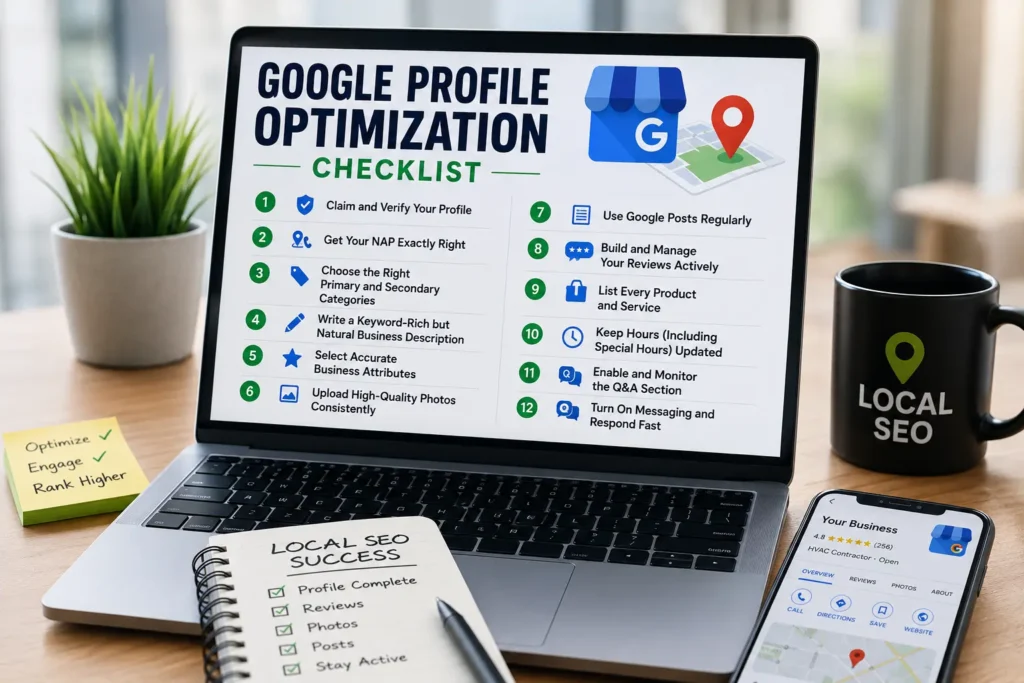
Below is a comprehensive, step-by-step These efforts checklist. Work through it in order, and revisit it quarterly, since Google frequently rolls out new profile features that require fresh optimization.
1. Claim and Verify Your Profile
The first step in any Profile management plan is confirming that you actually own and control the listing. Unverified or unclaimed profiles cannot be edited, which means you have zero control over the information Google displays. Go to Google Business Profile Manager, search for your business, and complete verification via phone, email, video, or postcard, depending on what Google offers for your business category.
Skipping this step makes the rest of your The process efforts impossible, so treat it as step zero before anything else.
2. Get Your NAP (Name, Address, Phone) Exactly Right
Consistency is the backbone of Google profile optimization. Your business Name, Address, and Phone number should match exactly across your Google profile, your website, and every citation source (Yelp, Facebook, industry directories, etc.). Even small discrepancies — “St.” vs “Street,” or a missing suite number — can confuse Google’s algorithm and dilute your local ranking signals.
As part of Profile optimization, audit your NAP data quarterly using a spreadsheet that lists every platform where your business is mentioned, then correct any mismatches you find.
A practical way to run this audit is to search your exact business name in quotation marks and manually review the first five pages of results, noting every directory, citation site, and social profile that surfaces. For each one, record the name, address, and phone number exactly as displayed, then compare it against your Google profile. Even a formatting difference — “123 Main St Suite 4” versus “123 Main Street, Suite #4” — can create ambiguity for Google’s entity-matching systems, and cleaning these mismatches up is one of the most underrated forms of Google profile optimization because the impact compounds over time as citation signals accumulate.
If your business has moved locations or changed phone numbers recently, prioritize this step above everything else in your This optimization work plan. Outdated NAP data doesn’t just confuse Google — it actively costs you customers who show up at the wrong address or dial a disconnected number.
3. Choose the Right Primary and Secondary Categories
Categories are one of the most powerful — and most overlooked — levers in Your Business Profile. Your primary category should describe your core business as precisely as possible (“HVAC Contractor” rather than just “Contractor”), and secondary categories should cover every legitimate additional service you offer.
Getting categories right is often the fastest win in Your Google Business Profile because it directly affects which search queries trigger your listing. If you’re in a specialized trade, our guide on HVAC SEO strategy walks through category selection in more depth for that industry, and the same logic applies broadly across service businesses.
Google allows up to nine secondary categories in addition to your primary category, and leaving these blank is a wasted opportunity in your Google profile optimization plan. Think through every legitimate service you provide and check whether Google has a matching category for it. A towing company, for example, might add “Vehicle Recovery Service,” “Junk Yard,” and “Auto Wrecker” as secondary categories if those services genuinely apply, since each additional accurate category widens the net of searches your profile can appear in.
Be careful, however, not to overreach. Adding categories that don’t reflect real services you offer is a common This process mistake that can trigger a suspicious-activity review from Google or simply confuse the algorithm about what you actually do. The goal of category selection within Google profile optimization is precision, not volume.
4. Write a Keyword-Rich but Natural Business Description
Your business description gives you 750 characters to explain who you are, what you do, and where you do it. Effective Your profile means weaving in your primary services and service areas naturally, without keyword stuffing, since Google can penalize descriptions that read like spam.
A strong description written with This optimization effort in mind typically includes: what you do, who you serve, your unique selling points, and a soft call to action.
5. Select Accurate Business Attributes
Attributes — like “wheelchair accessible,” “free Wi-Fi,” “women-led,” or “online estimates” — add another relevance layer to This optimization. Fill out every attribute that genuinely applies to your business. These small details help Google match your listing to more specific search queries and give searchers extra reasons to choose you.
6. Upload High-Quality Photos Consistently
Photos are a criminally underused part of Google profile optimization. Businesses with more photos receive significantly more requests for directions and website clicks than those with few or low-quality images. As part of ongoing Your listing, upload:
- Exterior shots so customers can recognize your location
- Interior shots showing your workspace, showroom, or office
- Team photos to build trust
- Before/after project photos if you’re in a trade business
- Product or service photos relevant to what you sell
Add at least 3–5 new photos monthly as part of your recurring Google profile optimization routine. Fresh photos signal an active, well-maintained business to both Google and potential customers.
7. Use Google Posts Regularly
Google Posts are short updates that appear directly on your profile — think of them as a mini social feed built into This strategy. Use posts to announce promotions, new services, events, or seasonal offers. Posting weekly keeps your profile fresh, and freshness is a signal Google rewards in its local ranking algorithm.
A consistent Google Posts cadence is one of the easiest ways to demonstrate that your Google profile optimization strategy is active rather than dormant.
8. Build and Manage Your Reviews Actively
Reviews are arguably the most influential ranking and conversion factor in Optimizing your profile. They affect prominence in the algorithm and they’re the first thing a potential customer reads before deciding to contact you. A mature Google profile optimization strategy includes:
- A simple, repeatable process for asking every satisfied customer for a review
- Responding to every review — positive and negative — within 48 hours
- Using keywords naturally in your review responses (e.g., “Thanks for trusting us with your HVAC repair in [city]”)
- Never buying fake reviews, which violates Google’s policies and can trigger a suspension
Review velocity (how often new reviews come in) matters just as much as total review count for effective This approach, so aim for a steady stream rather than a single burst.
9. List Every Product and Service
The Services and Products sections let you list exactly what you offer, complete with descriptions and pricing if you choose. This is a direct relevance signal in Google profile optimization — the more accurately you describe your offerings here, the more precisely Google can match you to specific searches like “emergency AC repair near me” instead of just “HVAC company.”
10. Keep Hours (Including Special Hours) Updated
Nothing frustrates a customer more than driving to a business that’s listed as open but is actually closed. As part of routine These efforts, update your hours for holidays, weather closures, and seasonal changes. Accurate hours also reduce “bounce” behavior that can indirectly hurt your ranking signals over time.
11. Enable and Monitor the Q&A Section
The Questions & Answers feature allows anyone — not just you — to ask and answer questions about your business. Proactive This listing work means seeding this section yourself with common questions (do you offer free estimates? do you service weekends?) and answering them before a competitor or an uninformed user does.
12. Turn On Messaging and Respond Fast
Google allows customers to message your business directly from your profile. Enabling and responding quickly to messages is a modern piece of The process that many businesses ignore entirely, leaving an easy conversion channel on the table.
Setting Up Google Profile Optimization for a Brand-New Business
If you’re starting from zero, Google profile optimization looks slightly different than it does for an established listing with years of history. Here’s how to approach it in the first 30 days:
Week 1: Foundation. Claim and verify your profile, lock in your exact NAP details, and select your primary category along with two or three of the most relevant secondary categories. This foundational stage of Profile optimization should not be rushed, since every later step builds on these decisions.
Week 2: Content. Write your business description, upload at least ten photos covering your location, team, and work, and fill in every attribute that applies. This is where your Google profile optimization starts to look complete rather than bare-bones.
Week 3: Services and social proof. Add your full services or products list, and begin actively requesting reviews from your very first customers. Even five or six genuine reviews in the first month meaningfully accelerates new-business This optimization work compared to a listing that sits at zero reviews.
Week 4: Activity. Publish your first Google Post, seed two or three questions and answers, and enable messaging. By the end of the first month, a new business following this Your business listing sequence will have a profile that looks — and performs — like it’s been active for a year.
New businesses often make the mistake of rushing to get “verified” and then abandoning the profile. Because Your Google Business Profile rewards consistent activity, a new listing that posts weekly and gathers steady reviews will frequently outrank an older, neglected listing within a few months, even without the tenure advantage.
Google Profile Optimization for Multi-Location Businesses
Multi-location businesses face a different set of challenges. Each location needs its own individually verified profile, and Google profile optimization has to happen at both the location level and the brand level simultaneously.
At the location level, every single one of the checklist items above — categories, description, photos, reviews, posts — needs to be handled individually for each address, using location-specific language rather than generic corporate copy. A locksmith chain with five branches shouldn’t use the identical business description across all five profiles; each description should be tailored to This process for that specific neighborhood, including nearby landmarks or service-area nuances where appropriate.
At the brand level, consistency still matters. Your logo, your cover photo style, your response tone in reviews, and your posting cadence should feel unified across locations even while the content itself stays localized. Many multi-location businesses use Google’s bulk location management tools or a verified agency account to streamline this, since manually logging into five, ten, or fifty separate dashboards for Google profile optimization quickly becomes unmanageable without some centralized system.
One frequent mistake in multi-location Your profile is duplicate or near-duplicate listings created when a location moves, rebrands, or gets acquired. Before investing further in optimization, run a search for your brand name plus each city to confirm there’s exactly one active, verified profile per address, and request merger or removal of any duplicates you find.
Advanced Google Profile Optimization Strategies
Once you’ve completed the fundamentals, these advanced tactics take Profile management to the next level.
Use Geo-Tagged Photos
When you upload photos, geo-tagging them with location data before upload can reinforce local relevance signals. This is a subtle but real component of technical This optimization that many agencies skip.
Build Service-Area Pages That Match Your Profile
If your profile lists multiple service areas, your website should have dedicated landing pages for each of those areas that align with the information on your profile. This alignment between your website and your Google profile optimization strategy strengthens relevance for both.
Leverage UTM Tracking on Your Website Link
Add a UTM parameter to the website URL in your profile so you can track exactly how much traffic and how many conversions come from your Your listing efforts inside Google Analytics.
Monitor Your Google Business Profile Insights
The Insights (or Performance) tab shows how customers find you, what actions they take, and which queries trigger your listing. Reviewing this data monthly should be a core habit in any serious Google profile optimization program, since it tells you exactly which categories, photos, or posts are working.
Audit Competitors’ Profiles
Look at the top three competitors ranking above you and reverse-engineer their approach to This strategy: how many reviews do they have, what categories are they using, how often do they post, how many photos do they upload? This competitive audit often reveals quick wins.
Speed Up Your Website Too
Your Business Profile doesn’t happen in isolation — a slow website that customers click through to from your profile can hurt conversions and, indirectly, your local rankings. Check out our guide on website speed and Core Web Vitals to make sure the destination page matches the quality of your optimized profile.
Tools That Support Google Profile Optimization
While the Google Business Profile Manager dashboard is the core tool for Optimizing your profile, several supporting tools make the process faster and more consistent:
- Google Business Profile app (mobile): Lets you respond to reviews, post updates, and check messages on the go, which is essential for keeping your Google profile optimization routine active even when you’re not at a desk.
- Rank tracking tools (Local Falcon, BrightLocal, Whitespark): These show exactly where your profile ranks across a geographic grid around your business, which is far more accurate for This approach purposes than checking your own single search result.
- Review management platforms: Tools that automate review requests via SMS or email after every job or transaction dramatically increase review volume, one of the highest-impact levers in Google profile optimization.
- Citation management tools: Services that push consistent NAP data across dozens of directories simultaneously, reinforcing the consistency that These efforts depends on.
- Google Analytics and Search Console: While not directly tied to your profile, pairing website analytics with your This optimization effort efforts helps you see the full customer journey from search to call to conversion.
- A simple spreadsheet: Honestly, one of the most effective tools for The process is just a recurring calendar reminder and a spreadsheet tracking what you posted, when you posted it, and what review requests went out that week.
A Sample 90-Day Google Profile Optimization Roadmap
If you want a concrete plan rather than an open-ended checklist, here’s how a 90-day Google profile optimization roadmap could look for an established business that hasn’t been actively managing its listing:
Days 1–15: Complete a full audit — verify ownership, check NAP consistency across the web, confirm categories are accurate, and review current photos, posts, and Q&A activity. This diagnostic phase tells you exactly where your Profile optimization gaps are.
Days 16–30: Fix the foundation. Correct any NAP mismatches, refine categories, rewrite the business description, and upload a fresh batch of at least fifteen photos. This is the highest-effort phase of Google profile optimization but sets up everything that follows.
Days 31–60: Build momentum. Launch a consistent review request system, publish two Google Posts per week, and seed the Q&A section with five to ten common customer questions. This phase of This optimization work is where prominence signals really start compounding.
Days 61–90: Measure and refine. Check Insights data weekly, compare your ranking position against the competitors you audited earlier, and adjust categories, photos, or posting topics based on what’s actually driving calls and clicks. By day 90, most businesses following a disciplined Google profile optimization roadmap see a measurable jump in map pack visibility.
After the initial 90 days, shift into the maintenance cadence described in the “How Often Should You Revisit Your Google Business Profile” section below, since sustaining results requires the same consistency that produced them.
Common Google Profile Optimization Mistakes to Avoid
Even well-intentioned businesses undermine their own Google profile optimization with these common errors:
- Keyword stuffing the business name. Adding “Best Plumber Near Me” to your actual business name violates Google’s guidelines and can lead to suspension rather than better rankings.
- Ignoring negative reviews. Failing to respond signals disengagement, which works against your This process goals.
- Using a virtual office or P.O. box address. This is against Google’s guidelines for service-area and storefront businesses and is a fast track to a suspended listing.
- Duplicate listings. Multiple profiles for the same location split your reviews and confuse the algorithm, weakening your overall Google profile optimization.
- Letting the profile go stale. No new photos, no posts, no review responses for months — inactivity is one of the biggest silent killers of Your profile performance.
- Selecting overly broad categories. A generic category dilutes relevance and hurts the precision your This listing work strategy is trying to build.
- Inconsistent NAP across the web. As covered above, this remains one of the most common — and most damaging — This optimization mistakes.
If your listing has already been suspended because of one of these mistakes, our detailed guide on why Google Business Profiles get suspended and how to recover walks through the exact recovery process step by step.
Google Profile Optimization for Different Industries
While the fundamentals of Google profile optimization apply universally, certain industries benefit from tailored approaches.
HVAC and Home Services
HVAC companies compete heavily on emergency, same-day service keywords. Your listing for this industry should emphasize service-area coverage, 24/7 availability attributes, and before/after project photos. For a deeper dive, see our complete breakdown of HVAC website optimization and on-page SEO, which pairs perfectly with profile-level optimization.
Appliance Repair
Appliance repair businesses often serve tightly defined neighborhoods and rely heavily on trust signals since customers are inviting a technician into their home. Google profile optimization here should prioritize reviews, technician photos, and precise service categories. Our appliance repair SEO guide covers the full strategy, including how it complements your profile work.
Professional and Local Service Agencies
Agencies and consultancies benefit from This strategy that highlights case studies in the Q&A section, client testimonials as reviews, and a services list that mirrors the exact language potential clients search for.
Google Profile Optimization and Keyword Research
You can’t optimize a profile around the right terms if you don’t know what your customers are actually searching for. Before you finalize your categories, description, and services list, spend time on proper keyword discovery. Our guide to keyword research for local businesses explains exactly how to find these terms, and applying that research is a critical input into any serious Your business listing plan.
Similarly, understanding how local map rankings actually work in practice — including real examples — can sharpen your approach. This piece on Google Maps ranking strategy offers a useful complementary perspective on how the map pack behaves in competitive markets.
Measuring the Success of Your Google Profile Optimization
Optimizing your profile isn’t something you do once and forget — it’s something you measure and refine continuously. Track these metrics monthly:
- Map pack ranking position for your core keywords and service areas
- Total calls and direction requests generated from the profile
- Website clicks originating from the profile
- Review count and average rating trend
- Photo views compared to competitors
- Search queries that triggered your profile in Insights
If any of these metrics stall or decline, it’s a signal that your Google profile optimization needs a refresh — new photos, a revised description, a fresh batch of posts, or a renewed push for reviews.
How Often Should You Revisit Google Profile Optimization?
This approach is not a one-time project. Treat it like a living marketing channel:
- Weekly: Post an update, respond to new reviews and messages
- Monthly: Add new photos, check Insights, review Q&A activity
- Quarterly: Audit NAP consistency, re-evaluate categories, benchmark against competitors
- Annually: Rewrite your business description, refresh your entire photo library, and reassess your whole Google profile optimization strategy against your evolving business goals
Google Profile Optimization vs. Broader Local SEO
It’s worth clarifying that These efforts is a subset of local SEO, not a replacement for it. A fully optimized profile paired with a slow, poorly structured website will still underperform. Local SEO also includes citation building, on-page optimization, backlinks, and technical health — all of which should work alongside your Profile management efforts rather than in place of them. For the full picture, revisit our local SEO guide for small businesses, and consider how local versus organic visibility differ by reading local SEO vs. organic SEO explained.
Frequently Asked Questions About Google Profile Optimization
How long does The process take to show results? Most businesses see measurable movement in local rankings within 4–8 weeks of consistent Google profile optimization, though highly competitive markets can take longer.
Is Profile optimization free? Yes. Every core feature involved in Google profile optimization — categories, photos, posts, Q&A, reviews, messaging — is free to use directly through Google Business Profile Manager.
Can I do This optimization work myself, or do I need an agency? Small business owners can absolutely handle basic Your Business Profile themselves using the checklist above. Agencies add value through ongoing monitoring, review generation systems, and integrating profile work with broader SEO strategy, which matters more in competitive markets.
Does Your Google Business Profile help with organic (non-map) rankings too? Indirectly, yes. A well-optimized profile builds prominence signals and can improve overall local relevance, which sometimes bleeds into organic local search visibility as well.
What’s the single biggest mistake businesses make in Google profile optimization? Neglect. Businesses claim their profile, fill in the basics, and never touch it again. Since This process rewards ongoing activity, that inactivity is the most common reason rankings stagnate or decline.
Does responding to reviews actually affect Google profile optimization results? Yes. Review responses are a visible signal of engagement, and businesses that reply to most or all of their reviews tend to perform better in local rankings than those that never respond. It’s a small but meaningful piece of a well-rounded Your profile strategy.
How many photos should I upload as part of This optimization effort? There’s no hard cap, but a strong starting point is at least 15–20 photos covering your location, team, and work, followed by a few new uploads every month. Businesses that treat photo uploads as a recurring task rather than a one-time upload consistently get more out of their This optimization efforts.
Can a suspended profile still be optimized? No — a suspended profile can’t be edited until it’s reinstated. If you’re dealing with a suspension, resolving it has to come before any further Google profile optimization work, which is why our suspension recovery guide is worth reading first.
Should I hire someone for Your listing or handle it in-house? It depends on your bandwidth and your market’s competitiveness. In a low-competition local market, an owner following this guide can handle Google profile optimization entirely in-house. In a saturated market with dozens of competitors actively optimizing, professional support can help you move faster and avoid costly mistakes.
Google Profile Optimization Trends Worth Watching
Google continues to add new features to Business Profiles every year, and staying current with these changes keeps your This strategy strategy ahead of competitors who only revisit their listing occasionally.
AI-generated overviews in local search. Google increasingly summarizes local search results using AI, pulling directly from profile data, reviews, and website content. This raises the stakes for accurate, detailed information across every field in your profile, since Google profile optimization now feeds not just the map pack but also these AI-generated summaries.
Short-form video on profiles. Video content is becoming a bigger part of how businesses present themselves on their listing. A short, authentic video of your team or your work can add another dimension to Optimizing your profile that static photos alone can’t capture.
Booking and appointment integrations. For service businesses, integrating third-party booking tools directly into your profile removes friction between a search and a scheduled appointment, turning Google profile optimization into a more direct conversion channel rather than just a visibility play.
Increased scrutiny on review authenticity. Google has been tightening its detection of fake or incentivized reviews. This means the review-generation component of This approach has to stay firmly within Google’s guidelines — genuine requests to genuine customers — rather than shortcuts that risk penalties.
Deeper integration with Google Ads and Local Services Ads. Businesses running paid local campaigns increasingly see better performance when their organic Google profile optimization is strong, since a well-optimized profile improves quality signals across Google’s advertising products as well.
Staying on top of these shifts doesn’t mean chasing every new feature the moment it launches, but a quarterly check of what’s new in Business Profile Manager should be part of your standing These efforts routine so you’re never caught behind competitors who adopt new features early.
Bringing Google Profile Optimization Together With Your Website
A polished profile sends customers somewhere — usually your website — and that destination needs to hold up its end of the deal. If your This listing work is excellent but your website loads slowly, lacks clear contact information, or isn’t structured around the same services and locations featured in your profile, you’ll lose a meaningful share of the traffic your optimization work generates.
Make sure your website’s service pages mirror the services listed in your profile, that your contact page displays the exact same NAP details, and that your site loads quickly on mobile devices, since most local searchers click through on a phone. Treating your The process and your website as two halves of the same strategy, rather than separate projects, is what ultimately turns visibility into revenue.
Final Thoughts on Google Profile Optimization
Google profile optimization is one of the few marketing efforts that combines low cost, high impact, and long-term compounding value. Every photo you add, every review you earn, every post you publish, and every category you refine adds another layer of relevance and prominence that helps your business win the local map pack.
Treat Profile optimization as an ongoing discipline rather than a one-time checklist item, revisit the steps in this guide regularly, and pair your profile work with the broader local SEO fundamentals covered throughout our site. If you want more hands-on guidance for your specific trade, browse our industry-specific SEO guides or learn more about Trade Scale Hub and how we help local businesses grow their visibility.
If you have questions about applying any part of this Google profile optimization framework to your business, feel free to reach out to us — we’re happy to help you build a profile that actually converts.
