
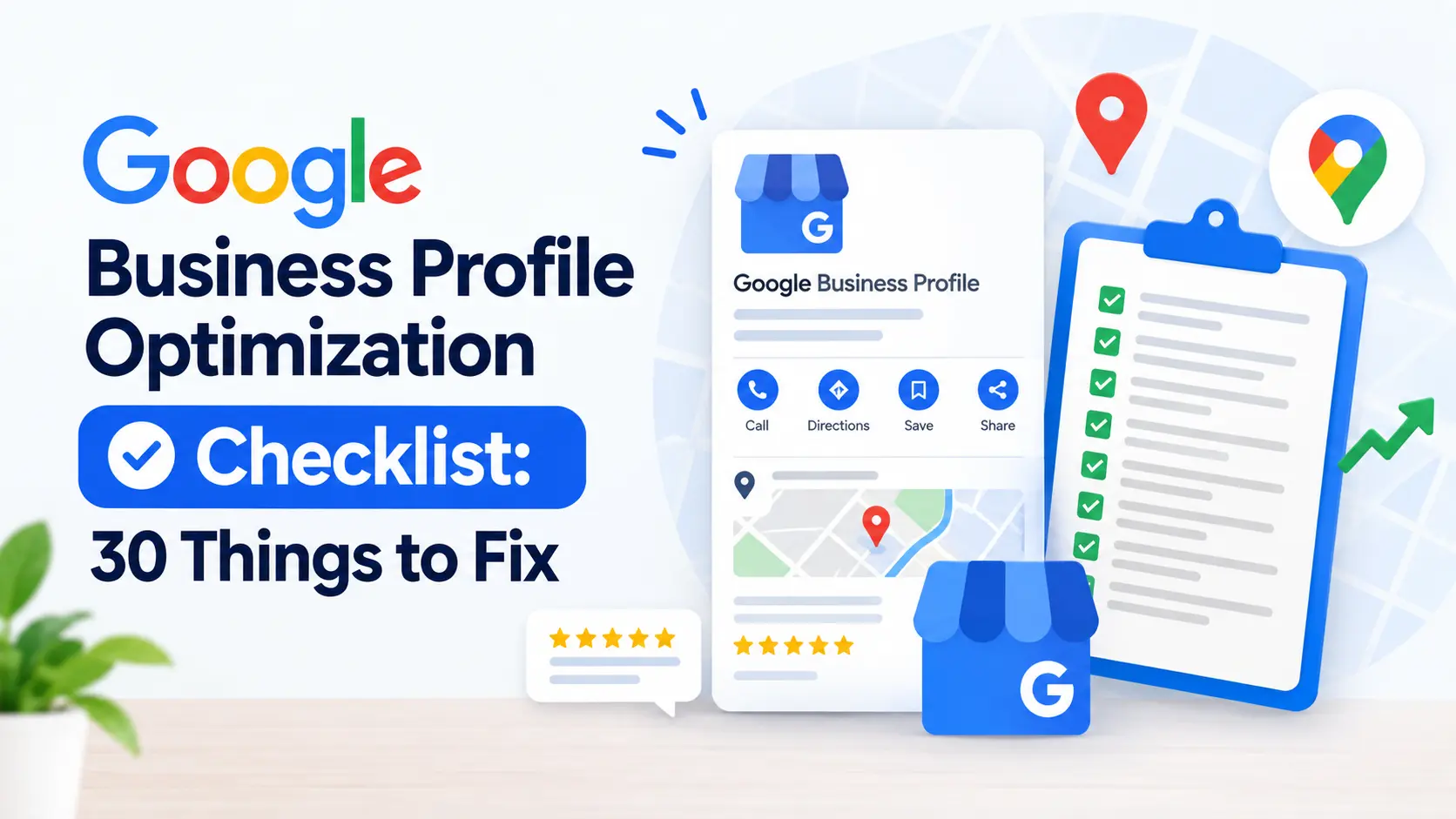
If your listing isn’t pulling in calls, this Google Business Profile checklist walks you through every setting Google actually weighs when it decides who shows up in the local pack. Most owners open their dashboard once, fill in a name and address, and never touch it again. That’s exactly why a proper google business profile checklist matters — the businesses that revisit their profile every month are the ones that keep showing up when someone nearby searches for what they sell.
This isn’t a generic “fill out your profile” post. It’s a working google business profile checklist broken into 30 specific fixes, grouped by the part of the profile they affect, so you can go section by section and actually finish it in one sitting.
Most local business owners set up their profile once, when they first open the doors, and never look at it again. In the meantime, competitors down the street are quietly running through their own version of a google business profile checklist every quarter — updating photos, refreshing posts, and responding to every review the same week it lands. That gap in ongoing effort, more than anything else, explains why two businesses with similar quality end up in very different positions on the map pack. This guide is meant to close that gap for you, item by item, with no vague advice and no steps you can’t finish today.
A quick note before you start: you don’t need to complete all 30 items in one sitting. Print this out, or keep the tab open, and work through one section at a time. Each section below takes roughly 15 to 20 minutes to complete properly, which means a full pass through this google business profile checklist realistically takes under two hours spread across a few days.
Why You Need a Google Business Profile Checklist in the First Place
Google’s local algorithm leans on three things: relevance, distance, and prominence. A google business profile checklist is really just a list of everything you can control across those three factors. You can’t move your business closer to the searcher, but you can absolutely control how relevant and how prominent your listing looks — and that’s what this google business profile checklist is built around.
If you want the deeper mechanics of how those ranking factors actually get weighted, our guide to Google Business Profile ranking factors breaks down the on-profile and off-profile signals separately. Keep this google business profile checklist open next to that guide while you work through your listing.
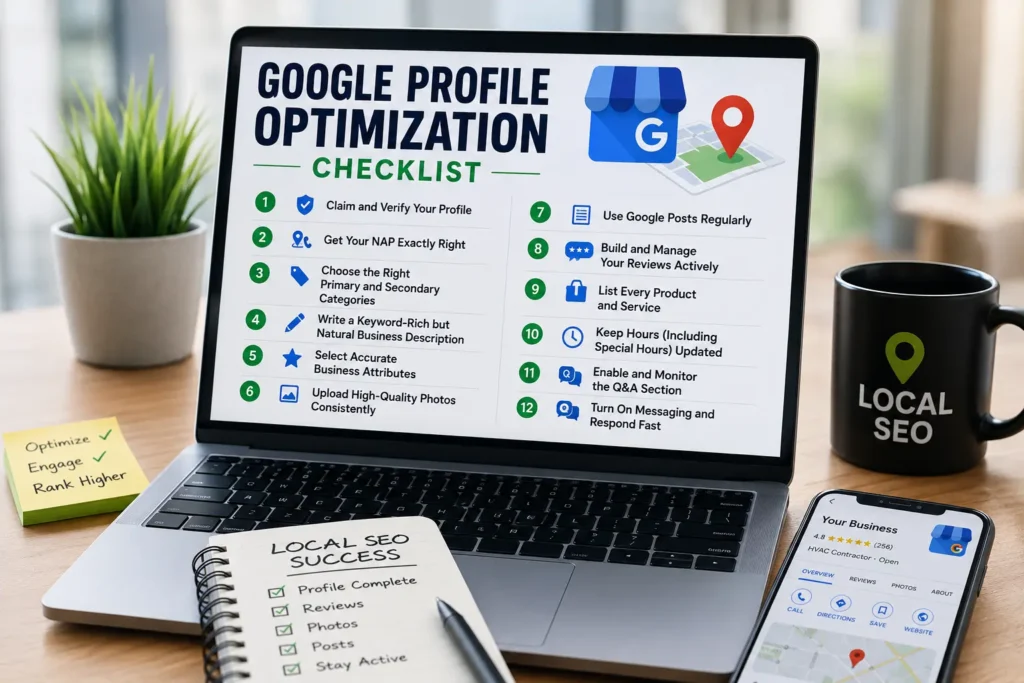
Relevance is about whether your listing actually matches what the searcher typed — the categories, services, and description you fill in feed directly into this. Distance is largely outside your control, though your service area settings do influence how Google interprets your coverage zone. Prominence is where most of the work in a google business profile checklist actually lives: review count, review recency, photo activity, post frequency, and how consistently your business information matches across the web all roll up into prominence. Understanding which bucket each fix belongs to makes it much easier to prioritize when you’re short on time and can only tackle a handful of items this week instead of all 30 at once.
Section 1: Profile Basics (Items 1-6)
These are the foundational fixes on any google business profile checklist. Get these wrong and nothing else you do will matter much.
1. Claim and verify the listing. An unverified profile barely ranks. This is item one on every google business profile checklist because everything downstream depends on it.
2. Match your business name exactly to your signage and legal name. No keyword stuffing in the name field — Google suspends profiles for this, and it’s one of the fastest ways to undo the rest of your google business profile checklist work.
3. Fix your NAP consistency. Your name, address, and phone number need to match across your website, your citations, and your profile character for character. Any google business profile checklist that skips NAP consistency isn’t complete.
4. Set your primary category correctly. This single field carries more ranking weight than almost anything else on your listing, which is why it sits near the top of this google business profile checklist.
5. Add every relevant secondary category. Secondary categories widen the net of searches you can appear for, so don’t leave this step out of your google business profile checklist.
6. Set accurate service areas. If you travel to customers, define the service area precisely instead of just relying on a pin. This is a step many owners skip when they rush through a google business profile checklist.
Take your time with the category fields in particular. A plumbing company that only selects “Plumber” as a primary category is leaving relevance on the table if it also does drain cleaning, water heater installation, or emergency repairs — each of those can often be added as a secondary category, and each one is a chance to show up for a slightly different search. This is the part of any google business profile checklist where a little extra effort compounds: five extra minutes choosing accurate categories can widen your visibility for months without any additional work.
Section 2: Contact Details and Hours (Items 7-11)
7. Confirm your phone number routes to a real, answered line. Google tracks call activity, and a dead number quietly hurts every other item on your google business profile checklist.
8. Link your actual website, not a generic homepage. Point the profile to a location-specific landing page when you have one.
9. Set your primary hours accurately, including seasonal changes. Wrong hours are one of the most common complaints tied to poor reviews.
10. Add special hours for holidays. This small detail is easy to forget but shows up repeatedly on any thorough google business profile checklist because it directly affects customer trust.
11. Enable messaging if you can respond quickly. A profile that supports messaging and actually answers messages signals activity to Google.
Contact details feel like the boring part of a google business profile checklist, but they’re often where the customer relationship actually breaks down. A searcher who finds you through the map pack, clicks call, and gets no answer is far less likely to try again than one who calls a competitor next. If you can’t staff your phones during all your listed hours, it’s better to set realistic hours than to advertise availability you can’t deliver on — inaccurate hours generate exactly the kind of “closed when they said they’d be open” reviews that drag down your rating over time.
Section 3: Photos, Media, and Visual Trust Signals (Items 12-16)
12. Upload a proper logo and cover photo. These are the first visual signals a searcher sees, and they belong near the top of any google business profile checklist.
13. Add at least 10 real photos of your team, work, and location. Stock photos hurt more than they help — this is one of the more overlooked items on a google business profile checklist.
14. Upload a short video walkthrough if you have one. Video listings tend to get more engagement than photo-only listings.
15. Geo-tag your photos before uploading. This reinforces your service area and is a small technical step many people leave off their google business profile checklist.
16. Remove outdated or irrelevant photos. An old google business profile checklist item worth repeating: stale imagery drags down trust even if everything else is current.
Photos do more work than most business owners give them credit for. Listings with a healthy, regularly updated photo library tend to get noticeably more clicks through to the website and more direction requests than listings running on five-year-old stock images. If you’re not sure where to start, prioritize photos of your team on the job, before-and-after shots if your work is visual, and a clear exterior shot so first-time customers can recognize your location. None of these photo steps are complicated, but they’re the items most frequently skipped on a rushed google business profile checklist simply because they take a little more effort than filling in a text field.
Section 4: Description, Services, and Products (Items 17-21)
17. Write a complete business description using natural language, not a keyword-stuffed paragraph. This is where a lot of businesses get their google business profile checklist wrong by over-optimizing.
18. List every service you offer individually, not bundled into one line. Each service listed is a small relevance signal.
19. Add pricing or price ranges where appropriate. Transparency here reduces bounce and builds trust before the customer even calls.
20. Populate the products section if you sell anything physical. Even service businesses can use this section for maintenance plans or package deals.
21. Use the “from the business” section to reinforce your specialty. This is a frequently skipped step on most google business profile checklist templates, but it strengthens topical relevance.
When you write your business description, resist the urge to repeat your target keyword phrase over and over. Google’s systems, and human readers, both respond better to a description that reads naturally — a sentence or two on what you do, who you serve, and what makes your service worth choosing. The services list is where specificity actually helps: instead of one line reading “electrical services,” break it into panel upgrades, EV charger installation, lighting retrofits, and emergency repairs, each with its own short description. This part of the google business profile checklist takes the most writing time of any section, but it’s also the part that shows up most directly in how Google matches your listing to a searcher’s exact query.
Section 5: Reviews, Q&A, and Engagement (Items 22-26)
22. Set up a simple system to request reviews after every job. Review volume and recency are two of the strongest prominence signals in local search.
23. Respond to every review, positive and negative. This is non-negotiable on any serious google business profile checklist — unanswered reviews look neglected.
24. Monitor and answer the Questions & Answers section. Seed it yourself with the three or four questions customers ask most.
25. Flag and report fake or policy-violating reviews. Don’t let false negative reviews sit unaddressed while you work through the rest of your google business profile checklist.
26. Track review velocity month over month. A steady trickle of new reviews outperforms a single burst followed by silence.
Reviews are consistently the section of a google business profile checklist that businesses find hardest to stay on top of, mostly because it requires an ongoing habit rather than a one-time fix. The businesses that do it well usually build the ask into their existing workflow — a text sent right after a job is marked complete, or a QR code left on the invoice — rather than trying to remember to ask days later when the moment has passed. Response time matters too: replying to a new review within 24 to 48 hours shows both the reviewer and future customers that someone is actually paying attention to the profile, which reinforces every other item on this google business profile checklist.
Section 6: Posts, Attributes, and Ongoing Maintenance (Items 27-30)
27. Publish a Google Post at least weekly. Posts keep the profile active and give you another place to work in relevant terms naturally.
28. Fill out every applicable attribute — women-led, veteran-owned, wheelchair accessible, and so on. Attributes are small filters that can be the deciding factor in a tight local pack.
29. Audit your profile against this google business profile checklist every 60-90 days. Categories, hours, and services drift over time, and a stale profile slowly loses ground even without anything being technically “wrong.”
30. Cross-check your profile against your local citations. If you’ve built citations elsewhere, revisit our guide on local citations to make sure every listing still matches your profile.
Posts and attributes are the two items most businesses forget exist. Google Posts function similarly to a small social feed attached to your listing — a weekly update about a promotion, a recent project, or a seasonal reminder keeps the profile looking active, and an active profile is one Google is more comfortable surfacing prominently. Attributes, meanwhile, are small checkboxes that rarely get attention but can be the tiebreaker in a competitive local pack where several businesses look nearly identical on paper. Running through the full 30-item google business profile checklist quarterly, rather than fixing everything once and walking away, is what actually keeps a listing competitive as neighboring businesses update theirs.
How This Google Business Profile Checklist Fits Into Your Broader Local SEO
A google business profile checklist is one piece of a bigger picture. Your profile doesn’t rank in isolation — it works alongside your website’s on-page signals, your backlink profile, and your technical SEO health. If you haven’t audited the rest of your site recently, pair this google business profile checklist with a full local SEO checklist so you’re not optimizing one channel while ignoring the others.
It also helps to understand where local SEO and general SEO diverge, since a google business profile checklist only addresses the local half of the equation. Our breakdown of local SEO vs SEO explains why local-intent searches need this dedicated approach rather than standard on-page tactics alone.
For a wider view of how Google weighs your listing against competitors nearby, how to rank on Google covers the industry-specific nuances that a generic google business profile checklist can’t fully capture.
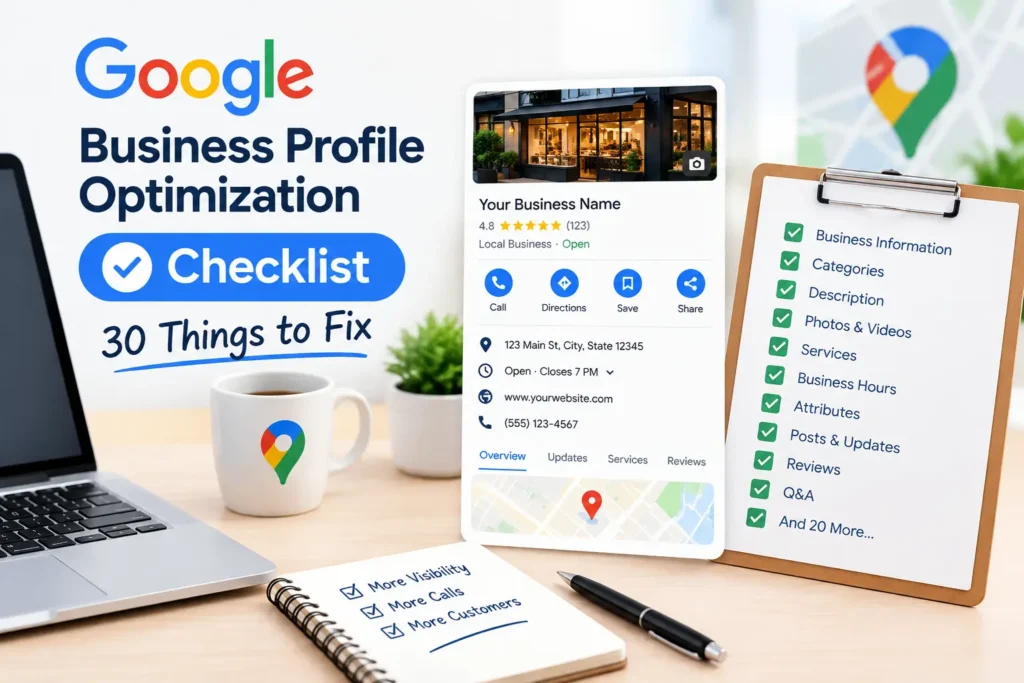
Quick Recap Table: All 30 Items at a Glance
Use this table as a print-friendly summary once you’ve read through the full explanation above.
| # | Item | Section |
|---|---|---|
| 1 | Claim and verify the listing | Profile Basics |
| 2 | Match business name to signage | Profile Basics |
| 3 | Fix NAP consistency | Profile Basics |
| 4 | Set correct primary category | Profile Basics |
| 5 | Add relevant secondary categories | Profile Basics |
| 6 | Set accurate service areas | Profile Basics |
| 7 | Confirm phone routes correctly | Contact & Hours |
| 8 | Link a location-specific website | Contact & Hours |
| 9 | Set accurate primary hours | Contact & Hours |
| 10 | Add special/holiday hours | Contact & Hours |
| 11 | Enable and monitor messaging | Contact & Hours |
| 12 | Upload logo and cover photo | Photos & Media |
| 13 | Add at least 10 real photos | Photos & Media |
| 14 | Upload a short video | Photos & Media |
| 15 | Geo-tag photos before upload | Photos & Media |
| 16 | Remove outdated photos | Photos & Media |
| 17 | Write a natural-language description | Description & Services |
| 18 | List every service individually | Description & Services |
| 19 | Add pricing where appropriate | Description & Services |
| 20 | Populate products section | Description & Services |
| 21 | Fill in “from the business” | Description & Services |
| 22 | Build a review request system | Reviews & Q&A |
| 23 | Respond to every review | Reviews & Q&A |
| 24 | Monitor and seed Q&A | Reviews & Q&A |
| 25 | Flag fake or policy-violating reviews | Reviews & Q&A |
| 26 | Track review velocity | Reviews & Q&A |
| 27 | Publish weekly Google Posts | Posts & Maintenance |
| 28 | Fill out every attribute | Posts & Maintenance |
| 29 | Re-audit every 60-90 days | Posts & Maintenance |
| 30 | Cross-check against citations | Posts & Maintenance |
Keeping a table like this pinned somewhere visible — a shared drive, a whiteboard, a project management board — turns a one-time read into an actual recurring habit for whoever manages your listing.
Applying the Checklist Across Different Trades
The core structure above works for any local business, but a few items deserve extra attention depending on your industry. An electrician benefits enormously from breaking out individual services like panel upgrades and EV charger installs, since those are increasingly common standalone searches. A locksmith or towing company, where emergency response time matters more than almost anything else, should prioritize the messaging and phone-routing items near the top of the list, since a slow response on either channel sends the customer straight to the next listing in the map pack. Appliance repair businesses tend to see the biggest gains from the photos section, since before-and-after repair shots build trust faster than almost any other content type available on the profile.
If your work spans several of these categories, it’s worth reading our industry-specific breakdowns for HVAC, locksmith, and electrician SEO, each of which applies these same principles to the search behavior typical of that trade.
Common Mistakes That Undo a Good Google Business Profile Checklist
Even businesses that work through every item on a google business profile checklist can undermine their own progress with a few recurring mistakes:
- Keyword-stuffing the business name. This is the single fastest way to trigger a suspension. If your listing has already been flagged, our guide on why a Google Business Profile gets suspended walks through recovery steps.
- Letting a manager change categories without documentation. Category drift is one of the sneakiest ways a google business profile checklist gets undone months later.
- Ignoring duplicate listings. Multiple profiles for the same location split your review count and confuse Google’s matching algorithm.
- Treating the checklist as a one-time task. A google business profile checklist isn’t a launch step; it’s a recurring maintenance routine.
- Skipping the review response habit. Silence on reviews is one of the most visible signs to customers that a profile — and the checklist behind it — has been abandoned.
Measuring Whether Your Google Business Profile Checklist Is Working
Once you’ve worked through this google business profile checklist, give it 30 to 45 days before judging results — local ranking changes rarely happen overnight. Track these signals:
- Map pack impressions and views in your profile’s performance dashboard.
- Direction requests and calls, which show intent, not just visibility.
- Review count and average rating trend, month over month.
- Search queries triggering your profile, to confirm relevance matches what you actually offer.
- Ranking position for your primary category in a local rank tracker.
If those numbers aren’t moving after a full cycle through your google business profile checklist, it’s worth running a broader audit. Our SEO audit checklist covers the technical and on-page factors that often sit upstream of a stalled local listing, and iffaris.com’s guide to Google Business Profile optimization offers a second lens on the same 30-point process if you want to cross-check your work against another framework.
For businesses in specific trades, it’s also worth reviewing category-specific guidance — our local SEO guide for small businesses applies several of these google business profile checklist items to real scenarios across different service industries.
Frequently Asked Questions About the Google Business Profile Checklist
How often should I go through a Google Business Profile checklist? Every 60 to 90 days at minimum. Categories, hours, and photos drift, and a google business profile checklist only works if it’s revisited regularly rather than treated as a one-time setup task.
Does completing every item on a Google Business Profile checklist guarantee a top ranking? No single google business profile checklist guarantees rankings, since Google also weighs distance and competition. What it does guarantee is that you’re not losing ground to easily fixable gaps.
Can I skip the paid tools and just follow a free Google Business Profile checklist? Yes. Everything in this google business profile checklist uses fields available in the free dashboard. Paid tools speed up tracking, but they aren’t required to complete the checklist itself.
What’s the single highest-impact item on a Google Business Profile checklist? Primary category selection consistently has the biggest effect on which searches your profile appears for, followed closely by review volume and NAP consistency.
Should every location have its own Google Business Profile checklist? Yes. Multi-location businesses need to run this google business profile checklist separately for each location, since categories, hours, and service areas rarely match across sites.
Final Thoughts
Thirty items sounds like a lot until you break it into the six sections above. Work through this google business profile checklist one section at a time — profile basics, contact details, photos, description and services, reviews, and ongoing maintenance — and you’ll cover every field Google actually uses to rank local listings. The businesses that treat their google business profile checklist as a recurring habit, not a one-time task, are consistently the ones holding their position in the local pack months later.
Bookmark this checklist and set a recurring reminder to run through it again next quarter. Local search rewards consistency far more than it rewards a single perfect setup.
If you manage listings for multiple locations or multiple clients, consider building a simple shared spreadsheet from the recap table above, with one row per location and a column for last-reviewed date. That small bit of process turns a static blog post into an actual operating procedure your team can follow, and it makes it obvious at a glance which locations are overdue for their next pass. Local search results shift constantly as competitors update their own listings, add new reviews, and post more frequently — standing still, even briefly, tends to show up as a slow slide down the map pack rather than a sudden drop, which is exactly why a recurring routine matters more than a one-time cleanup.
