
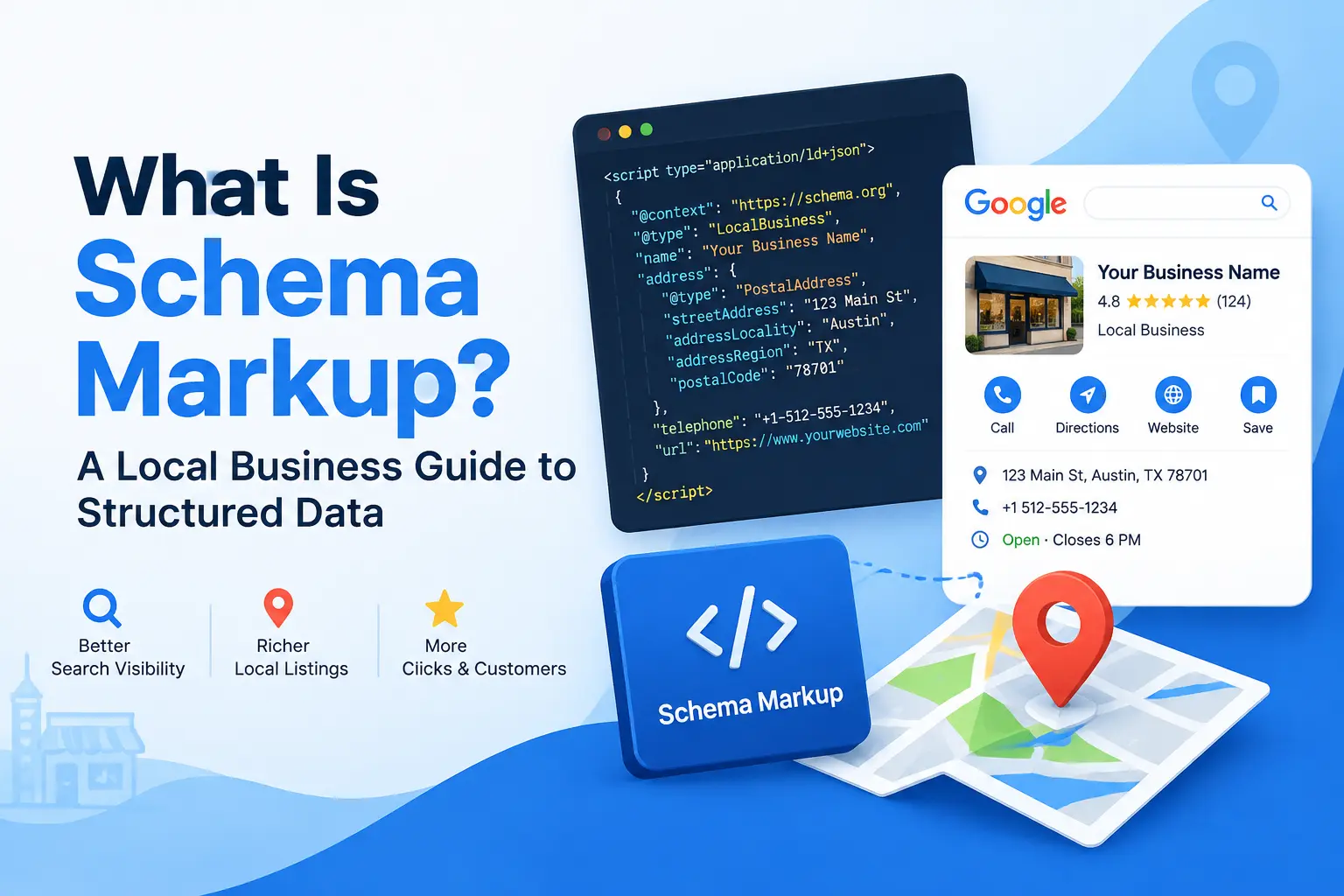
If you run a plumbing company, an HVAC service, a locksmith shop, or any other service business that depends on nearby customers finding you online, you have probably heard the term “schema markup” thrown around by SEO agencies. What you may not know is that one specific type of schema, local business schema, can be one of the most overlooked ranking and visibility tools available to a small business website. This guide breaks down exactly what this structured data is, why search engines rely on it, and how to add it to your website correctly, even if you have never touched a line of code before.
By the end of this guide, you will understand how local business schema works, which properties matter most, how to generate and test your own markup, and how it connects to the rest of your local SEO strategy, including your Google Business Profile and your on-site local keyword research.
What Is Schema Markup?
Schema markup is a standardized code vocabulary, built and maintained through Schema.org, that website owners add to their pages so search engines can understand the content on the page rather than just guess at it. Instead of Google crawling a page and trying to infer that a block of text is a business address, a phone number, or a customer review, schema markup labels each piece of information explicitly. That labeled data is called structured data, and it is the foundation that this markup is built on.
Search engines like Google, Bing, and even AI-driven answer engines use structured data to build rich results, knowledge panels, and local pack listings. Local business schema is the specific branch of schema markup designed for companies that serve customers in a defined geographic area, which makes it essential reading for anyone running a service-area business.
What Is Local Business Schema?
This type of schema is a type of structured data markup, based on the broader Schema.org vocabulary, that tells search engines the essential facts about a physical or service-area business: its name, address, phone number, hours of operation, service area, price range, and more. When implemented correctly, local business schema gives search engines a clean, machine-readable summary of your business instead of forcing them to piece that information together from scattered text on your homepage or contact page.
This schema type typically uses the JSON-LD format, which is a snippet of code placed in the header or body of a webpage. Unlike visible page content, this code is not meant to be read by visitors. It exists purely so that search engine crawlers, and increasingly AI search tools, can extract accurate business data with confidence.
For local and trade service businesses in particular, local business schema is not optional if you are serious about competing in the map pack and local organic results. It works alongside your Google Business Profile optimization rather than replacing it, reinforcing the same business details across multiple channels so Google trusts the accuracy of your listing.
Why Local Business Schema Matters for Local SEO
Many local business owners assume that simply listing their address and phone number on their website is enough. Search engines can technically read that text, but reading text and understanding structured facts are two very different things. This is exactly the gap this structured data markup closes.
It Helps Search Engines Confirm Your NAP Consistency
NAP stands for Name, Address, and Phone number, and consistency across your website, directories, and Google Business Profile is one of the foundational trust signals in local SEO. Local business schema gives Google a structured, unambiguous version of your NAP data directly from your own website, which reinforces the same information found in your citations. If you have not audited your local citations recently, pairing that audit with this JSON-LD markup implementation is one of the highest-leverage local SEO moves you can make.
It Increases Your Chances of Rich Results
Pages that include local business schema are more likely to qualify for enhanced search features such as star ratings, business hours snippets, and knowledge panel data. These rich results take up more visual space on the search page, which naturally increases click-through rate even without a change in ranking position.
It Supports Local Pack and Map Rankings
While Google Business Profile signals carry significant weight in local pack rankings, this structured data on your website acts as supporting evidence. When your website’s local business schema matches your Google Business Profile and citation data exactly, you remove ambiguity that could otherwise hold back your local pack visibility, especially in competitive niches like HVAC, roofing, or appliance repair.
It Improves Voice Search and AI Search Compatibility
Voice assistants and AI-powered search tools rely heavily on structured data to answer location-based questions like “who is the nearest emergency locksmith” or “what time does this electrician open.” Because this markup exists specifically to answer those factual questions, businesses with clean, complete local business schema are more likely to be surfaced as the answer.
Core Properties Every Local Business Schema Needs
This type of schema is flexible, but a handful of properties form the backbone of any effective implementation. Skipping these fields is one of the most common reasons local business schema fails to generate rich results.
- @type: This tells search engines which kind of business you are. Schema.org offers dozens of specific subtypes under the general LocalBusiness type, including Electrician, Plumber, HVACBusiness, Locksmith, and RoofingContractor. Choosing the most specific subtype available strengthens this schema type rather than defaulting to the generic LocalBusiness type.
- name: The exact legal or trading name of your business, matched to your Google Business Profile and citations.
- address: Structured using the PostalAddress subtype, broken into street address, locality, region, postal code, and country rather than a single text string.
- telephone: Your primary business phone number, formatted consistently with how it appears across the web.
- openingHoursSpecification: A structured breakdown of your hours by day, which allows search engines to display “open now” or “closes at” labels.
- geo: Latitude and longitude coordinates that anchor your local business schema to a precise map location.
- priceRange: A general indicator such as $, $$, or $$$ that helps users self-select before clicking through.
- areaServed: Especially important for trade businesses that serve a radius or list of cities rather than walk-in customers at a single storefront.
- image and logo: Visual assets tied to this structured data markup that can appear in rich results.
- aggregateRating and review: If you have genuine customer reviews, this property allows star ratings to appear directly in search results, though it must reflect real, verifiable reviews.
- sameAs: Links to your verified social profiles and directory listings, which help confirm your business identity across the web.
Getting these fields right is the difference between local business schema that actually influences search visibility and a generic snippet that search engines largely ignore.
How to Implement Local Business Schema Step by Step
Step 1: Choose the Correct Business Type
Before writing any code, decide on the most accurate Schema.org type for your business. A general contractor, an HVAC company, and a locksmith should not all use the same generic markup. Choosing an industry-specific subtype makes this JSON-LD markup more descriptive and improves the odds of qualifying for niche-specific rich results.
Step 2: Gather Accurate Business Information
Local business schema is only as useful as the data inside it. Pull your business name, address, phone number, hours, service area, and pricing directly from your most current and accurate source, ideally your verified Google Business Profile, so that this structured data and your profile never contradict each other.
Step 3: Write the JSON-LD Markup
Most developers and SEO professionals recommend the JSON-LD format for local business schema because it can be placed as a single script block without being woven directly into your visible HTML. A basic example looks like this:
{
  "@context": "https://schema.org",
  "@type": "Electrician",
  "name": "Example Electrical Services",
  "image": "https://example.com/logo.png",
  "telephone": "+1-555-010-1234",
  "priceRange": "$$",
  "address": {
    "@type": "PostalAddress",
    "streetAddress": "123 Main Street",
    "addressLocality": "Austin",
    "addressRegion": "TX",
    "postalCode": "78701",
    "addressCountry": "US"
  },
  "geo": {
    "@type": "GeoCoordinates",
    "latitude": 30.2672,
    "longitude": -97.7431
  },
  "openingHoursSpecification": [
    {
      "@type": "OpeningHoursSpecification",
      "dayOfWeek": ["Monday", "Tuesday", "Wednesday", "Thursday", "Friday"],
      "opens": "08:00",
      "closes": "18:00"
    }
  ],
  "areaServed": "Austin, TX"
}
This is a simplified version, but it illustrates the structure that a complete this markup should follow.
Step 4: Add the Markup to Your Website
Depending on your platform, you can add local business schema in a few different ways. WordPress users often rely on an SEO plugin such as Rank Math or Yoast, both of which include dedicated this type of schema fields inside their settings. Developers working outside of WordPress can insert the JSON-LD script directly into the page header. Either approach achieves the same outcome, as long as the local business schema ends up in the rendered HTML of the page.
Step 5: Validate the Local Business Schema
Once this schema type is live, run the page through Google’s Rich Results Test and the Schema.org validator. These tools flag missing required properties, formatting errors, and type mismatches before they cause problems in search results.
Step 6: Monitor Performance in Search Console
After your local business schema is validated and indexed, keep an eye on the Enhancements section inside Google Search Console. This is where Google reports whether your structured data is being read correctly at scale, and it is a natural companion to broader Search Console indexing monitoring you should already be doing.
Local Business Schema for Multi-Location and Service-Area Businesses
Trade businesses rarely operate out of a single fixed location the way a retail store does. Many electricians, plumbers, and HVAC companies serve a radius of towns rather than welcoming walk-in customers, and some operate multiple branches across a region. This structured data markup accommodates both scenarios, but the implementation looks slightly different.
For a service-area business without a public storefront, the areaServed property becomes far more important than the physical address, and many businesses choose to omit a street address from public display while still defining a service radius or list of cities. For multi-location businesses, each location typically needs its own local business schema block, tied to its own unique page, rather than one combined block attempting to represent every branch at once. Attempting to cram multiple locations into a single this JSON-LD markup entry is one of the more common structured data mistakes among growing service companies.
Local Business Schema by Industry
Different trade verticals benefit from choosing the most specific Schema.org subtype available rather than the generic LocalBusiness type. A few examples worth knowing:
- Electricians should use the Electrician subtype, which is itself a child of HomeAndConstructionBusiness, for more precise local business schema classification. If you serve this niche, our electrician SEO guide covers the broader strategy this markup supports.
- HVAC companies should use HVACBusiness. Pairing accurate this structured data with the fundamentals covered in our HVAC SEO guide gives these businesses a stronger foundation for local visibility.
- Locksmiths should use the Locksmith subtype, and because so much of this industry revolves around urgent, near-me searches, local business schema plays an outsized role, as outlined in our locksmith SEO strategies resource.
- Roofing contractors should use RoofingContractor, and combining that specific this markup type with the guidance in our roofing SEO guide helps this often highly competitive niche stand out.
- Appliance repair companies should use the more general HomeAndConstructionBusiness type where a dedicated subtype does not exist, and can reference our appliance repair SEO content for the surrounding strategy.
- Plumbers should use the Plumber subtype, which our plumbing SEO guide complements with page-level and content strategy advice.
In every case, choosing the correct industry-specific subtype rather than a generic fallback is what separates effective local business schema from markup that search engines largely disregard.
Common Mistakes That Weaken Local Business Schema
Inconsistent NAP Data
If this type of schema lists a phone number or address that does not match your Google Business Profile or citations, you introduce doubt rather than trust. Search engines are quick to deprioritize local business schema that contradicts other verified sources.
Using the Generic LocalBusiness Type Everywhere
While the generic LocalBusiness type is valid, it is rarely the most descriptive option. Choosing a specific subtype whenever one exists gives this schema type more semantic weight and a better chance at niche-specific rich results.
Missing or Fake Reviews in AggregateRating
Adding an aggregateRating property to your local business schema without real, verifiable reviews behind it violates Google’s structured data guidelines and can result in a manual penalty that strips rich results entirely.
Forgetting to Update Hours for Holidays or Changes
This structured data markup that lists outdated hours can hurt user trust the moment someone shows up to a business that appears closed when your markup says it should be open, or the reverse.
Duplicating Local Business Schema Across Multiple Locations
As mentioned earlier, cramming several branches into a single local business schema entry, rather than giving each location its own dedicated markup and page, confuses search engines about which address actually applies.
Not Testing Before Publishing
Skipping validation is one of the fastest ways to publish broken this JSON-LD markup. A single missing comma or unclosed bracket in JSON-LD can invalidate the entire block, meaning search engines read nothing at all instead of a partially correct listing.
Local Business Schema vs Other Schema Types
It is worth distinguishing local business schema from other commonly used schema types so you apply each one where it actually belongs.
- Organization schema is broader and suits companies without a physical or service-area local presence, such as purely online businesses. This structured data is the more specific, locally focused subtype most trade and service companies should use instead.
- Product schema applies to individual items for sale and is not a substitute for local business schema, though an e-commerce arm of a local business could use both together.
- Review schema and FAQ schema often appear alongside this markup on the same page, reinforcing different aspects of the same business rather than competing with it.
- Service schema describes an individual offering, such as “emergency drain cleaning,” and pairs naturally with local business schema to connect a specific service back to the business providing it.
Understanding these distinctions helps you combine schema types correctly instead of relying on this type of schema alone to do work it was never designed to handle.
How to Test and Validate Local Business Schema
Before considering your local business schema finished, run it through at least two validation steps:
- Google’s Rich Results Test shows whether your page is eligible for specific rich result types and flags any errors or warnings in this schema type.
- Schema.org’s official validator checks your markup against the broader vocabulary, which is useful for catching property names that Google’s tool does not explicitly test.
Repeat this validation any time you update your address, hours, or service area, since even small local business schema edits can introduce formatting errors if done manually.
Local Business Schema and the Rest of Your SEO Strategy
This structured data markup does not operate in isolation. It works best as one layer inside a broader local SEO strategy that includes solid technical SEO fundamentals, such as those covered in our technical SEO guide, along with strong page speed and Core Web Vitals performance, since structured data cannot compensate for a slow or poorly indexed site.
It is also worth pairing your local business schema rollout with a full local SEO checklist review and a periodic SEO audit so you catch any drift between your markup and your live business data before it affects rankings. For a broader look at how structured data fits into technical SEO overall, our sister site’s technical SEO checklist is a useful companion read.
Frequently Asked Questions About Local Business Schema
Does this JSON-LD markup directly improve rankings? Local business schema is not a direct ranking factor on its own, but it strengthens the trust signals and eligibility for rich results that indirectly support both click-through rate and local pack visibility.
Is this structured data required for every business website? It is not legally required, but any business relying on local, near-me, or map-based search traffic gains a meaningful advantage from implementing accurate local business schema.
Can I add this markup without a developer? Yes. Most WordPress SEO plugins, including Rank Math, include built-in fields for local business schema that generate the JSON-LD automatically once you fill in your business details.
How often should I update my local business schema? Update this markup any time your hours, address, phone number, or service area changes, and revalidate it after every edit.
What happens if my local business schema has errors? Depending on the severity, search engines may ignore the entire block, display only partial rich results, or in cases of manipulative markup, apply a manual action against the page.
Does local business schema work the same way for a home-based or service-area business with no public storefront? Yes, though the emphasis shifts. Instead of leaning on a public street address, you lean on the areaServed property and a clearly defined service radius or list of cities, while still keeping your phone number, hours, and business type accurate and consistent everywhere else.
Quick Local Business Schema Implementation Checklist
If you want a fast reference before you publish, run through this checklist any time you add or update local business schema on a page:
- Confirm you selected the most specific Schema.org subtype available (Electrician, Plumber, HVACBusiness, Locksmith, RoofingContractor) rather than the generic LocalBusiness fallback.
- Double-check that your name, address, and phone number match your Google Business Profile and citations exactly, since mismatched data undermines the trust this markup is meant to build.
- Include opening hours, price range, service area, and geo coordinates so search engines have a complete picture rather than a partial one.
- Only add review or rating properties if the reviews behind them are genuine and verifiable.
- Give each physical or service-area location its own dedicated block and page rather than combining several branches into one entry.
- Run the finished page through Google’s Rich Results Test and the Schema.org validator before publishing.
- Recheck your markup any time your hours, pricing, or service area changes.
Treat this checklist as a standing part of your publishing workflow rather than a one-time task, and local business schema will stay accurate as your business grows.
Why Getting This Right Builds Long-Term Trust
Search engines are ultimately trying to answer one question on behalf of the person searching: can this business be trusted to show up, answer the phone, and deliver what it promises? Consistent, accurate local business schema is a small but meaningful part of answering that question well. It will not replace strong reviews, quality backlinks, or a fast, well-structured website, but it removes a layer of ambiguity that could otherwise work against you. Businesses that treat this markup as a one-time setup task and never revisit it tend to drift out of sync with their real-world hours, pricing, or service areas over time, which quietly erodes the very trust the structured data was meant to build. Revisiting your local business schema alongside your regular local SEO reviews keeps that trust intact.
Final Thoughts
Local business schema is one of those technical SEO elements that rarely gets the attention it deserves, largely because it works quietly in the background rather than producing an obvious, visible change on the page. For local and trade service businesses competing for map pack visibility and near-me searches, accurate, complete this structured data markup is a foundational piece of technical trust that supports everything else you are doing in local SEO. Get the core properties right, keep your data consistent with your Google Business Profile and citations, validate before you publish, and local business schema will quietly keep doing its job in the background of every search result your business appears in. Treat it as ongoing maintenance rather than a one-time task, and the payoff compounds over time as your website, profile, and citations reinforce one another.
