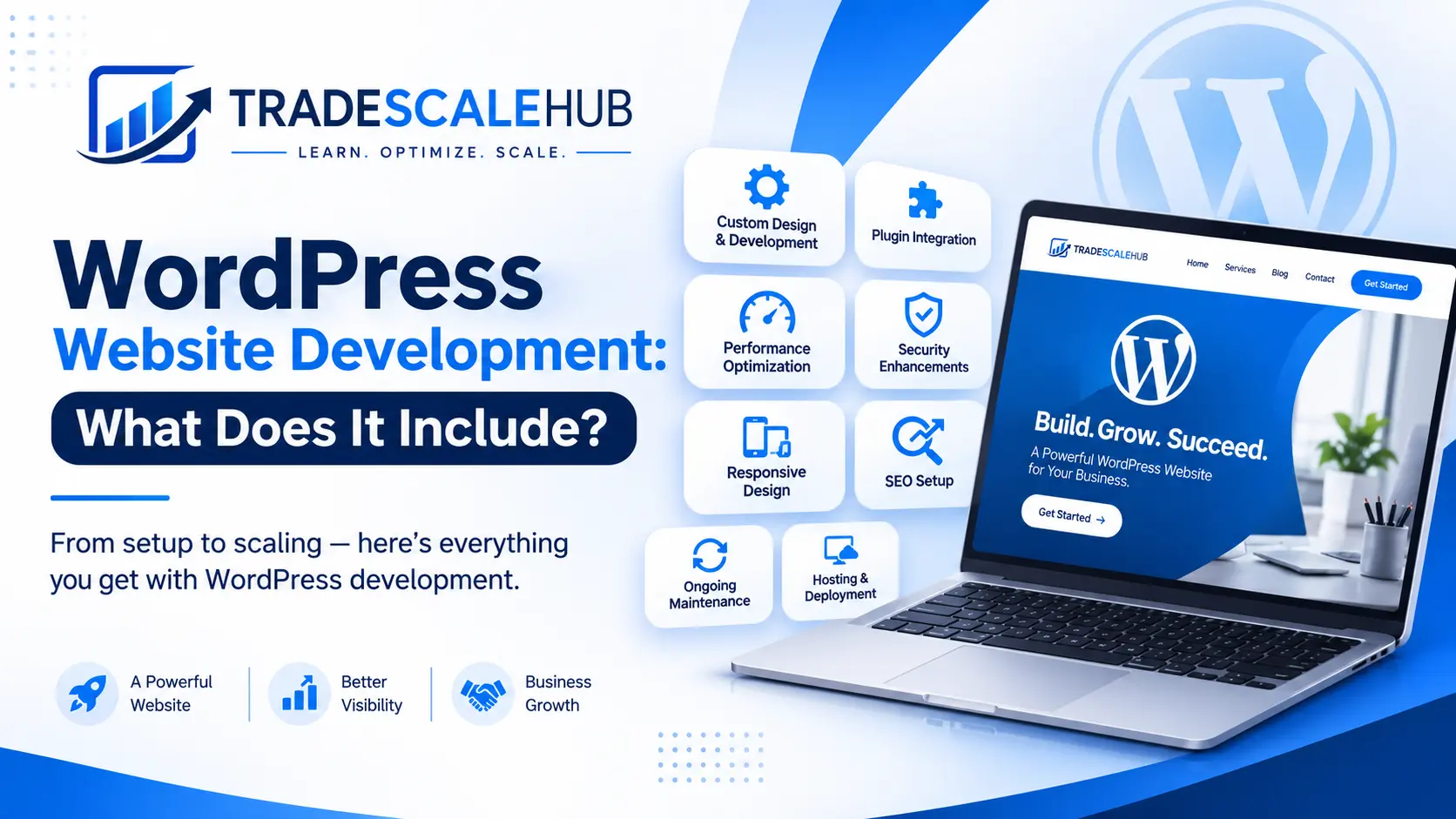
Ask three agencies for a quote on a new website and you may get three wildly different prices, three different timelines and three different lists of deliverables. One quote might say “WordPress website development” in a single line. Another might break the work into twenty items. A third might promise a finished site in a week. If you have ever wondered what you are actually paying for, you are not alone.
This guide explains exactly what WordPress website development includes, from the first planning call to the day you launch and the care that follows. You will learn the stages of a professional build, the technical work happening behind the scenes, what it costs and how long it takes, and how to judge whether a developer is giving you real value. If you run a local service business, such as an electrician, plumber, HVAC company or appliance repair shop, we also cover the features that matter most for turning visitors into phone calls.
By the end, you will be able to read any proposal with confidence and ask the right questions before you sign.
What Is WordPress Website Development?
WordPress website development is the process of planning, designing, building, testing and launching a website on the WordPress content management system. It covers everything required to turn an idea or a business goal into a working website that you can manage yourself.
WordPress is open-source software that powers a very large share of the web. It lets you create pages, publish posts, manage images and control how your site looks and behaves without writing code for every change. Developers extend it through themes, which control design and layout, and plugins, which add features such as forms, SEO tools, booking systems and online stores.
So when someone offers WordPress website development, they are doing much more than installing the software. A complete service includes strategy, structure, design, configuration, custom work where needed, content setup, optimisation, security, quality testing and launch. Depending on the project, it may also include training and ongoing support.
WordPress Development vs WordPress Design
The two terms are often used together, and they overlap, but they are not identical.
- Design focuses on how the site looks and feels: layout, colours, typography, imagery and user experience. Our guide to WordPress website design explains this side in detail.
- Development focuses on how the site works: theme construction, plugin configuration, custom functionality, integrations, performance, security and technical SEO.
On a small business project, one person or one agency usually handles both. On larger projects, designers and developers may be separate specialists working together. Either way, strong WordPress website development depends on design and engineering decisions being made in sync.
WordPress.org vs WordPress.com
Before development begins, it is worth knowing which version of WordPress you are using. WordPress.org is the self-hosted, open-source software that gives you full control over themes, plugins and hosting. WordPress.com is a hosted service with plans that limit what you can install on lower tiers. Most professional WordPress website development uses the self-hosted version, because it allows custom functionality and independence from a single platform. If you want a deeper comparison, our article on the WordPress website basics covers the key differences.
Why WordPress Website Development Matters for Your Business
A website is rarely just a brochure. For most local businesses, it is the place where customers decide whether to call you, book you or move on to a competitor. The quality of your WordPress website development shapes that decision in several ways.
First impressions. Visitors judge credibility in seconds. A clean, modern, fast-loading site signals professionalism.
Search visibility. A site built with clean code, logical structure and proper SEO foundations is easier for Google to crawl and understand.
Lead generation. Clear calls to action, click-to-call buttons and simple forms turn traffic into enquiries.
Flexibility. WordPress grows with you. You can add service pages, a blog, online booking or a shop without rebuilding from scratch.
Ownership and control. You own your site and content, and you can switch developers or hosts if you need to.
Long-term cost. A solid build is cheaper to maintain, update and expand than a rushed one that needs repairs every few months.
In short, WordPress website development is an investment in a business asset, not a one-off expense.
What Does WordPress Website Development Include? The Full Process
Here is the complete journey of a professional build. Every project differs, but these stages cover what you should expect.
Stage 1: Discovery and Planning
Good WordPress website development begins with questions, not code. The developer should learn about your business, audience, goals, competitors and existing website, if you have one.
Typical activities include:
- Defining goals, such as more calls, more bookings or more online sales
- Identifying your target customers and service areas
- Reviewing competitors and what they do well
- Listing required features, such as forms, galleries, maps or payments
- Agreeing on scope, timeline, budget and responsibilities
Skipping this stage is one of the biggest causes of projects that go over budget. A clear plan prevents misunderstandings later.
Stage 2: Sitemap and Information Architecture
Next comes the structure of your site: which pages you need and how they connect. For a local service business, this might include a homepage, individual service pages, location pages, an about page, reviews, a gallery, a blog and a contact page.
Planning your structure early helps with navigation, user experience and SEO. It also determines your URL structure and internal links. Our guide to service pages SEO shows how to organise pages so each service can rank on its own.
Stage 3: Wireframes and Design
Before building, designers create wireframes, which are simple layouts showing where content and buttons will sit. After that come visual mockups with your branding, colours, fonts and imagery.
Design decisions in WordPress website development should always support conversion. That means a clear headline, a visible phone number, trust signals such as reviews and licences, and obvious next steps. Mobile layouts deserve special attention, since most local searches happen on phones.
Stage 4: Theme Selection or Custom Theme Development
The theme is the foundation of your site’s appearance and structure. There are three common approaches:
- Premium or pre-built themes. These come with ready-made layouts and settings, and developers customise them to fit your brand. They are faster and more affordable, but can carry extra code that slows the site if poorly chosen.
- Lightweight base themes with a builder. A fast, minimal theme paired with a page builder or the block editor gives flexibility without heavy bloat.
- Fully custom themes. A developer builds the theme from scratch to match your exact design. This offers maximum control and performance, but takes longer and costs more.
The right choice depends on your budget, goals and how much custom functionality you need. A skilled developer will explain the trade-offs instead of defaulting to whatever is easiest for them.
Stage 5: Page Builder or Block Editor Setup
WordPress offers a built-in block editor, and many sites also use page builders such as Elementor. The developer configures global styles, reusable templates and layouts so that you can edit content later without breaking the design.
Well-organised WordPress website development includes setting up consistent headings, spacing, buttons and colours so every new page you add looks professional. It should also keep the code lean, because bloated builder layouts can slow your pages.
Stage 6: Plugin Selection and Configuration
Plugins add features, but each one also adds code, update requirements and potential risks. A professional developer chooses plugins carefully, installs only what is needed and configures them properly.
Common plugin categories include:
- SEO plugins for titles, descriptions, sitemaps and schema
- Form plugins for contact, quote and booking requests
- Caching and performance plugins for speed
- Security plugins for firewalls and login protection
- Backup plugins for safe recovery
- Booking, payment or ecommerce tools such as WooCommerce, where relevant
- Image optimisation tools for faster loading
For guidance on evaluating plugin quality, see our partner site’s article on how to choose the right WordPress plugins.
Stage 7: Custom Functionality
Some projects need features that no ready-made plugin handles well. Custom WordPress website development might include custom post types for projects or team members, custom fields for structured data, tailored forms, special pricing calculators, integrations with a CRM, or connections to booking and payment systems.
Not every site needs custom code, and a good developer will tell you when a simple solution is enough. Over-engineering adds cost and maintenance burden without adding value.
Stage 8: Content Creation and Migration
A website is only as good as its content. This stage may include writing page copy, creating or sourcing images, formatting headings, adding service descriptions and uploading your portfolio.
If you are replacing an existing site, content migration is critical. The developer should map old URLs to new ones and set up 301 redirects, so that you keep your search rankings and avoid broken links. Poorly handled migrations are a common reason sites lose traffic after a redesign.
Stage 9: On-Page SEO Setup
Professional WordPress website development includes SEO foundations from the start, not as an afterthought. These basics typically cover:
- Clean, descriptive URL structure
- Unique title tags and meta descriptions for key pages
- Proper heading hierarchy
- XML sitemap and robots.txt configuration
- Image optimisation and alt text
- Internal linking between related pages
- Structured data, such as local business schema
- Connection to Google Search Console and analytics
Our guide to on-page SEO explains these elements in detail, and you can read how local business schema helps search engines understand your company. For setting up sitemaps and crawl rules, tools like our XML sitemap generator and robots.txt generator can help.
Stage 10: Speed and Performance Optimisation
Speed affects both rankings and conversions. Developers improve performance through caching, image compression, modern image formats, lazy loading, minimising code, choosing fast hosting and limiting unnecessary scripts. They also test against Core Web Vitals, Google’s measures of loading, interactivity and visual stability.
If you want to learn what these metrics mean, read our guide to Core Web Vitals, and for practical fixes, see how to improve website speed. Our partner site also covers WordPress website speed specifically.
Stage 11: Security Hardening
A website that is not secured is a liability. WordPress website development should include basic hardening from day one:
- SSL certificate and HTTPS across the whole site
- Strong passwords and two-factor authentication for admin users
- Limited login attempts and protected admin areas
- Regular backups stored away from the web server
- Updates for core, themes and plugins
- A firewall and malware scanning
- Correct file permissions and removal of unused plugins and themes
For a fuller list, see our guide on how to secure a website, and the partner site’s detailed WordPress security checklist.
Stage 12: Responsive and Mobile Optimisation
Your site must work smoothly on phones, tablets and desktops. Responsive WordPress website development means layouts adapt to every screen size, buttons are easy to tap, text is readable, forms are simple and phone numbers can be called with one tap. Developers test on real devices and different browsers, not just on a desktop screen.
Stage 13: Accessibility Basics
Accessible websites are easier for everyone to use, including people with disabilities. Basic accessibility work includes sufficient colour contrast, descriptive alt text, keyboard-friendly navigation, clear form labels and a logical heading structure. These practices also tend to improve SEO and usability.
Stage 14: Integrations and Tracking
Most business websites connect to other tools. These may include Google Analytics, Google Search Console, Google Business Profile links, call tracking, email marketing platforms, CRMs, live chat, payment gateways and booking software.
Good WordPress website development sets up tracking so you can see where leads come from, which pages perform best and how visitors behave. Without tracking, you are guessing about your return on investment.
Stage 15: Staging, Testing and Quality Assurance
A responsible developer builds and tests on a staging site, which is a private copy, before anything goes live. Testing should cover:
- Every form, button and link
- Mobile, tablet and desktop layouts
- Browser compatibility
- Page speed and Core Web Vitals
- Email notifications from forms
- Payment or booking flows
- SEO settings and redirects
- Spelling, images and content accuracy
Skipping thorough testing is how businesses end up with contact forms that silently fail for weeks.
Stage 16: Launch
Launch day involves moving the site to the live domain, switching DNS if needed, activating SSL, setting up redirects, submitting the sitemap to Google and running final checks. A careful launch plan reduces downtime and protects your rankings.
After launch, the developer should recheck forms, tracking, speed and indexing within the first days to catch problems quickly.
Stage 17: Training and Handover
You should leave the project knowing how to update your own site. A quality handover includes login details, documentation, a short training session or video, and an explanation of what you can safely change. You should also receive ownership of your domain, hosting account and any licences, or at least clear access to them.
Stage 18: Maintenance and Support
WordPress website development does not stop at launch. Sites need ongoing care to stay secure, fast and reliable. Maintenance typically covers updates, backups, uptime monitoring, security scans, performance checks and small content changes. Use our website maintenance checklist as a guide, and read about website security in a maintenance plan to understand what protection should be included. For another monthly routine, see the WordPress maintenance checklist on our partner site.
WordPress Website Development for Local Service Businesses
If you operate an electrical, plumbing, HVAC, roofing, towing or appliance repair business, your website needs to do specific jobs. Customers often search in urgent situations, so they want speed, trust and an easy way to contact you.
Strong WordPress website development for local businesses includes:
- A prominent phone number with tap-to-call on mobile
- Individual service pages for each major service, rather than one crowded page
- Location pages that describe the areas you serve, written uniquely
- Trust signals, including licences, insurance, guarantees, reviews and certifications
- Simple quote or booking forms with minimal required fields
- Fast loading times, especially on mobile networks
- Local business schema and consistent name, address and phone details
- Links to your Google Business Profile and embedded reviews
- A blog or resource area to answer common customer questions
These features connect directly to local search performance. For a wider strategy, read our local SEO guide for small businesses, and review the WordPress SEO article on our partner site for WordPress-specific tips.
How Much Does WordPress Website Development Cost?
Cost varies widely, and any article claiming a single price should be treated with caution. The main factors are:
- Size. A five-page brochure site costs far less than a fifty-page site with custom features.
- Design approach. Templates and customised themes cost less than fully custom designs.
- Functionality. Ecommerce, booking, memberships and integrations add complexity.
- Content. Professional copywriting, photography and video increase the budget.
- SEO and performance work. Deeper technical optimisation takes more time.
- Who builds it. Freelancers, small agencies and larger firms charge different rates.
- Ongoing support. Maintenance plans add a recurring monthly or annual cost.
As a broad guide, a simple small business site may cost a few thousand dollars, while larger or more complex builds can reach well beyond that. Always compare proposals by what they include, not just the headline price. A very cheap quote that leaves out testing, SEO setup, security and training may end up costing more once you fix the gaps.
Remember the ongoing costs too: domain registration, hosting, premium plugin licences, SSL where not included, and maintenance.
How Long Does WordPress Website Development Take?
Timelines depend on scope and how quickly you provide content and feedback. As a general guide:
- Simple brochure site: often a few weeks
- Standard small business site with service pages: commonly four to eight weeks
- Larger or custom builds, such as ecommerce: often two to four months or more
Delays usually come from slow content delivery, late feedback and scope changes, not from the developer. You can speed up the process by preparing your logo, photos, service descriptions and examples before the project starts, and by naming one person to approve decisions.
DIY, Website Builder or Professional WordPress Website Development?
You have three broad options, and the best one depends on your skills, time and goals.
Do it yourself with WordPress. This suits confident beginners with time to learn. It costs less upfront but demands research on hosting, themes, security and SEO.
Use a hosted website builder. Tools such as drag-and-drop builders are quick and simple, but can limit flexibility, SEO control and long-term portability. Our guide to website builders explains how they work, and our comparison of an AI website builder vs WordPress helps you weigh newer tools against a traditional build.
Hire a professional. This suits businesses that want a polished, SEO-ready site without learning the technical side. Professional WordPress website development saves time, avoids common mistakes and delivers a site designed to generate leads.
If you prefer to learn the setup process yourself, our partner site’s WordPress website setup guide walks through it step by step.
How to Choose a WordPress Developer or Agency
The person or company you hire matters as much as the platform. Use these questions to evaluate candidates.
Do they show relevant work? Ask for live examples, ideally in your industry, and check how those sites load and look on mobile.
Do they explain their process? A professional can describe each stage clearly, with timelines and milestones.
What exactly is included? Look for written scope that covers design, development, SEO setup, security, testing, training and launch support.
Who owns the site? You should own your domain, content and accounts. Avoid arrangements that lock you in.
How do they handle SEO? Ask what technical SEO and on-page work is built in, and whether they manage redirects during migrations.
What about performance and security? They should be able to name specific measures, not vague promises.
What happens after launch? Ask about support, maintenance plans and response times.
Can you speak to past clients? Reviews, testimonials and references reveal how they treat customers.
If you want to talk about a build, you can explore WordPress web design services from our partner agency.
Red Flags to Watch For
- Promises of page-one rankings with no strategy
- Quotes with no written scope or vague line items
- Refusal to give you admin access or ownership
- Heavy use of pirated or “nulled” themes and plugins
- No staging site or testing process
- Pressure to sign quickly or pay everything upfront
- No mention of security, backups or performance
Common Mistakes in WordPress Website Development
Whether you build the site yourself or hire help, avoid these frequent errors.
Installing too many plugins. Every extra plugin adds load, risk and maintenance. Keep only what you need.
Choosing a bloated theme. Themes packed with features you never use can slow your site and complicate edits.
Ignoring mobile users. A site that looks perfect on a desktop but struggles on phones will lose local customers.
Neglecting SEO until after launch. Fixing structure, URLs and metadata later is harder than building them correctly.
Skipping redirects during a redesign. Changing URLs without redirects can wipe out rankings.
Forgetting backups and security. Without them, one hack or failed update can erase months of work.
Using stock content and generic copy. Visitors want real photos, real reviews and clear answers about your services.
Launching without testing forms. A broken contact form quietly costs you leads.
Never updating the site. Outdated software is the biggest security risk in WordPress.
Avoiding these mistakes is a core part of good WordPress website development, and each one is cheaper to prevent than to fix.
Checklist: What Your WordPress Website Development Project Should Deliver
Use this list to confirm that nothing is missing from your project:
- A written plan covering goals, scope, timeline and budget
- A logical sitemap and navigation structure
- A mobile-friendly, conversion-focused design
- A fast, well-chosen theme and a limited set of trusted plugins
- Service and location pages written for your customers
- SEO foundations, including titles, descriptions, headings, schema and sitemaps
- Speed optimisation and Core Web Vitals testing
- Security hardening, SSL and automatic backups
- Forms, tracking and integrations tested end to end
- Redirects from any old URLs
- Accessibility basics
- Staging site testing and a launch checklist
- Training, documentation and full ownership of your accounts
- A clear maintenance and support plan
To test the health of your finished site, you can run it through the free SEO audit tool and check the results against this list.
After Launch: Keeping Your WordPress Site Growing
A launched site is a starting point. To keep results growing, plan for:
- Regular updates and backups to keep the site secure and stable
- Content publishing such as helpful blog posts and new service pages
- Review collection to build trust and local rankings
- Performance monitoring in Google Search Console and analytics
- Conversion improvements based on real visitor data
- Periodic audits to catch technical issues early
Our guide to Google Search Console shows how to monitor your site’s search performance, and our SEO strategy article explains how to turn a good website into a steady source of leads.
Final Thoughts
WordPress website development is far more than installing a theme and adding a few pages. A complete project covers planning, structure, design, theme and plugin work, custom features, content, SEO, speed, security, testing, launch, training and ongoing care. Each stage affects how your site ranks, how fast it loads and how many visitors turn into customers.
When you understand what should be included, you can compare quotes fairly, ask sharper questions and avoid paying for a site that looks good but performs poorly. Focus on a clear plan, a clean build and a developer who communicates well. Then keep your site updated and measure its results, so that it keeps earning its place as one of your most valuable business assets.
Frequently Asked Questions About WordPress Website Development
What does WordPress website development include?
It includes planning, sitemap creation, design, theme setup or custom theme building, plugin configuration, custom functionality, content setup, SEO foundations, speed and security optimisation, testing, launch, training and often ongoing maintenance. The exact scope varies by project and provider.
How long does WordPress website development take?
A simple site can take a few weeks, while a standard small business site commonly takes four to eight weeks. Larger or custom projects, such as ecommerce stores, can take several months. Timelines depend heavily on how quickly content and feedback are provided.
How much does WordPress website development cost?
Costs range widely depending on size, design, features, content and who builds the site. Simple sites cost much less than complex custom builds. Compare proposals by deliverables, and remember to budget for hosting, domains, premium plugins and ongoing maintenance.
Do I need a developer, or can I build a WordPress site myself?
You can build a basic site yourself if you are willing to learn about hosting, themes, plugins, security and SEO. A professional developer saves time, helps you avoid costly mistakes and builds the technical foundations correctly, which is valuable if the site must generate leads.
Is WordPress good for SEO?
Yes. WordPress is flexible and SEO-friendly, and tools such as Rank Math and Yoast make optimisation easier. However, results depend on how the site is built and maintained. Good WordPress website development combines clean structure, fast performance, strong content and proper technical settings.
What is the difference between WordPress design and WordPress website development?
Design focuses on visual appearance and user experience, while development focuses on how the site works, including theme building, plugins, custom features, speed, security and integrations. Most projects need both, and the best results come when they are planned together.
Will I own my website after the project?
You should. Insist on owning your domain, hosting account, content and admin access. Confirm this in writing before you start, so that you can move or manage your site freely in the future.
What ongoing work does a WordPress site need after launch?
Plan for regular updates, backups, security scans, uptime and speed monitoring, content updates and performance reviews. Many businesses use a maintenance plan so that WordPress website development continues to deliver value long after launch day.
