
Your website is the first place most customers meet your business. Before they call, visit, or request a quote, they check your site, and within a few seconds they decide whether you look trustworthy. That is why wordpress website design matters far more than picking a pretty template. Good design shapes first impressions, guides visitors toward action, and gives search engines a clean structure to crawl and rank.
WordPress powers a huge share of the web, from small local service companies to large publishers. It is flexible, affordable, and backed by an enormous community of developers. But flexibility cuts both ways. Without a plan, a WordPress site can turn into a slow, cluttered collection of plugins that neither ranks nor converts.
This guide walks you through wordpress website design from start to finish. You will learn what it involves, how the process works, which themes and builders make sense, how to build in SEO and speed from day one, what it costs, and how to avoid the mistakes that hold most business sites back. Whether you are a plumber, an electrician, a consultant, or a growing agency, you will leave with a practical roadmap.
What Is WordPress Website Design?
WordPress website design is the process of planning, structuring, styling, and building a website on the WordPress content management system so it looks professional, works smoothly, and supports your business goals. It covers everything visitors see and interact with: layout, colors, typography, images, navigation, forms, and page templates.
It is worth separating design from development, because the two overlap but are not identical. Design decides how the site looks and how people move through it. Development handles the code, hosting, integrations, and performance behind the scenes. Strong wordpress website design blends both, so the site is attractive and also fast, secure, and easy to manage.
In practice, a complete project usually includes:
- Strategy and goal setting for what the site must achieve
- Sitemap and page structure planning
- Wireframes and visual design
- Theme selection or custom theme setup
- Page building with a builder such as Gutenberg or Elementor
- Content creation and on-page SEO
- Plugin setup, speed tuning, and security hardening
- Testing across devices and browsers, then launch
If you want the wider picture of how design connects to visibility, our complete SEO audit checklist shows how a site is evaluated once it is live.
Why Businesses Choose WordPress for Website Design
There are plenty of website platforms, so why do so many companies choose WordPress for their wordpress website design projects? The answer comes down to control, cost, and longevity.
You Own Your Website
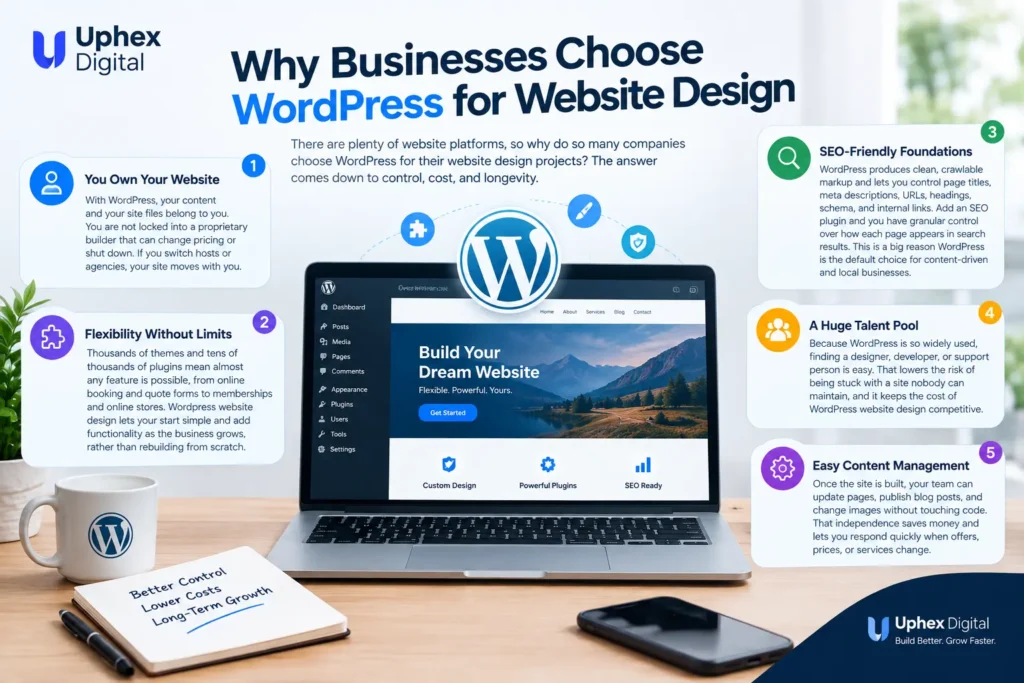
With WordPress, your content and your site files belong to you. You are not locked into a proprietary builder that can change pricing or shut down. If you switch hosts or agencies, your site moves with you. For a business investing in long-term growth, that ownership is a major advantage.
Flexibility Without Limits
Thousands of themes and tens of thousands of plugins mean almost any feature is possible, from online booking and quote forms to memberships and online stores. Wordpress website design lets you start simple and add functionality as the business grows, rather than rebuilding from scratch.
SEO-Friendly Foundations
WordPress produces clean, crawlable markup and lets you control page titles, meta descriptions, URLs, headings, schema, and internal links. Add an SEO plugin and you have granular control over how each page appears in search results. This is a big reason WordPress is the default choice for content-driven and local businesses.
A Huge Talent Pool
Because WordPress is so widely used, finding a designer, developer, or support person is easy. That lowers the risk of being stuck with a site nobody can maintain, and it keeps the cost of wordpress website design competitive.
Easy Content Management
Once the site is built, your team can update pages, publish blog posts, and change images without touching code. That independence saves money and lets you respond quickly when offers, prices, or services change.
Core Elements of Great WordPress Website Design
Visual polish is only one piece of the puzzle. The best business sites share a handful of fundamentals.
Clear Structure and Navigation
Visitors should understand what you do and where to click within seconds. Keep the main menu short, use plain labels such as Services, About, Projects, and Contact, and place your primary call to action where it is impossible to miss. Effective wordpress website design starts with a logical sitemap, not with colors.
A simple structure for a service business might look like this:
- Home
- Services (with a dedicated page for each service)
- Service areas or locations
- About and reviews
- Blog or resources
- Contact
Mobile-First Layouts
Most searches now happen on phones, and Google predominantly uses the mobile version of your pages for indexing. Design for the smallest screen first, then scale up. Buttons should be large enough to tap, text should be readable without zooming, and phone numbers should be click-to-call. Any serious wordpress website design project treats mobile as the primary experience rather than an afterthought.
Consistent Branding
Choose two fonts at most, a limited color palette, and a consistent style for buttons, images, and icons. Consistency in wordpress website design makes a small business look established. Your logo, colors, and tone should feel the same on the homepage, the service pages, and the contact form.
Visual Hierarchy
Headings, spacing, and contrast tell visitors what to read first. Use one clear H1 per page, break content into scannable sections, and give calls to action enough white space to stand out. Good hierarchy also helps accessibility and SEO.
Conversion-Focused Content
Design is not decoration. Every page should have a job. A service page should explain the service, show proof such as reviews or before-and-after photos, answer common questions, and end with an obvious next step. This is where wordpress website design and copywriting have to work hand in hand.
Trust Signals
Add real reviews, certifications, licenses, guarantees, and recognizable client logos. For local businesses, showing your address, service areas, and phone number consistently builds credibility and supports local rankings.
The WordPress Website Design Process, Step by Step
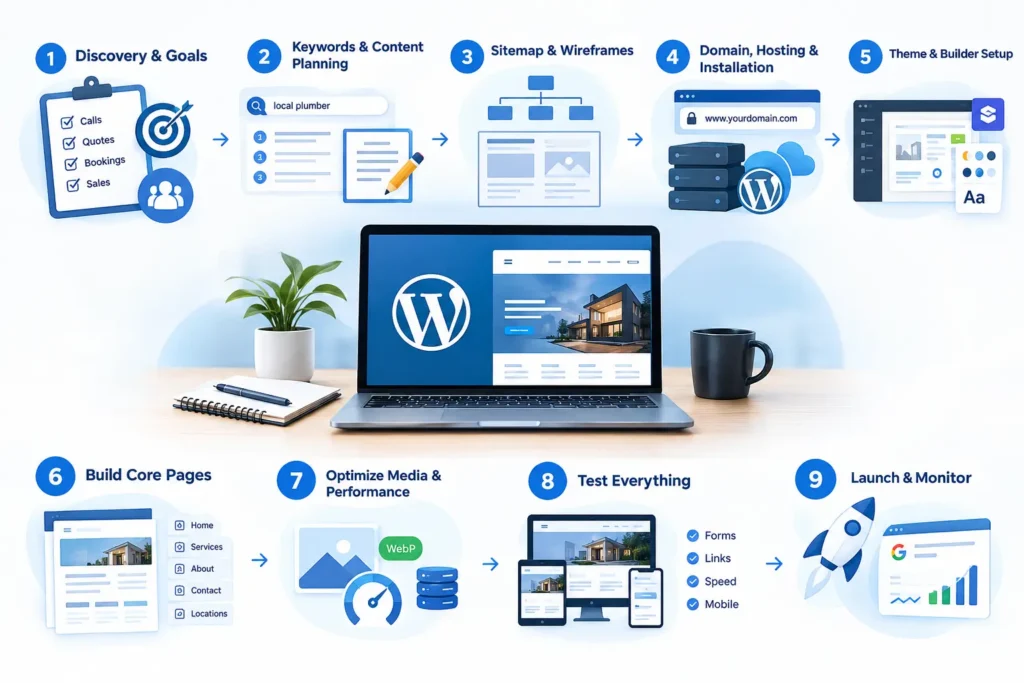
A repeatable process prevents scope creep, wasted budget, and missed deadlines. Here is the workflow most professionals follow.
Step 1: Discovery and Goals
Start by defining what the website must accomplish. Do you need phone calls, quote requests, bookings, product sales, or brand credibility? Identify your target audience, your competitors, and the services that earn the most profit. Clear goals turn wordpress website design from guesswork into a measurable project.
Step 2: Keyword and Content Planning
Before designing a single page, map the searches your customers use. A plumber might need pages for emergency repairs, water heater installation, and each city served. Assigning a main keyword to each page prevents overlap and gives every page a purpose. If you are new to this stage, our guide to on-page SEO explains how titles, headings, and content work together.
Step 3: Sitemap and Wireframes
Draft the page hierarchy, then sketch simple wireframes showing where the headline, images, proof, and buttons will sit. Wireframes are cheap to change, so they are the best place to fix layout problems before wordpress website design moves into the full build.
Step 4: Domain, Hosting, and Installation
Choose a reliable host with solid uptime, SSL, daily backups, and good server performance. Install WordPress, set permalinks to a clean post-name structure, and configure HTTPS from the start. Hosting quality has a direct effect on speed, so do not treat it as an afterthought in wordpress website design. For a hands-on walkthrough, see this WordPress website setup guide.
Step 5: Theme and Builder Setup
Select a lightweight theme and a page builder that suits your team. Configure global colors, fonts, headers, footers, and templates so every new page inherits the same look automatically.
Step 6: Build Core Pages
Create the homepage, service pages, about page, contact page, and any location pages. Write real copy rather than placeholder text, because the words shape the layout.
Step 7: Optimize Media and Performance
Compress images, use modern formats such as WebP, enable caching, and lazy-load below-the-fold media. Performance work is part of wordpress website design, not a separate task that can wait until after launch.
Step 8: Test Everything
Check the site on phones, tablets, and desktops. Submit every form, test click-to-call links, review page speed, and proofread all content. Fix broken links and check that tracking is firing correctly.
Step 9: Launch and Monitor
Launch, submit your sitemap to Google Search Console, and watch for crawl errors, indexing problems, and early performance data. Our overview of Google Search Console covers what to check in the first weeks.
Choosing the Right Theme for WordPress Website Design
Your theme sets the foundation for speed, flexibility, and appearance. Picking the wrong one is among the most expensive mistakes in wordpress website design because switching later often means rebuilding pages.
Lightweight Multipurpose Themes
Themes such as Astra, GeneratePress, Kadence, and Hello are popular because they load quickly and leave design control to the page builder. They ship with minimal code, which helps Core Web Vitals.
Premium Themes
Premium themes can save time with pre-built demos, but be cautious. Heavy themes bundle sliders, animations, and features you will never use, and all that code slows the site. If you choose a premium theme, import only the demo content you need.
Custom Themes
A custom theme is built specifically for your brand and requirements. It costs more but gives you the cleanest code and the most control. It suits businesses with unique layouts, complex functionality, or strict performance goals.
What to Look For in a Theme
- Fast load times and clean code
- Responsive, mobile-first design
- Compatibility with your page builder
- Regular updates and good support
- Schema and accessibility support
- Translation and RTL support if you serve multilingual audiences
Page Builders: Gutenberg, Elementor, and Alternatives
The page builder you choose affects how quickly you can build and how easily your team can edit later.
Gutenberg (the block editor) is built into WordPress. It is fast, lightweight, and improving constantly. For simple sites and blogs, it is often all you need.
Elementor is a visual drag-and-drop builder with a large template library, theme builder, and global styling system. It suits agencies and businesses that want precise control over wordpress website design layouts without writing code. Many teams also build reusable templates so new landing pages can be produced quickly and consistently.
Other options include Beaver Builder, Bricks, Oxygen, and Divi. Each has strengths, so test a few before committing.
Whichever tool you choose, keep the design simple. Excess widgets, nested containers, and animations add page weight. The best wordpress website design uses the fewest elements needed to communicate clearly.
Essential Plugins for a Business Website
Plugins extend WordPress, but every plugin adds code, so install only what you need. A lean, well-chosen stack usually includes:
- SEO plugin: Rank Math or Yoast for titles, meta descriptions, schema, and sitemaps
- Caching and speed: WP Rocket, LiteSpeed Cache, or a similar tool
- Image optimization: ShortPixel, Imagify, or Smush
- Security: Wordfence, Solid Security, or a firewall from your host
- Forms: Fluent Forms, WPForms, or Gravity Forms
- Backups: UpdraftPlus or your host’s backup system
- Analytics: Google Site Kit or a direct Google Analytics setup
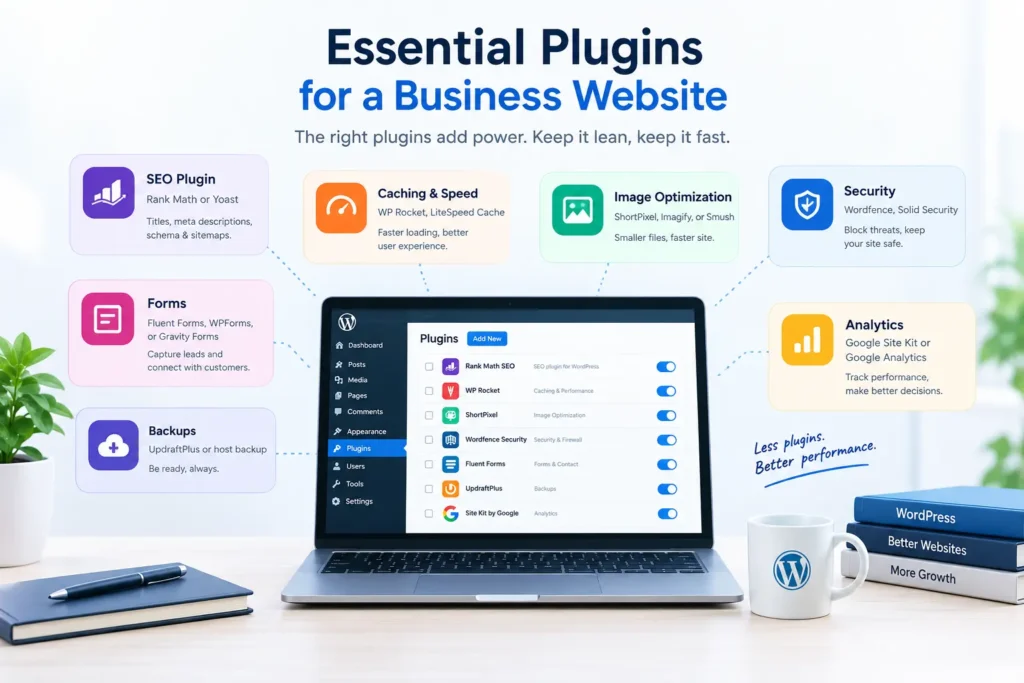
Audit your plugins every quarter. Deactivate and delete anything unused, and replace heavy plugins with lighter alternatives. Plugin bloat is a leading cause of slow WordPress sites and a common failure in rushed wordpress website design projects.
Building SEO Into WordPress Website Design
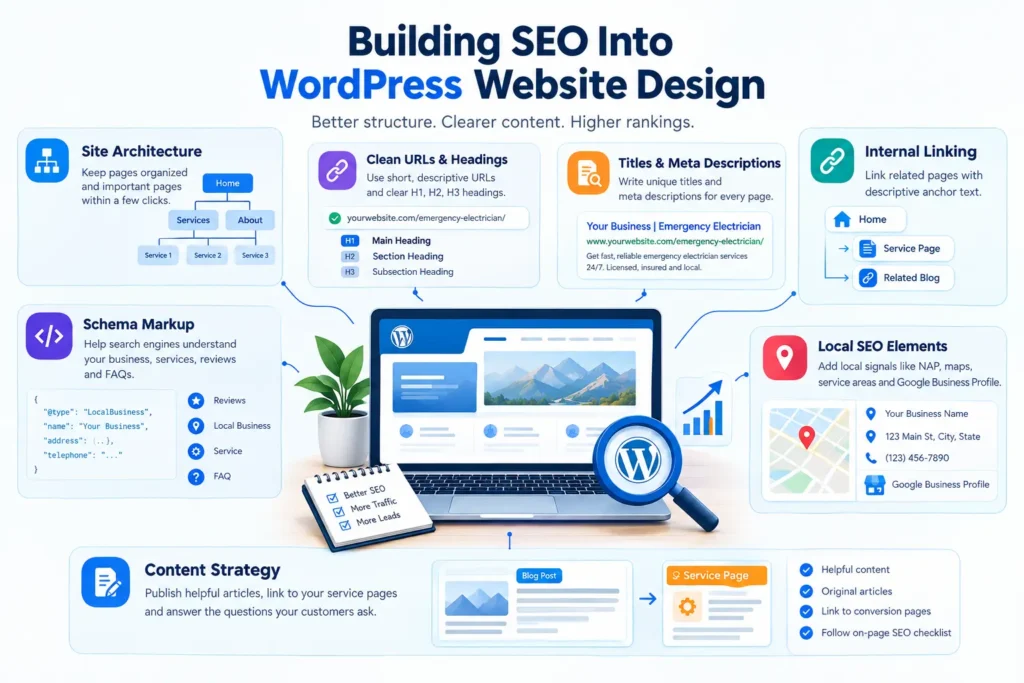
Many businesses treat SEO as something to bolt on after launch. That approach costs time and rankings. Search optimization should shape wordpress website design from the first wireframe. For plugin and settings advice, see WordPress SEO.
Site Architecture
Group related pages logically and keep important pages within a few clicks of the homepage. A clear hierarchy, such as a services hub linking to individual service pages, helps both users and search engines understand your topics.
Clean URLs and Headings
Use short, descriptive URLs like /emergency-electrician/ rather than long strings of numbers. Give every page one H1 and use H2 and H3 headings to organize the rest. Headings should describe the content honestly and include relevant terms naturally.
Titles and Meta Descriptions
Write a unique title and meta description for each page. Keep titles under roughly 60 characters and descriptions under 160, lead with the main keyword, and give searchers a reason to click.
Internal Linking
Link related pages together with descriptive anchor text. Internal links spread authority, help crawlers discover content, and guide visitors to the next helpful page. For example, a blog post about design can link to your guide on technical SEO so readers see how site structure affects rankings.
Schema Markup
Structured data helps search engines understand your business, services, reviews, and FAQs. Most SEO plugins add basic schema automatically, and you can extend it with local business schema, service, and FAQ pages.
Local SEO Elements
If you serve a specific area, make local signals part of your wordpress website design. Include your business name, address, and phone number consistently, embed a map, create pages for each service area, and connect your site to a well-optimized Google Business Profile. Consistent listings across directories also matter, which is why local citations remain a core part of local visibility.
Content Strategy
A blog supports your service pages by answering the questions customers ask before they buy. Publish helpful, original articles, and link them to the pages that convert. To structure each article properly, follow this on-page SEO checklist. It also helps to understand AI and SEO before you use AI writing tools, so speed never comes at the cost of quality.
Speed and Core Web Vitals
Speed is a ranking factor, a conversion factor, and a user-experience factor all at once. Visitors leave slow sites, and every extra second of loading tends to reduce enquiries.
Google measures real-world experience through Core Web Vitals, which focus on loading performance, interactivity, and visual stability. If you are unfamiliar with them, our guide to Core Web Vitals breaks down each metric and how to improve it. For deeper WordPress-specific tuning, read how to speed up a WordPress website, and see our notes on website speed and SEO.
Practical speed steps for wordpress website design include:
- Choose quality hosting with server-level caching
- Use a lightweight theme and avoid unnecessary widgets
- Compress and properly size every image
- Serve images in WebP or AVIF format
- Enable page caching and browser caching
- Minify and defer non-critical CSS and JavaScript
- Use a content delivery network for global audiences
- Limit third-party scripts such as chat widgets and trackers
- Reserve space for images and embeds to prevent layout shifts
Test with Google PageSpeed Insights and Search Console, and always check mobile results first. Improvements you make to performance during wordpress website design are far easier than repairs after launch.
Security Best Practices
WordPress is secure when maintained properly, but neglected sites are frequent targets. Building protection into wordpress website design keeps your reputation and rankings safe.
- Keep WordPress core, themes, and plugins updated
- Use strong, unique passwords and two-factor authentication
- Limit login attempts and change the default admin username
- Install a trusted security plugin or host-level firewall
- Use SSL on every page
- Back up daily and store copies off-site
- Remove unused themes and plugins
- Assign the minimum user roles necessary
A hacked website can drop out of search results, display warnings to visitors, and take days to repair. Prevention is far cheaper than recovery.
Designing for Conversions
A beautiful site that does not generate enquiries is a failed site. Conversion design focuses on making the next step obvious and easy.
Strong Calls to Action
Use specific button text such as Get a Free Quote, Call Now, or Book an Appointment. Repeat the primary call to action at the top, middle, and bottom of key pages, and keep it visible on mobile with a sticky call button.
Short, Simple Forms
Every extra form field lowers completion rates. Ask only for what you need: name, phone or email, and a short message. Add a clear confirmation message and follow up quickly.
Social Proof
Place testimonials, star ratings, and project photos close to your calls to action. Real proof does more than any slogan.
Landing Pages for Campaigns
If you run paid ads or promotions, build dedicated landing pages with one goal, minimal navigation, and message match to the ad. A focused landing page usually outperforms a generic homepage, and it is a smart addition to any wordpress website design plan.
Tracking and Improvement
Set up conversion tracking for calls, forms, and clicks. Review the data monthly and test changes to headlines, images, and button placement. Design is never finished; it improves through testing.
How Much Does WordPress Website Design Cost?
Prices for wordpress website design vary widely depending on scope, experience, and location. The figures below are rough industry ranges and should be treated as estimates, not quotes.
- DIY with a template: Low upfront cost, mainly hosting, theme, and plugins, but it costs your time
- Freelancer: Typically a mid-range budget for a five to ten page business site
- Agency: Higher investment for custom design, strategy, SEO, and ongoing support
- Custom development: The highest cost, reserved for complex functionality
Factors that influence the price of wordpress website design include:
- Number of pages and templates
- Custom design versus a pre-built theme
- Copywriting and photography
- E-commerce, booking, or membership features
- Integrations with CRMs and other tools
- SEO setup and content production
- Ongoing maintenance and support
Do not choose only on price. A cheap site that loads slowly, ranks poorly, and does not convert costs more in lost business than a well-built site costs to create.
DIY, Freelancer, or Agency?
Choosing who builds your site depends on budget, time, and complexity.
DIY wordpress website design works if you have time to learn, a simple site, and a tight budget. Compare your website builder options before you commit. The risk is a site that looks amateur or ignores SEO and speed.
A freelancer offers personal service and good value for small to mid-size wordpress website design projects. Check portfolios, ask for references, and confirm who handles hosting, maintenance, and content.
An agency brings a team of designers, developers, writers, and marketers. It is often the best option for businesses that want strategy, SEO, and ongoing growth rather than a one-time build. Agencies that combine wordpress website design with SEO content can launch a site that is ready to rank from day one.
Whatever route you take, insist on clear deliverables, a written timeline, and full ownership of your site and accounts.
Common WordPress Website Design Mistakes to Avoid
Even experienced teams repeat the same wordpress website design errors. Avoiding them puts you ahead of most competitors.
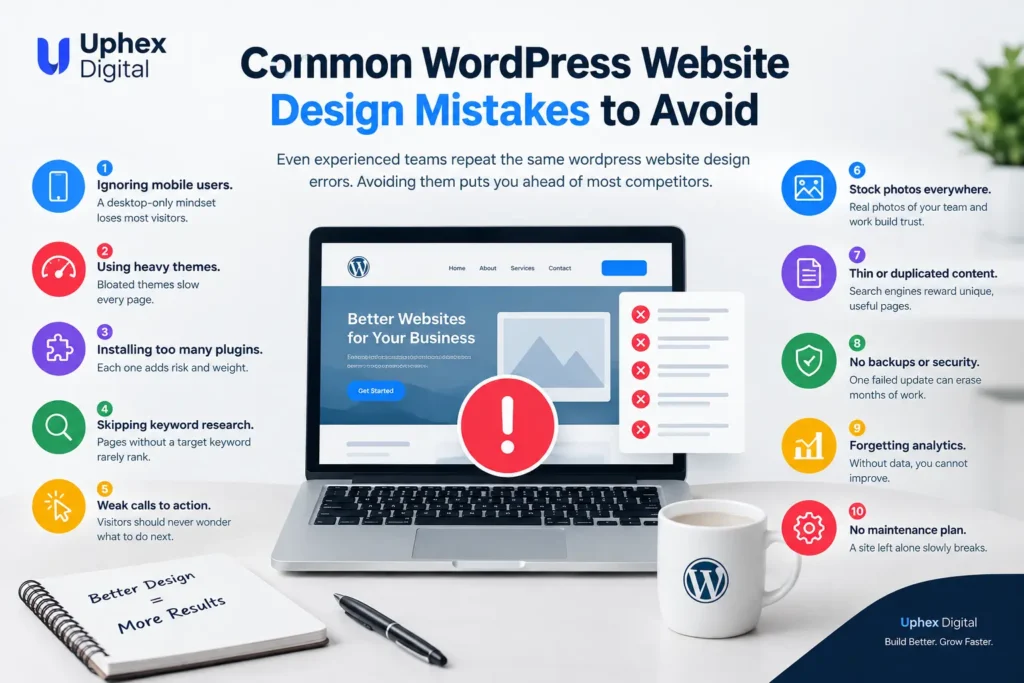
- Ignoring mobile users. A desktop-only mindset loses most visitors.
- Using heavy themes. Bloated themes slow every page.
- Installing too many plugins. Each one adds risk and weight.
- Skipping keyword research. Pages without a target keyword rarely rank.
- Weak calls to action. Visitors should never wonder what to do next.
- Stock photos everywhere. Real photos of your team and work build trust.
- Thin or duplicated content. Search engines reward unique, useful pages.
- No backups or security. One failed update can erase months of work.
- Forgetting analytics. Without data, you cannot improve.
- No maintenance plan. A site left alone slowly breaks.
Fixing these issues often produces bigger gains than a full redesign. If you suspect your current site has several of them, start with a structured review using a technical SEO checklist before spending money on a rebuild.
WordPress Website Design for Local Service Businesses
Trades and local service companies have specific needs. Customers searching for an electrician, an appliance repair technician, or a towing service want speed, trust, and a phone number they can tap immediately.
For these businesses, wordpress website design should prioritize:
- A prominent click-to-call button on every page
- Dedicated pages for each service and each service area
- Fast loading on mobile networks
- Real reviews and photos of completed jobs
- Clear service hours and emergency availability
- A contact form that takes under a minute to complete
- Schema markup for local business and services
Pair the site with an optimized Google Business Profile and consistent citations, and you create a strong local presence that supports both organic rankings and map results. Agencies such as Uphex Digital specialize in this exact combination, but the principles apply to any local business.
Maintaining Your WordPress Website After Launch
Launching is the beginning, not the end. A well-maintained wordpress website design stays fast, secure, and relevant.
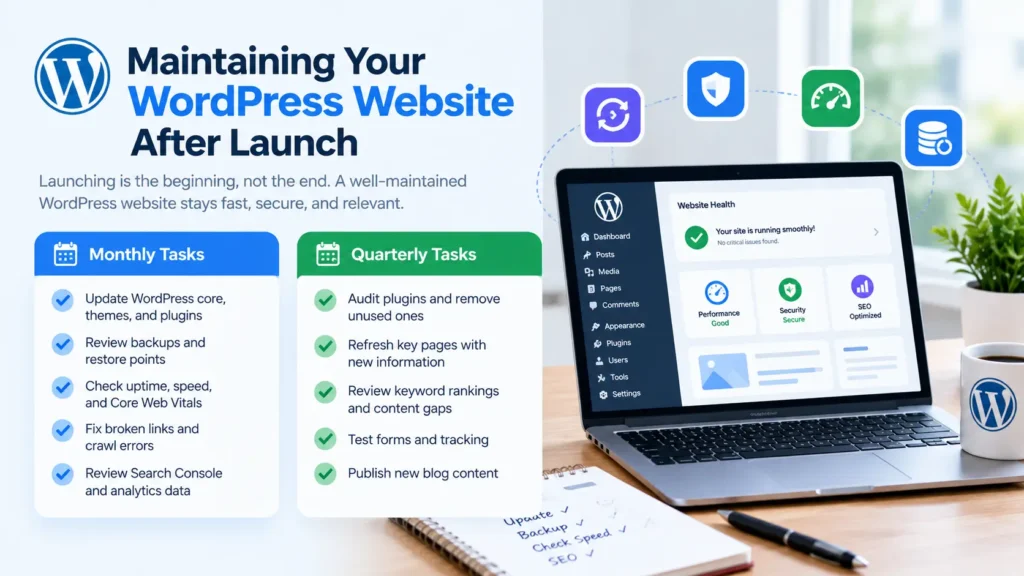
Monthly Tasks
Use a website maintenance checklist to keep these routine.
- Update WordPress core, themes, and plugins
- Review backups and restore points
- Check uptime, speed, and Core Web Vitals
- Fix broken links and crawl errors
- Review Search Console and analytics data
Quarterly Tasks
- Audit plugins and remove unused ones
- Refresh key pages with new information
- Review keyword rankings and content gaps
- Test forms and tracking
- Publish new blog content
Regular care protects the investment you made in wordpress website design and keeps your rankings steady. A periodic SEO audit is one of the simplest ways to catch problems early.
WordPress Website Design Launch Checklist
Use this checklist before you go live.
Strategy and content
- Goals and target audience defined
- Main keyword assigned to every page
- Titles, meta descriptions, and headings written
- Calls to action placed on every key page
Design and usability
- Mobile, tablet, and desktop layouts tested
- Navigation clear and simple
- Forms and click-to-call links tested
- Accessibility basics checked
Technical
- SSL active and HTTPS enforced
- Caching and image optimization enabled
- Core Web Vitals reviewed
- XML sitemap generated and submitted
- Robots settings checked so the site is indexable
- Backups and security configured
Tracking
- Analytics and Search Console connected
- Conversion events tracked
- Google Business Profile linked to the website
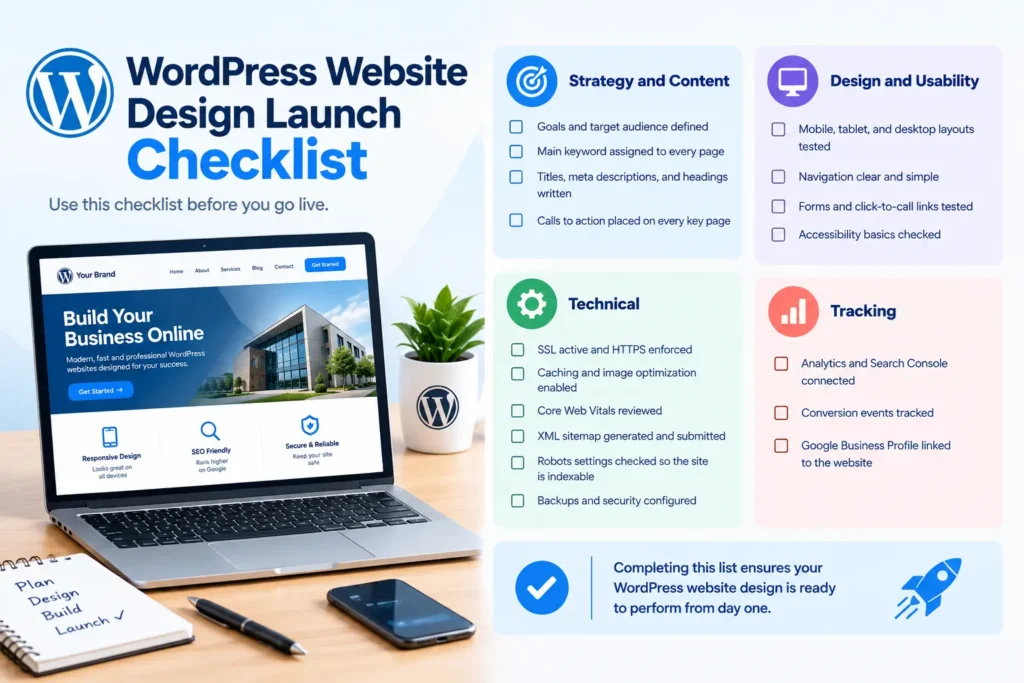
Completing this list ensures your wordpress website design is ready to perform from day one.
Frequently Asked Questions
How long does WordPress website design take?
A simple business site can take two to four weeks, while larger or custom projects can take two to three months. Timelines depend mostly on how quickly content and feedback are provided.
Is WordPress good for small businesses?
Yes. WordPress is affordable, flexible, and scalable, so it suits small businesses that want to start lean and grow. See our full WordPress website guide for more. Strong wordpress website design also gives small companies a professional look that competes with larger brands.
Do I need coding skills to use WordPress?
No. Page builders and the block editor allow you to manage content visually. Coding knowledge helps with custom features, but most business owners can handle daily updates without it.
Is WordPress good for SEO?
WordPress offers excellent SEO foundations, including clean markup, customizable URLs, and powerful plugins. Results still depend on quality content, site speed, structure, and links, all of which are shaped by how your site is designed and built.
What is the difference between WordPress.org and WordPress.com?
WordPress.org is the free, self-hosted software that gives you full control, and it is what most businesses use. WordPress.com is a hosted service with plans that limit some features. For serious wordpress website design, self-hosted WordPress is generally the better fit.
Final Thoughts
Successful wordpress website design is not an accident. It is the result of clear goals, smart structure, fast performance, strong content, and steady maintenance. WordPress gives you the tools to build all of that without being locked into anyone’s system.
Approach wordpress website design as a growth investment rather than a one-off expense. Plan your pages around real customer searches, choose lightweight tools, build SEO and security in from the start, and keep improving after launch. Do that consistently and your site will attract better traffic, build trust faster, and turn more visitors into customers.
If you are ready to take the next step, review your current site against the checklist above, fix the biggest gaps first, and build a content plan that supports your most profitable services. With the right foundation, WordPress will support your business for years.
