
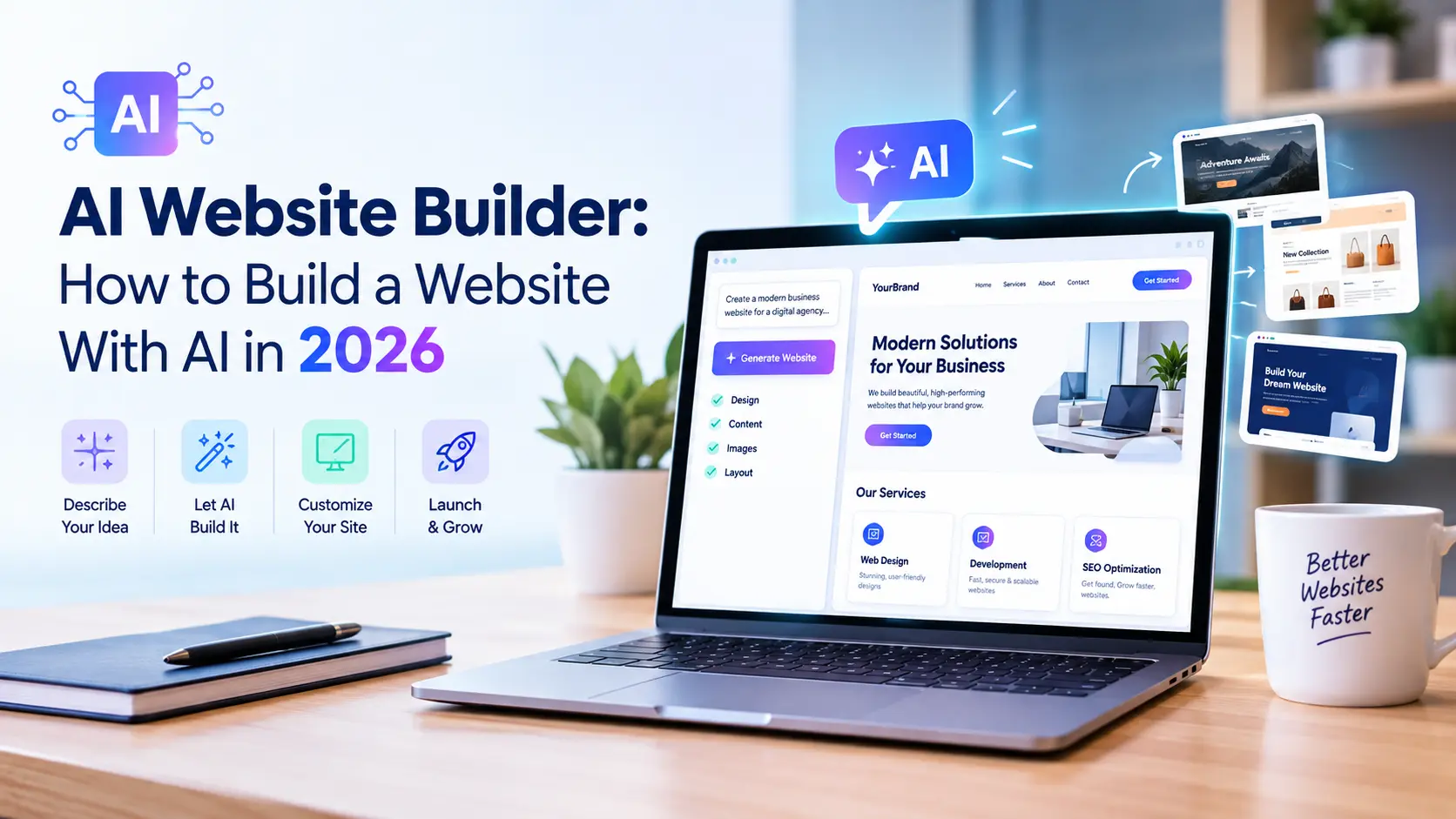
Building a website used to mean hiring a developer, waiting weeks for mockups, or spending a weekend fighting with a drag-and-drop editor that never quite matched what you had in mind. An AI website builder changes that timeline entirely — describe your business, answer a few prompts, and within minutes you have a structured, styled, content-filled site ready to edit. In 2026, this kind of tool is no longer a novelty for hobby projects; it’s a legitimate starting point for small businesses, local service companies, agencies, and solo entrepreneurs who need a professional site fast without a five-figure design budget.
This guide walks through exactly how an AI website builder works, how to choose one, and how to build a complete, SEO-ready site with one step by step — plus the mistakes to avoid so your finished site actually ranks and converts, not just looks good in a demo.
If you’re building a site for a local service business specifically, pair this guide with our complete local SEO guide for small businesses, since the design tool only gets you halfway there — the on-page and technical SEO work still has to happen after launch.
What Is an AI Website Builder?
An AI website builder is a platform that uses artificial intelligence — typically a combination of large language models and design algorithms — to generate a working website from a short description, a business name, or a few onboarding answers. Instead of starting from a blank canvas or a rigid template, it writes draft copy, selects a layout, picks a color palette and font pairing, sources or generates images, and assembles a multi-page site automatically.
Most platforms in this category follow a similar flow:
- You describe your business, industry, and goals
- The AI website builder asks a handful of clarifying questions (services offered, target audience, tone, existing branding)
- It generates a full site structure — homepage, about, services, contact, and often a blog
- You review, edit, and regenerate sections you don’t like
- You publish, connect a domain, and go live
The result isn’t usually a finished product straight out of the box, but it’s a dramatically faster starting point than building from scratch. A modern AI website builder can compress what used to be a multi-week design process into an afternoon.
How AI Website Builders Actually Work
Under the hood, an AI website builder typically combines several AI systems working together. A language model handles copywriting — headlines, service descriptions, about pages, calls to action — based on the prompts you provide. A separate design or layout engine selects appropriate templates, spacing, and visual hierarchy based on your industry and stated preferences. Many tools also use image generation or stock photo matching to fill galleries and hero sections automatically.
Some platforms go further and use AI throughout the ongoing editing experience too, not just at setup. You can type “make this section more compact” or “add a testimonials block after the services section,” and the tool edits the live page in response, rather than requiring you to manually drag and drop every element. This conversational editing layer is one of the biggest differences between an AI website builder and a traditional template-based builder — the site keeps adapting as you describe changes in plain language, rather than locking you into whatever the initial template produced.
Why Use an AI Website Builder in 2026
The appeal of an AI website builder comes down to speed, cost, and accessibility — three things that matter enormously for small and local businesses operating on tight budgets and even tighter timelines.
Speed. A working first draft in minutes instead of weeks means a business can have an online presence live before a slow custom build would even reach the wireframe stage.
Cost. Most AI website builder platforms charge a fraction of what a custom design agency would, often bundling hosting, a domain, and ongoing edits into one predictable subscription.
Accessibility. You don’t need design or coding skills to get a professional-looking result. An AI website builder removes the technical barrier that used to keep non-technical business owners dependent on developers for every small change.
Content generation. Writer’s block is a real obstacle for service businesses trying to describe what they do. An AI website builder generates a working draft of every page’s copy, which is often easier to edit down than to write from a blank page.
Iteration speed. Because changes happen through prompts rather than manual rebuilding, testing different headlines, layouts, or calls to action takes minutes rather than a full design cycle.
None of this means an AI website builder is a magic fix — speed and low cost come with real tradeoffs we’ll cover later — but for a business that needs a functional, professional site fast, the case is strong.
Step-by-Step: How to Build a Website With an AI Website Builder
Step 1: Define Your Goals Before You Open the Tool
Before touching any AI website builder, get clear on what the site actually needs to do. Is it a lead-generation site for a local service business? A portfolio? An e-commerce store? The clearer your input, the better the first draft will be, since most platforms generate content and structure directly from what you tell them about your business, audience, and goals.
Write down, even briefly:
- Your business name and what you actually do
- Your target customer and their main pain point
- The three to five services or products you want featured
- Your service area, if you’re a local business
- Any existing branding — logo, colors, tone of voice
Types of AI Website Builders to Consider
Not every AI website builder works the same way, and picking the right category matters as much as picking the right brand. Broadly, the tools on the market fall into a few groups:
All-in-one AI builders generate the entire site — structure, copy, images, and styling — from a short business description, then let you refine everything through prompts. These are the fastest option and best suited to straightforward business sites.
AI-assisted template builders start from a traditional drag-and-drop template system but use AI to auto-fill copy, suggest layouts, or generate section variations on request. These give you more manual control at the cost of a slightly slower setup process.
AI website builder plugins for existing platforms add generative features on top of an existing CMS like WordPress, rather than replacing the platform entirely. This route suits businesses that already have a site and want to speed up specific tasks — new landing pages, blog drafts, product descriptions — without migrating everything to a new system.
E-commerce-focused AI builders specialize in product catalogs, checkout flows, and inventory-aware content generation, which makes them a better fit than a general-purpose AI website builder if the site’s main job is selling products online.
Understanding which category fits your situation narrows the field considerably before you start comparing individual platforms.
Step 2: Choose the Right AI Website Builder for Your Needs
Not every AI website builder is built for the same use case. Some are optimized for e-commerce, some for local service businesses, some for portfolios and creative work, and some for content-heavy sites with blogs. Before committing, check:
- Whether the platform supports your business type (service, e-commerce, portfolio, blog)
- Whether it exports clean, crawlable HTML or locks content into a proprietary system
- Whether it offers a real domain connection and standard hosting, not just a subdomain
- Whether basic SEO controls (title tags, meta descriptions, alt text) are editable
- Whether pricing includes hosting or requires a separate host
Popular platforms in this space include Wix’s AI-assisted builder, Framer AI, 10Web, Durable, Hostinger’s AI builder, and Squarespace’s AI tools, each with different strengths depending on whether you prioritize design flexibility, e-commerce features, or raw setup speed. Test the free tier or trial of two or three options with the same business description before committing, since the quality of an AI website builder’s first draft can vary noticeably between platforms even when given identical prompts.
Step 3: Generate Your Initial Site
This is where the AI website builder does the heavy lifting. Input your business details as specifically as possible — vague prompts produce generic results, while specific ones produce something closer to a usable draft. Instead of “plumbing company,” try “residential and commercial plumbing company serving [city] and surrounding suburbs, specializing in emergency repairs and water heater installation.”
Most tools generate a full multi-page structure on the first pass: homepage, services or products, about, contact, and sometimes a blog. Review the entire structure before editing individual pages — it’s faster to fix structural issues (wrong page order, missing service page, unnecessary sections) before refining copy line by line.
Step 4: Customize Design and Branding
An AI website builder’s default output rarely matches your brand perfectly out of the box. This stage is where you push back on the AI’s first draft:
- Swap in your actual logo, brand colors, and fonts if you have them
- Replace generic AI-selected stock photos with real photos of your team, location, or work
- Adjust the tone of the generated copy to match how you actually talk to customers
- Remove sections that don’t apply and add ones the AI missed
The conversational editing feature most AI website builder platforms offer makes this stage faster than traditional editors — describing a change in plain language is usually quicker than manually adjusting layout elements one by one.
Step 5: Add On-Page SEO Fundamentals
This is the step most people skip, and it’s the reason so many AI-generated sites launch and then quietly sit on page three of Google. An AI website builder handles design and copy, but it rarely optimizes pages for search on its own — that part is still on you.
Go through every page and set:
- Unique, keyword-relevant title tags for each page
- Compelling meta descriptions under 160 characters
- A logical H1/H2 structure with your target keywords included naturally
- Descriptive image alt text, not the generic labels the AI website builder assigned by default
- Clean, readable URLs instead of auto-generated slugs
Our on-page SEO checklist and guide to service pages SEO cover exactly what each page needs, and the on-page SEO checklist from our sister site is a useful second pass to make sure nothing gets missed after the AI website builder’s first draft.
Step 6: Optimize for Local Search
If the site represents a local business, local SEO needs deliberate setup — an AI website builder won’t configure this automatically. Add LocalBusiness schema markup so search engines understand your business name, address, phone number, and service area. Make sure your NAP details on the site exactly match your Google Business Profile, and build out dedicated content for each service area rather than relying on one generic “areas we serve” paragraph.
Our Google Business Profile checklist and local keyword research guide are worth working through once the site structure from your AI website builder is in place, since local keyword targeting almost always needs manual refinement beyond what the AI generates by default.
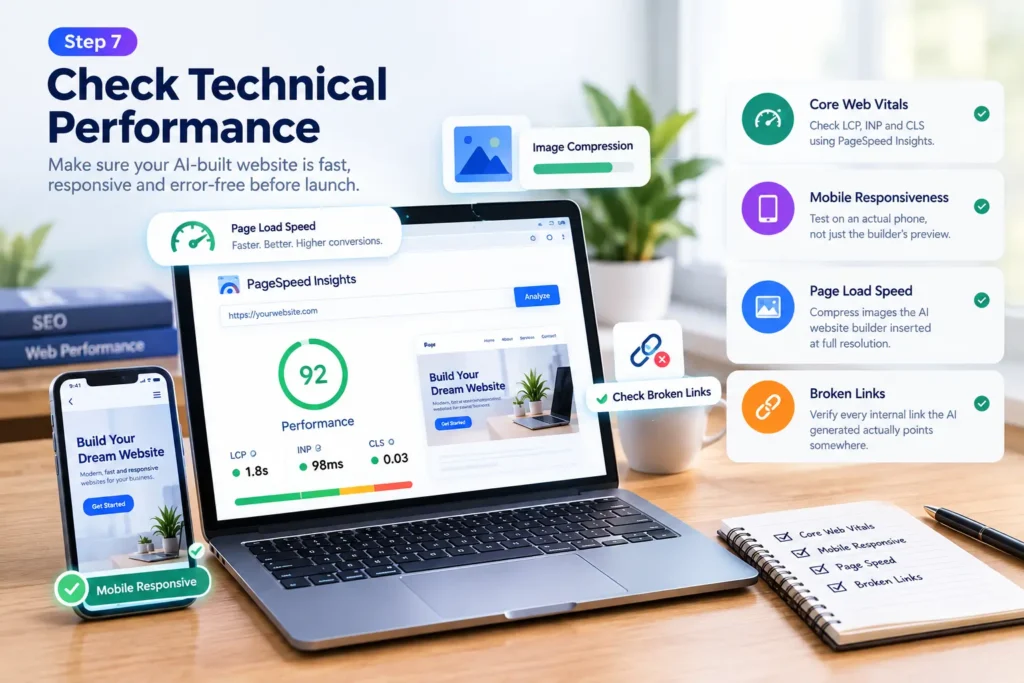
Step 7: Check Technical Performance
Sites generated by an AI website builder can carry hidden technical baggage — oversized images, bloated page scripts, or slow-loading third-party widgets bundled into the template. Before launch, check:
- Core Web Vitals — LCP, INP, and CLS scores using PageSpeed Insights
- Mobile responsiveness — test on an actual phone, not just the builder’s preview
- Page load speed — compress images the AI website builder inserted at full resolution
- Broken links — verify every internal link the AI generated actually points somewhere
Our guides on Core Web Vitals and website speed for SEO walk through fixing the most common issues that show up on freshly launched AI-built sites, and the technical SEO checklist covers 25 additional items worth reviewing before you consider the build finished.
Step 8: Launch, Submit to Search Console, and Monitor
Once the site is live, connect Google Search Console and submit your sitemap so pages get indexed. Set a baseline for impressions and clicks so you can track whether the site built with your AI website builder is actually gaining visibility over the following weeks. Our post on Google Search Console indexing covers common issues that delay indexing on newly launched sites, and the Search Console performance report guide explains how to read the data once it starts coming in.
Keeping the Site Updated After Launch
Publishing the site is the beginning of the relationship with an AI website builder, not the end of it. Most platforms let you go back and regenerate individual sections, add new pages, or refresh copy using the same prompt-based editing you used during setup — which makes ongoing maintenance noticeably easier than editing raw code by hand. Adding a new service, updating seasonal promotions, or writing a new blog post typically takes minutes rather than a developer ticket.
That said, updates still need a human check before they go live. AI-generated edits can drift from your established brand voice over time, introduce awkward phrasing, or duplicate content already on another page if you’re not paying attention. Set a habit of reviewing anything the AI website builder generates before publishing it, the same way you’d review a first draft from a junior writer — quick to fix, but not something to publish unread.
It’s also worth revisiting your SEO settings periodically rather than assuming they stay correct forever. New pages added through the builder often need the same manual pass — title tags, meta descriptions, schema, internal links — that the original launch required, since most AI website builder platforms don’t apply SEO defaults automatically to content added after the initial build.
AI Website Builder vs. Hiring a Web Designer
The honest answer is that it depends on the complexity of what you need. An AI website builder is a strong fit for straightforward business sites — a handful of pages, standard layouts, clear content needs — where speed and cost matter more than a fully custom design. A human designer or developer still wins for businesses that need custom functionality, unique visual branding that can’t be replicated from a template library, complex integrations, or a site that needs to stand out in a visually competitive industry.
Many agencies now use a hybrid approach: generate the initial structure and content with an AI website builder to save time, then bring in a designer or developer to refine branding, fix technical issues, and build out anything custom the AI couldn’t handle. This middle path captures most of the speed benefit while avoiding its biggest weaknesses.
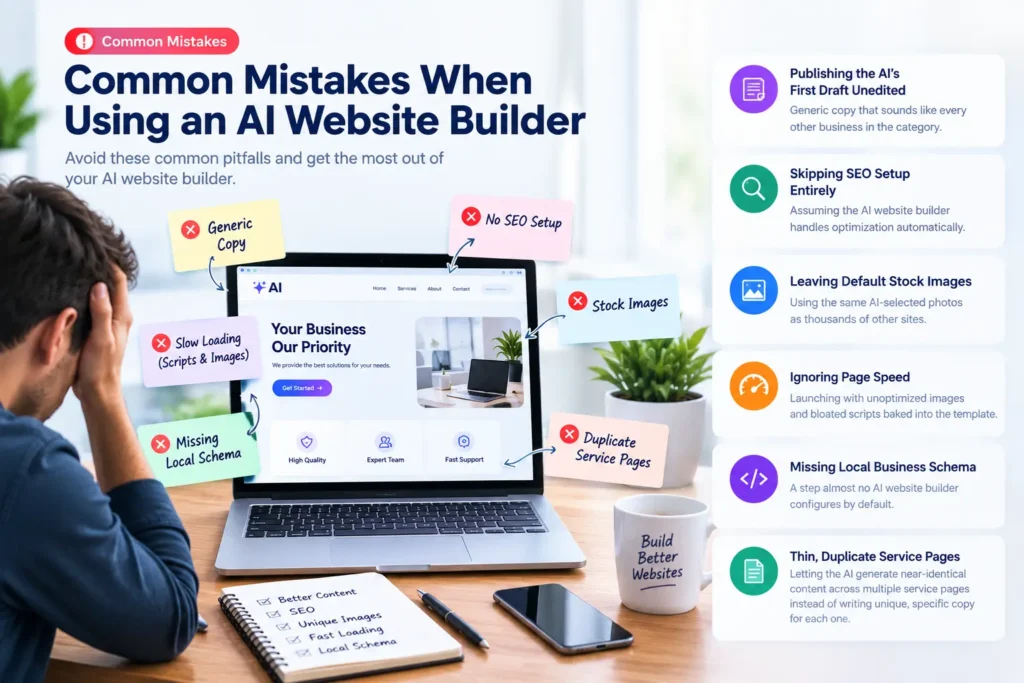
Common Mistakes When Using an AI Website Builder
After reviewing dozens of AI-generated sites for local businesses, a handful of mistakes show up repeatedly:
- Publishing the AI’s first draft unedited — generic copy that sounds like every other business in the category
- Skipping SEO setup entirely — assuming the AI website builder handles optimization automatically
- Leaving default stock images — using the same AI-selected photos as thousands of other sites built on the same platform
- Ignoring page speed — launching with unoptimized images and bloated scripts baked into the template
- Missing local business schema — a step almost no AI website builder configures by default
- Thin, duplicate service pages — letting the AI generate near-identical content across multiple service pages instead of writing unique, specific copy for each one
Our post on common SEO mistakes covers several of these patterns in more depth, and most of them apply directly to sites built with an AI website builder just as much as to hand-coded ones.
SEO Limitations of AI Website Builders (and How to Work Around Them)
While an AI website builder is genuinely useful for getting a site live fast, it has real limitations worth knowing upfront. Generated copy is often generic and needs a human editing pass to sound authentic and to avoid sounding identical to competitors using the same tool. Many platforms limit how deeply you can control technical SEO elements like schema markup, canonical tags, or robots directives, which means some optimization work has to happen manually or through an SEO plugin if the platform allows one. Site speed can also be inconsistent, since templates are built for visual flexibility across every industry, not lean, fast-loading code for your specific use case.
None of these limitations make an AI website builder a bad choice — they just mean the tool gets you 70 to 80 percent of the way to a finished, optimized site, and the remaining work (unique copy, technical SEO, local optimization, performance tuning) still needs deliberate attention after the initial build.
Is an AI Website Builder Right for Your Business?
An AI website builder makes the most sense for:
- New businesses that need a professional site live quickly on a limited budget
- Local service businesses that need a straightforward, lead-generating site
- Solo entrepreneurs and freelancers who don’t have design or development skills
- Businesses testing a new offer or location before investing in a custom build
A traditional designer or developer — or a hybrid approach using an AI website builder as the starting point — makes more sense for:
- Businesses with complex functionality needs (custom booking systems, membership portals, advanced integrations)
- Brands that need a highly distinctive visual identity
- Larger sites with dozens of pages requiring careful information architecture
- Businesses in visually competitive industries where a templated look would hurt credibility
What to Prepare Before You Start
The output quality depends heavily on what you feed into the tool at setup, so a little preparation goes a long way. Gather your logo file if you have one, a handful of real photos of your team, location, or work, a list of actual customer testimonials if you’ve collected any, and any existing brand guidelines around color or tone. Having these ready means you’re customizing the generated draft with real assets from the start, instead of publishing placeholder content and forgetting to swap it out later — which happens more often than you’d expect once a site goes live and the to-do list moves on to other things.
It also helps to write down your competitors’ website URLs before you start. Not to copy them, but to notice what they’re doing that you want to do differently — a clearer call to action, a better-organized service list, testimonials placed higher on the page. Feeding that context into your prompts, or simply keeping it in mind as you review each generated page, tends to produce a more distinctive result than starting from the tool’s default assumptions about your industry.
Set aside a couple of hours for this preparation rather than rushing straight into onboarding questions. The businesses that get a genuinely usable first draft are almost always the ones that spent a little time thinking through their content and assets beforehand, rather than typing a one-line description and hoping the output matches what they had in mind.
Frequently Asked Questions
Can an AI website builder handle SEO on its own? Partially. Most platforms generate basic on-page elements like title tags and headings, but genuine SEO — keyword research, technical performance, local optimization, backlinks — still requires manual work after the AI website builder finishes the initial build.
Is a site built with an AI website builder as good as a custom-designed one? For straightforward business sites, often yes, especially once you’ve edited the copy and added proper SEO. For sites needing custom functionality or a highly distinctive brand identity, a custom build usually still wins.
How much does an AI website builder typically cost? Pricing varies widely by platform and plan, but most fall somewhere between a basic monthly subscription for a simple site and a higher tier that includes e-commerce features, priority support, or advanced customization. Compare what’s bundled — hosting, domain, SSL — before assuming a lower sticker price is actually cheaper.
Can I switch from an AI website builder to a custom site later? Usually, though how easily depends on the platform. Some allow clean HTML export, while others lock your content into a proprietary system that makes migration harder. Check export options before committing if you think you might outgrow the platform.
Final Thoughts
An AI website builder has genuinely changed how fast a business can get online — what used to take weeks of back-and-forth with a designer now takes an afternoon of prompting, editing, and refining. But speed isn’t the same as a finished product. The businesses that get the most out of it are the ones that treat the generated site as a strong first draft, not a finished deliverable: editing the copy until it sounds like a real business, adding the SEO fundamentals the AI skipped, fixing performance issues before launch, and building out local optimization by hand.
Used that way, an AI website builder is one of the fastest, most accessible ways for a small or local business to get a professional, functional website live in 2026 — as long as the work doesn’t stop the moment the AI finishes generating the first draft.
