

If you think a website is “done” the moment it launches, you’re setting yourself up for a nasty surprise — a hacked homepage, a broken checkout page, or a Google ranking that quietly slides away while nobody’s watching. That’s exactly why every serious site owner needs a website maintenance checklist they actually follow, not one they bookmark and forget.
A website maintenance checklist is your safety net. It’s the difference between catching a broken plugin before a customer does, and finding out about it from an angry email. In this guide, we’ll walk through a complete website maintenance checklist covering security, backups, speed, content, SEO, and functionality — 25 things to check, explained in plain language, so you can keep your site healthy all year round.
Whether you run a blog, an online store, a portfolio, or a business website, this website maintenance checklist applies to you. It doesn’t matter if you built your site yourself or paid a developer — once it’s live, ongoing maintenance is what keeps it working the way it should. Let’s get into it.
What Is a Website Maintenance Checklist?
A website maintenance checklist is simply a structured list of recurring tasks that keep a website secure, fast, functional, and search-engine friendly over time. Instead of reacting to problems after they happen — a hacked site, a slow-loading homepage, a form that silently stopped working — a website maintenance checklist lets you catch these issues proactively, on a set schedule, before they cost you traffic, sales, or trust.
Think of it the same way you’d think of a maintenance schedule for a car. You don’t wait for the engine to fail before checking the oil. A website maintenance checklist applies that same logic to your digital presence.
Why You Need a Website Maintenance Checklist
Websites aren’t static. Plugins update, browsers change, hosting environments shift, and hackers are constantly scanning for outdated software to exploit. Without a website maintenance checklist, small issues pile up until they become expensive problems — lost traffic, lost sales, or a full-blown security breach that takes days to clean up.

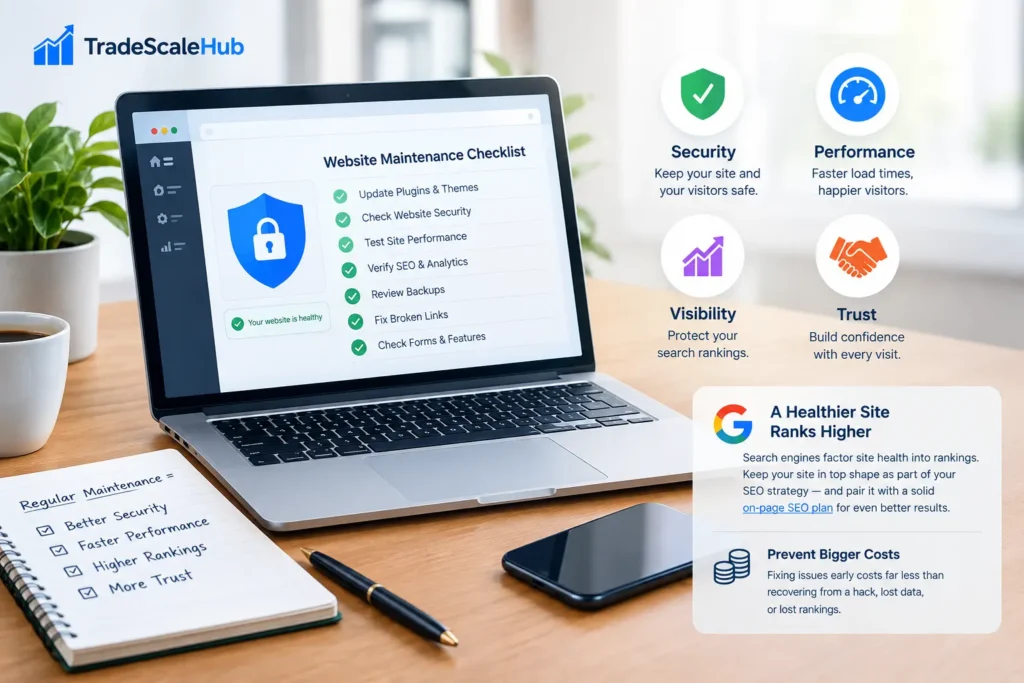
A good website maintenance checklist protects four things that matter most to any website owner:
- Security — keeping your site, your data, and your visitors’ data safe from attacks.
- Performance — making sure pages load fast and don’t frustrate visitors into leaving.
- Visibility — protecting the search rankings you’ve worked hard to earn.
- Trust — a broken, slow, or insecure site quietly erodes visitor confidence, even if they never say so.
Search engines like Google also factor site health into rankings. A slow, broken, or insecure site tends to lose visibility over time, even when the content itself is excellent. Running through a website maintenance checklist regularly isn’t just good housekeeping — it’s part of your SEO strategy. If you’re also working on improving your search visibility, pairing this website maintenance checklist with a solid on-page SEO strategy can compound your results over the long run.
There’s also a cost argument. Fixing a hacked website, recovering lost data, or rebuilding lost rankings almost always costs more — in time and money — than the handful of hours a monthly website maintenance checklist takes to run. Prevention is consistently cheaper than recovery.
Signs Your Website Needs Maintenance Right Now
Before diving into the full website maintenance checklist, it helps to know the warning signs that maintenance has already been neglected:
- Pages that take more than 3–4 seconds to load.
- A CMS, theme, or plugins that haven’t been updated in months.
- No record of when the last backup was taken.
- Broken forms, missing images, or outdated content still live on the site.
- A steady, unexplained drop in search traffic.
If any of these sound familiar, it’s a strong sign your website maintenance checklist needs to become a habit, not an afterthought.
It’s also worth noting that neglect tends to be invisible from the inside. Site owners who check their homepage occasionally may never notice a slow-loading product page buried three clicks deep, or a contact form that’s been silently failing since a plugin update six weeks ago. Visitors notice these things immediately — and most of them won’t bother reporting the problem. They’ll simply leave and choose a competitor instead. That silent attrition is exactly what a regular maintenance routine is designed to prevent.
How Often Should You Run a Website Maintenance Checklist?
Not every item on a website maintenance checklist needs to be checked daily. A practical approach is to split tasks by frequency:
- Weekly: backups, uptime checks, comment/spam moderation, broken link scans on high-traffic pages.
- Monthly: full plugin/theme/CMS updates, speed tests, SEO audits, form testing.
- Quarterly: full security audit, content refresh, mobile usability review, accessibility check.
- Annually: domain and SSL renewal review, hosting plan evaluation, full site redesign assessment.
Building this rhythm into your calendar turns your website maintenance checklist from a one-time task into an ongoing habit — which is really the only way it works. Assign an owner to each frequency tier so the checklist doesn’t quietly stop happening the moment things get busy.
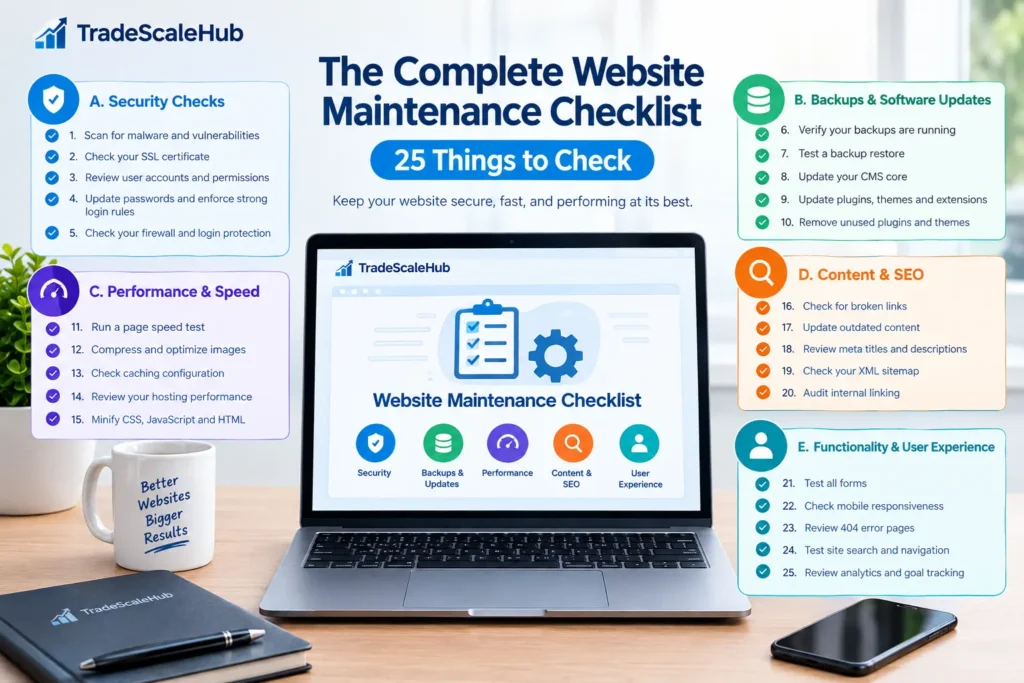
The Complete Website Maintenance Checklist: 25 Things to Check
Here’s the full website maintenance checklist, broken into five practical categories: security, backups & updates, performance, content & SEO, and functionality & user experience.
A. Security Checks
1. Scan for malware and vulnerabilities. Every website maintenance checklist should start with security. Run a malware scan using your hosting provider’s built-in scanner or a dedicated security plugin. Catching an infection early can save you from being blacklisted by Google or flagged with a browser warning that scares visitors away.
2. Check your SSL certificate. Make sure your SSL certificate is valid and hasn’t expired. An expired certificate triggers “not secure” browser warnings that scare visitors away instantly, and it’s one of the most overlooked items on a website maintenance checklist — often because renewal happens automatically until, one year, it doesn’t.
3. Review user accounts and permissions. Remove old admin accounts, former employees, or unused contributor logins. The fewer people with admin access, the smaller your attack surface — a simple but important step in any website maintenance checklist that’s easy to skip and costly to ignore.
4. Update passwords and enforce strong login rules. Weak, reused passwords are still one of the top causes of website breaches. Use this part of your website maintenance checklist to enforce two-factor authentication and strong password policies across every account with admin access.
5. Check your firewall and login protection. Confirm that a web application firewall (WAF) is active and that login attempts are being rate-limited or blocked after repeated failures. This is a non-negotiable line item on any serious website maintenance checklist, especially for sites that have been targeted before.
B. Backups & Software Updates
6. Verify your backups are actually running. It’s not enough to assume backups are happening — confirm it. This is arguably the single most important item on a website maintenance checklist, because a backup is your last line of defense if everything else on this list fails.
7. Test a backup restore. A backup you’ve never tested is a backup you can’t fully trust. Once a quarter, restore a backup to a staging environment to confirm it actually works and contains what you expect.
8. Update your CMS core. Whether you’re on WordPress, Shopify, or another platform, keep the core software updated. Outdated CMS versions are a favorite target for automated attacks, which is why this sits near the top of every website maintenance checklist.
9. Update plugins, themes, and extensions. Outdated plugins are one of the most common entry points for hackers. Review and update them regularly as part of your website maintenance checklist routine, and always update on a staging site first if the change is significant.
10. Remove unused plugins and themes. Deactivated doesn’t always mean safe. Delete plugins and themes you’re not using — they can still be exploited even when inactive, and they add unnecessary clutter to your admin dashboard.
C. Performance & Speed
11. Run a page speed test. Use a tool like Google PageSpeed Insights or GTmetrix to measure load times on your most important pages. Speed is both a ranking factor and a conversion factor, making it essential to this website maintenance checklist.
12. Compress and optimize images. Large, uncompressed images are one of the biggest speed killers on the web. Compress images and use modern formats like WebP wherever possible, and set explicit width and height to prevent layout shift.
13. Check caching configuration. Make sure browser and server-side caching are properly configured. Caching issues are easy to miss but have an outsized impact on load times, especially for returning visitors.
14. Review your hosting performance. If your site is consistently slow despite optimization, your hosting plan itself may be the bottleneck. This is a good moment in your website maintenance checklist to evaluate whether you’ve outgrown your current plan or provider.
15. Minify CSS, JavaScript, and HTML. Reducing the size of your code files trims unnecessary load time. Most caching or optimization plugins can handle this automatically, but it’s worth manually verifying after major theme or template updates.
D. Content & SEO
16. Check for broken links. Broken internal and external links hurt both user experience and SEO. Run a broken-link scan and fix or redirect anything that’s dead — a core, recurring task in any website maintenance checklist.
17. Update outdated content. Refresh old blog posts and landing pages with current information, statistics, and internal links. Search engines reward content that’s kept up to date, so this deserves a permanent spot on your website maintenance checklist rather than a one-off cleanup.
18. Review meta titles and descriptions. Make sure key pages have unique, keyword-relevant meta titles and descriptions. Missing or duplicate metadata is a common issue this website maintenance checklist should catch before it affects click-through rates.
19. Check your XML sitemap. Confirm your sitemap is up to date and submitted correctly in Google Search Console. An outdated sitemap can delay indexing of new content and cause search engines to miss recently added pages.
20. Audit internal linking. Make sure important pages are linked from relevant content across your site. Strong internal linking, guided by your sitemap, helps both users and search engines navigate your site more effectively and distributes ranking authority to the pages that need it most.
E. Functionality & User Experience
21. Test all forms. Contact forms, signup forms, and checkout forms should be tested regularly to confirm submissions are actually reaching you. A silently broken form can cost you leads for weeks before anyone notices — which is exactly why it belongs on this website maintenance checklist.
22. Check mobile responsiveness. With most traffic coming from mobile devices, confirm your site displays and functions correctly across screen sizes, including tap targets, menus, and image scaling.
23. Review 404 error pages. Check your analytics for pages generating 404 errors and set up redirects where appropriate. A clean, helpful 404 page also improves user experience for visitors who land on a dead link by mistake.
24. Test site search and navigation. If your site has an internal search bar or complex navigation menus, click through them regularly to confirm everything still works after recent updates or theme changes.
25. Review analytics and goal tracking. Confirm that Google Analytics, conversion tracking, and any tag manager scripts are still firing correctly. Broken tracking means you’re flying blind on decisions, so it’s a fitting final item to close out your website maintenance checklist.
Tools That Make Your Website Maintenance Checklist Easier
You don’t have to run every item on your website maintenance checklist manually. A handful of tools can automate large chunks of the process:
- Uptime monitors (like UptimeRobot) to alert you the moment your site goes down.
- Security plugins (like Sucuri or Wordfence) for malware scanning and firewall protection.
- Speed testing tools (like GTmetrix or PageSpeed Insights) to track performance over time.
- Backup plugins with automated off-site storage, so backups happen without you remembering.
- Broken link checkers to catch dead links before visitors — or Google — do.
Using the right combination of tools turns a long website maintenance checklist into a mostly automated process, with you stepping in only when something needs a human decision. Most of these tools offer free tiers that cover the basics — uptime alerts, weekly backups, and a monthly speed report — so cost isn’t a real barrier to getting started, even for a small site on a tight budget. As your site grows in traffic or complexity, upgrading to paid tiers usually buys you more frequent monitoring, longer backup retention, and priority support when something does go wrong.
DIY Maintenance vs. Hiring a Professional
Some site owners prefer to run their website maintenance checklist themselves, while others hand it off to a developer or maintenance service. Both approaches can work well, depending on your time, technical comfort, and how business-critical the site is.
Running your own website maintenance checklist makes sense if you’re comfortable with your CMS, have time set aside weekly or monthly, and your site isn’t mission-critical to revenue. Hiring a professional makes more sense for e-commerce stores, high-traffic sites, or businesses where downtime directly costs money — in that case, the cost of a maintenance plan is usually far lower than the cost of an outage.
Either way, the website maintenance checklist itself shouldn’t change — only who’s responsible for running it. Some businesses land on a hybrid approach: handling the simple, low-risk items in-house (content updates, form testing, analytics checks) while outsourcing the more technical tasks (server configuration, security hardening, core updates) to a specialist. This split often gives the best balance of cost and reliability, since it keeps day-to-day oversight close to the team that knows the business best while leaving deeper technical work to people who do it every day.
Building a Recurring Website Maintenance Checklist Schedule
The biggest reason maintenance checklists fail isn’t lack of knowledge — it’s lack of consistency. Put your website maintenance checklist on a recurring calendar with clear ownership: who checks backups, who reviews security, who updates content. Even a simple shared spreadsheet with weekly, monthly, and quarterly tabs can keep your website maintenance checklist from becoming another good intention that never gets executed.
If you’re managing multiple pages or a growing content library, cross-reference your full list of pages periodically to make sure nothing falls through the cracks as your site grows, and revisit older posts that may need the content refresh mentioned earlier in this website maintenance checklist.
Common Mistakes to Avoid
Even well-intentioned site owners fall into a few predictable traps when it comes to upkeep. Watch out for these:
- Treating it as a one-time task. Running through every item once after launch, then never again, defeats the purpose. Maintenance only works as a recurring habit.
- Assuming automatic updates cover everything. Auto-updates handle minor patches, but major version updates, compatibility conflicts, and manual configuration checks still need a human to review them.
- No single owner. When “someone” is supposed to handle updates but nobody is explicitly assigned, tasks quietly slip through the cracks for months.
- Ignoring staging environments. Pushing updates directly to a live site without testing first is how a routine plugin update turns into an hours-long outage.
- Skipping documentation. Without a written record of what was checked and when, it’s easy to lose track of what’s actually been done versus what only feels done.
Avoiding these pitfalls is often more valuable than the individual technical checks themselves, because consistency is what makes any maintenance routine actually effective over time.
Benefits of Keeping Your Site Well Maintained
Consistent upkeep pays off in ways that go beyond simply avoiding disaster:
- Better search rankings. Search engines favor sites that load quickly, stay secure, and offer a smooth user experience — all direct outcomes of regular upkeep.
- Higher conversion rates. Fast, functional pages keep visitors engaged instead of bouncing to a competitor after a slow load or a broken form.
- Lower long-term costs. Small, regular fixes are dramatically cheaper than emergency recovery from a security breach, major outage, or data loss event.
- Stronger brand trust. A polished, reliable website signals professionalism, while broken links or outdated content quietly undermine credibility.
- Peace of mind. Knowing your backups work, your security is current, and your site is being watched removes a significant source of ongoing stress for any site owner.
These benefits compound over time. A site that’s been consistently cared for over two or three years tends to have cleaner code, fewer legacy plugins, better search visibility, and far less technical debt than one that’s been patched together reactively, crisis by crisis. The gap between the two only widens the longer maintenance is neglected, which is exactly why starting the habit now — even imperfectly — is better than waiting for a “good time” that never quite arrives.
Printable Summary: Your 25-Point Checklist at a Glance
For quick reference, here’s a condensed version you can print or copy into your own task manager:
- Scan for malware and vulnerabilities
- Check SSL certificate validity
- Review user accounts and permissions
- Update passwords and enable 2FA
- Check firewall and login protection
- Verify backups are running
- Test a backup restore
- Update CMS core
- Update plugins, themes, and extensions
- Remove unused plugins and themes
- Run a page speed test
- Compress and optimize images
- Check caching configuration
- Review hosting performance
- Minify CSS, JavaScript, and HTML
- Check for broken links
- Update outdated content
- Review meta titles and descriptions
- Check the XML sitemap
- Audit internal linking
- Test all forms
- Check mobile responsiveness
- Review 404 error pages
- Test site search and navigation
- Review analytics and goal tracking
Keep this list somewhere visible — a pinned document, a recurring calendar reminder, or a shared project board — so it actually gets used instead of forgotten after the first month.
Frequently Asked Questions
How long does it take to complete a website maintenance checklist? A basic weekly pass usually takes 15–30 minutes once tools are set up. A full monthly review, covering updates, speed, and SEO checks, typically takes one to two hours.
Can I automate my entire website maintenance checklist? Much of it — backups, uptime monitoring, and malware scanning — can be automated. Some items, like testing forms and reviewing content quality, still benefit from a human check.
What happens if I skip my website maintenance checklist for a few months? Small issues compound. Outdated plugins become security risks, broken links accumulate, and performance quietly degrades — all of which can affect both security and search rankings.
Is a website maintenance checklist different for e-commerce sites? The core checklist is the same, but e-commerce sites should prioritize payment gateway testing, checkout flow testing, and inventory sync checks alongside the standard items above.
Do I need technical skills to follow a website maintenance checklist? Many items — checking analytics, reviewing content, clicking through forms and navigation — require no coding knowledge at all. A smaller subset, like server-level caching or firewall configuration, may need a developer or your hosting provider’s support team.
What’s the difference between website maintenance and a website redesign? Maintenance is about keeping an existing site secure, fast, and functional through small, ongoing tasks. A redesign is a larger, one-time project that changes the site’s structure, design, or platform. A well-maintained site can often delay the need for a costly redesign for years.
Final Thoughts
A website isn’t a one-time project — it’s an ongoing responsibility. Running through this website maintenance checklist on a regular schedule protects your security, your speed, and the search rankings you’ve worked hard to build. Start small: pick the weekly items first, get them into a routine, and layer in the monthly and quarterly tasks from there.
Bookmark this website maintenance checklist, put the recurring tasks on your calendar, and assign clear ownership for each item. Sites that follow a consistent website maintenance checklist stay healthier, safer, and more competitive than the ones that only think about maintenance after something breaks.
